
Safe lock help · Mesa / Hollon
Safe lock troubleshooting › Mesa / Hollon › LCD keypad (Mesa MFS and Hollon safes)
This LCD keypad is used on Mesa MFS-1 and MFS-2 safes and on Hollon home, office, and fire & burglary safes. You press *, your code, then #, and the screen says MATCH!. It has a master code and extra user codes, and runs on 4 AA batteries. This guide covers how to open the safe, change the master code, add users, replace the batteries, and what the screen messages mean.
Want the whole manual? Jump to the manufacturer download links.
Is this your lock?
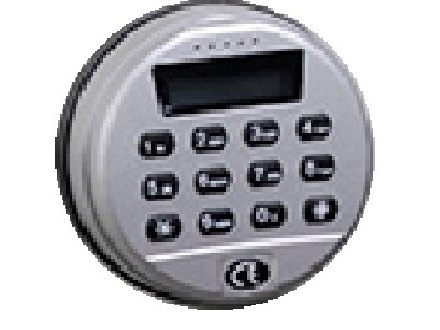
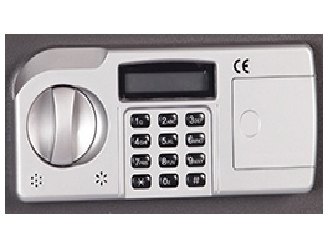
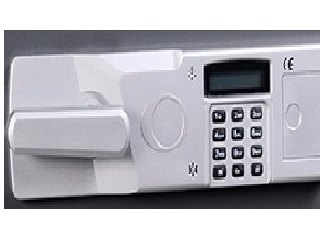
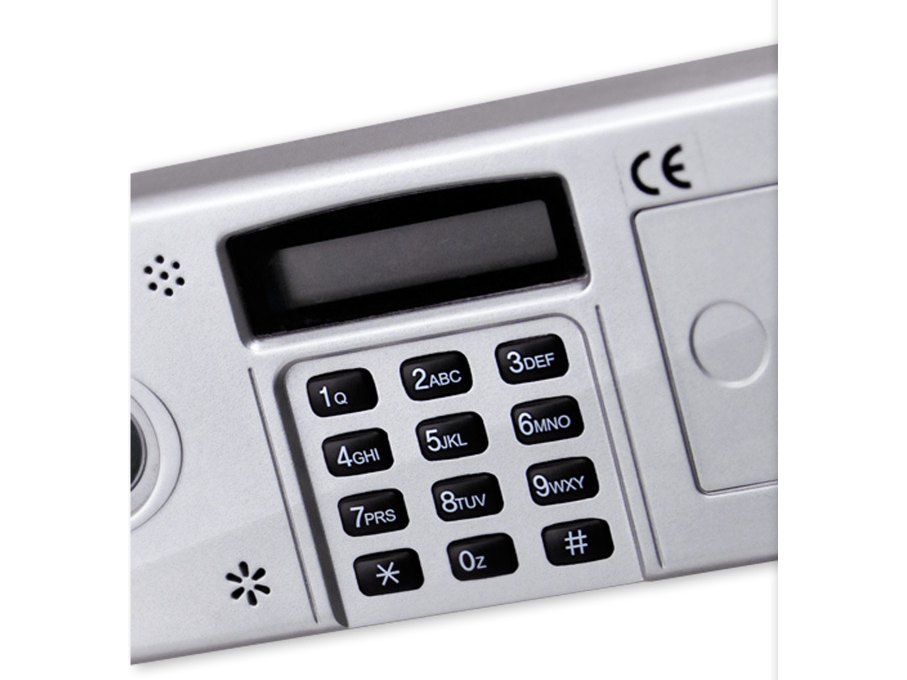
- A keypad with a one-line LCD screen above 12 keys (1 to 9, *, 0, #), marked with a CE mark. On home and office safes it is a rectangle with a sliding battery cover on the right-hand side. On Hollon fire & burglary safes it is a round keypad.
- Mesa uses it on its MFS-1 and MFS-2 safes. Hollon uses it on its home, office and fire & burglary safes.
- It has one master code (user 1) and additional user codes, and runs on 4 AA batteries.
- If your keypad has a large oval screen with a round area at each side, see the Mesa MF series guide. If the screen is a red numeric display and the safe takes a magnetic card, see the Mesa MH hotel guide.
How to open it
- Press *.
- Enter your code.
- Press #. If the code is right, the screen says MATCH! and you hear a slight click.
- You have about 3 seconds to open the door. Pull the handle downward (or turn the handle or key, depending on your safe).
- A wrong code gives 2 beeps and the screen says ERROR.
- If the safe has a handle lock (Mesa’s manager key locks the handle), unlock it first.
- To lock the safe, close the door and turn the handle back to the locked position.
How to change the battery
The keypad uses 4 AA batteries (we recommend Procell alkaline). Use good quality alkaline batteries.
- Home and office safes and Mesa MFS: slide the battery cover off the right-hand side of the lock face.
- Put in 4 new AA batteries and slide the cover back on. You hear one beep when the batteries are in properly.
- Hollon fire & burglary (round keypad): Hollon’s sheet says to put 4 AA batteries into the keypad and put the keypad or battery cover back. It does not show where the compartment is. If you cannot find it, do not take anything apart: call us.
- Test your code with the door open before you close the safe.
- Neither Mesa’s nor Hollon’s instructions list a low-battery message for this keypad. If the keypad is not responding or the lock will not open, change the batteries first.
- If you remove the batteries while the lock is in the 3-minute shutdown, the shutdown time starts over when you put them back.
How to change the master code
Always do this with the safe door OPEN.
Test the new code at least 3 times with the door open before you close the safe. A code is 1 to 8 digits.
Change the master code (user 1)
- With the door open, press the red or black button on the inside of the door panel (on the back of the door).
- The screen says NEW_PW and you hear a beep.
- Within about 10 seconds, enter your new code (1 to 8 digits).
- Press #. The screen says NEW_PW and you hear 3 beeps.
Add or change a user code
- You need the master code for this. Press *, then #. The screen says MASTER_PW.
- Enter the master code and press #. The screen says 0_EXIT.
- Press 1. The screen says C-NO:.
- Enter the user number to set or change: 2, 3, 4 or 5 (Hollon’s home and office sheet lists 2 to 4). The screen says NEW_PW:.
- Enter the new code for that user (1 to 8 digits) and press #.
- Enter the new code again and press #. The screen says SUCCESS!.
- If you get FAILURE or an error at any step, start again from the beginning.
Delete a user code
- Press *, then #, enter the master code, then #.
- Press 2. The screen says D-NO:.
- Enter the user number to delete (2 to 5). The screen says 1=YES OR 0=NO.
- Press 1 to delete (the screen says SUCCESS!), or 0 to cancel.
- Other functions start the same way (*, #, master code, #): 7 shows codes as stars on the screen instead of digits (do it again to switch back), 8 views the opening log (press # to page through it), and 9 then 1 deletes the log.
- The Mesa MFS manual lists the user step once, but its example and Hollon’s sheet both enter the new code twice.
What the screen shows
| Screen / sound | What it means |
|---|---|
| MATCH! and a click | The code was right. You have about 3 seconds to open the door. |
| ERROR and 2 beeps | The code was wrong. |
| WAIT and a beep every couple of seconds | The lock is in its 3-minute shutdown after 3 wrong codes in a row. |
| NEW_PW and a beep | Master code change: the lock is ready for the new code. |
| NEW_PW and 3 beeps | The new master code was saved. |
| MASTER_PW, then 0_EXIT | Programming menu: the lock is asking for the master code, then for a function number. |
| SUCCESS! | The user code was set or deleted. |
| FAILURE | A step was wrong. Start again from the first step. |
Wrong codes (lockout)
If 3 wrong codes are entered in a row, the lock goes into a 3-minute shutdown: the screen says WAIT, the lock beeps every couple of seconds, and it will not accept any code. Leave the batteries in and wait about 3 minutes, or until the beeping stops. Taking the batteries out does not skip the wait: the time starts over when new batteries go in.
If it still won’t open
The screen says MATCH! but the handle will not move
You only have about 3 seconds. Pull the handle right away. Also check that a handle lock (the Mesa manager key) is not locking the handle.
The keypad is not responding
Replace the 4 AA batteries. If it is in the 3-minute shutdown (the screen says WAIT), wait it out.
I changed the master code and now it does not work
Repeat the master code change with the door open and watch the screen: you need NEW_PW and 3 beeps at the end. Test it 3 times before you close the door.
Download the full manufacturer instructions
This page is a quick-reference summary. For every feature and diagram, use the official manual for your model:
- Mesa MFS-Series Electronic Lock Instructions (PDF)Mesa Safe Company, 2015. Hosted by Mesa.
- Hollon Home & Office Safe Instructions (Word file)Hollon Safe. Hosted by Hollon.
- Hollon Fire & Burglary Safe Instructions (Word file)Hollon Safe. Hosted by Hollon.
- Mesa MFS-1 lock pageMesa’s page for the MFS-1.
Need a hand?
Still stuck? We can help.
Having a hard time getting into your safe? Our technicians are trained to open malfunctioning safes professionally, so your valuables can still be safely secured. Call us or stop by.
Steve’s Lock, Safe and Alarm · 3401 N. Sepulveda Blvd, Manhattan Beach, CA 90266
More lock guides
About this guide. This is an independent guide from Steve’s Lock, Safe and Alarm, a safe and lock dealer. Brand and model names belong to their owners and are used only to help you identify your lock. We are not affiliated with the manufacturers. These steps summarize the manufacturers’ own instructions; your lock may be a different version, so if anything here does not match what your lock does, follow your manual or call us. Always change codes with the safe door open, and test the new code several times before you close the door.
Steps last checked against the manufacturer documents on October 15, 2026.