
Steve’s Lock, Safe and Alarm
Safe won’t open? Keypad dead, beeping, or locked out? Find the picture that matches the lock on your safe and tap it. Each guide shows how to open the safe, change the battery, change the code and what the beeps and lights mean, with a link to the manufacturer’s full instructions.
- 1. Match
Look at your safe’s keypad or dial and find the closest picture below. - 2. Tap
Open that lock’s guide. The page tells you what your model looks like so you can be sure. - 3. Follow
Step-by-step instructions, plus the official manual to download.
Before anything else, check these three things
- Fresh alkaline batteries. Weak batteries are the most common reason a keypad safe will not open. Use new alkaline batteries, not rechargeables or old ones from a drawer. We recommend Procell.
- Handle position. On many locks, pressure from the safe’s bolts on the lock bolt stops it from retracting. Turn the handle fully to the locked position, then enter the code again.
- Don’t keep guessing. Most electronic locks shut down for several minutes (sometimes 15) after a few wrong codes. Wait it out instead of pressing more keys.
AMSEC
AMSEC safes use these electronic locks. The ESL5, ESL10 and ESL15 keypads have a C key to clear and a # key to enter. The ESLAudit and SafeWizard have screens. The last guides cover the locks on AMSEC’s smaller home, hotel and fingerprint safes.
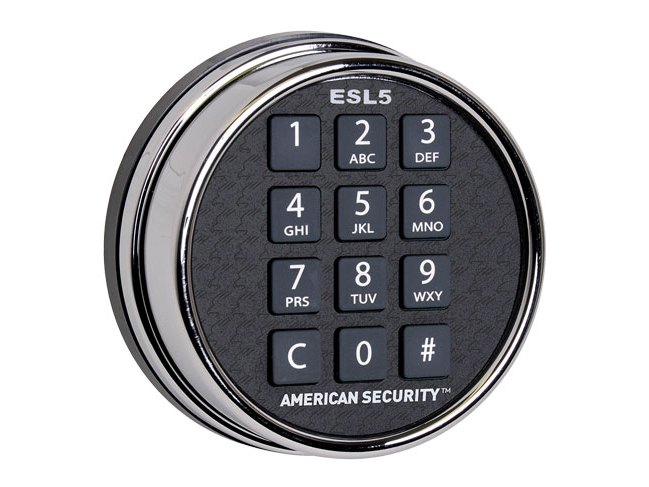 AMSEC ESL5 (round keypad)Round, backlit keys, C and # keys. One 9-volt battery.Battery · Code · Beeps →
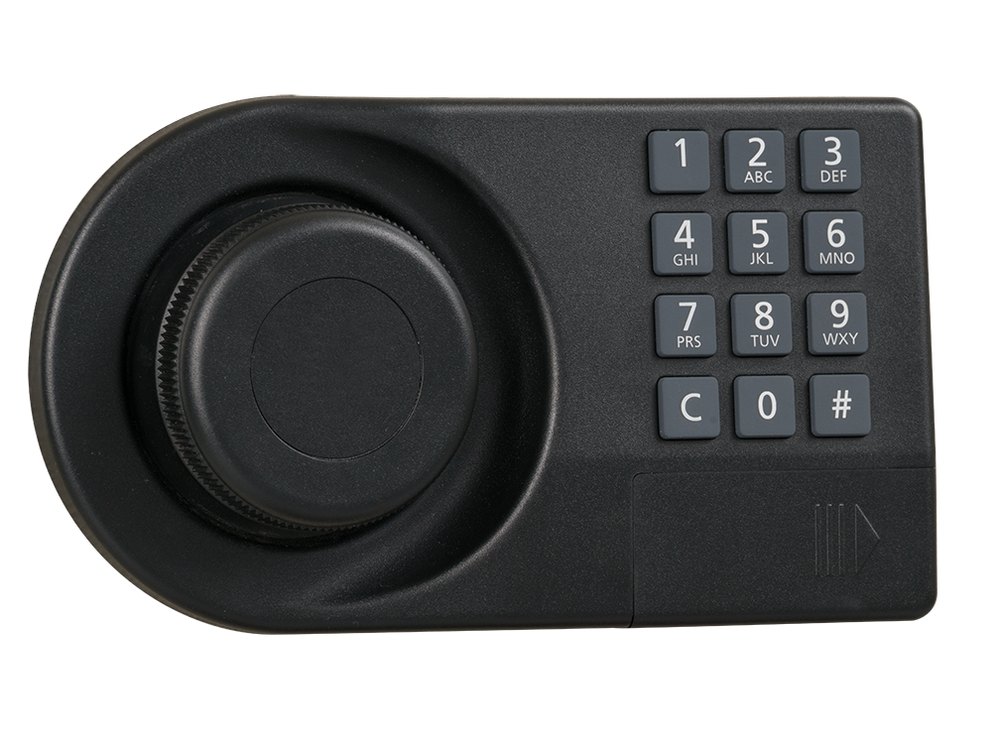 AMSEC ESL5LP (long keypad)Long keypad with a built-in handle. One 9-volt battery.Battery · Code · Beeps →
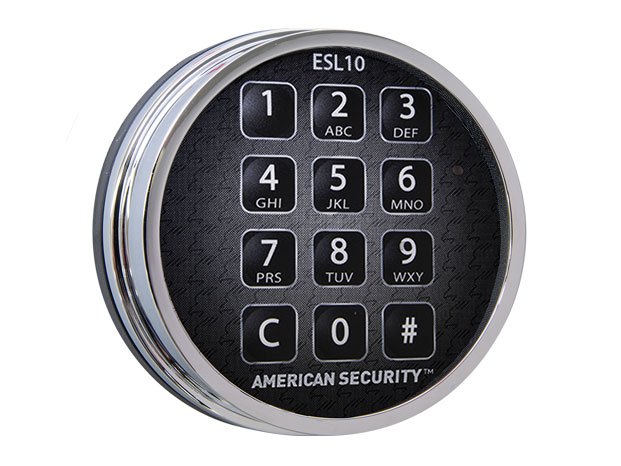 AMSEC ESL10 / ESL10XLRound, C and # keys, red light. Two 9-volt batteries.Battery · Code · Beeps →
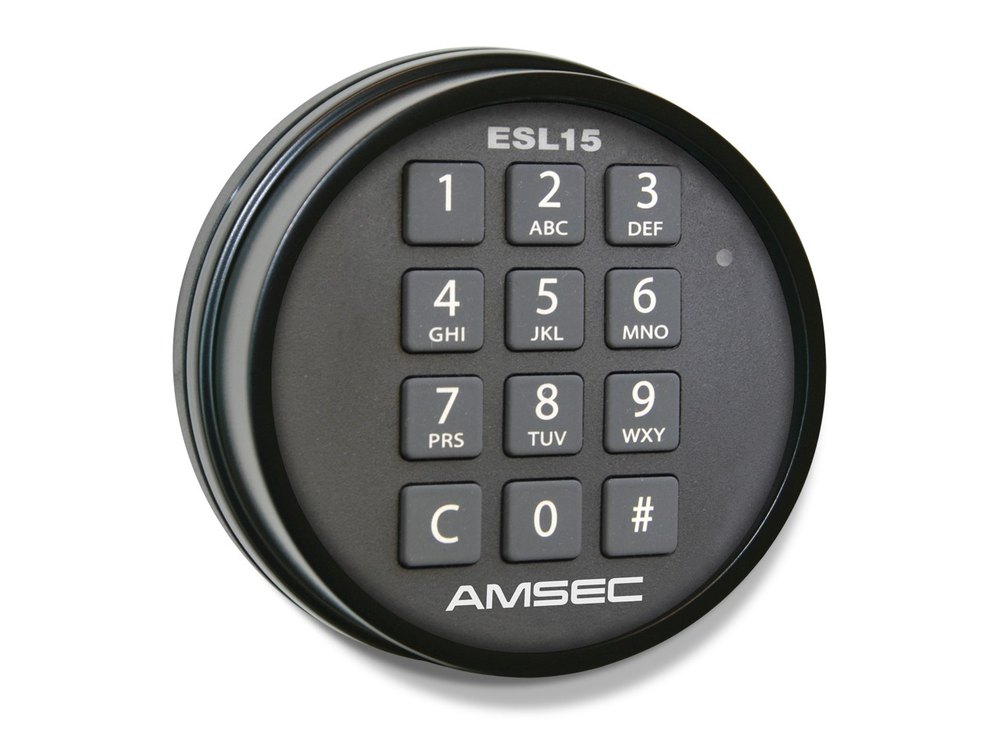 AMSEC ESL15 keypadRound keypad marked ESL15 with keys 1 to 9, C, 0 and #, and a small light at the top right.Open · Change code · Battery →
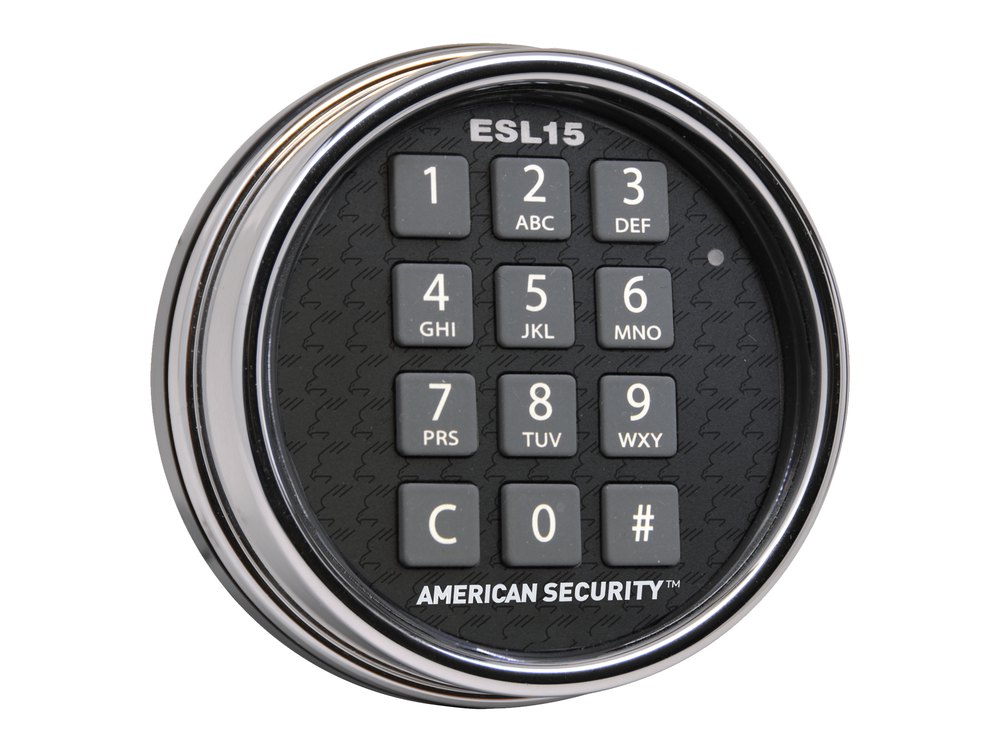 ESL15 with the chrome ringThe chrome ring version, marked ESL15 and American Security.Open · Change code · Battery →
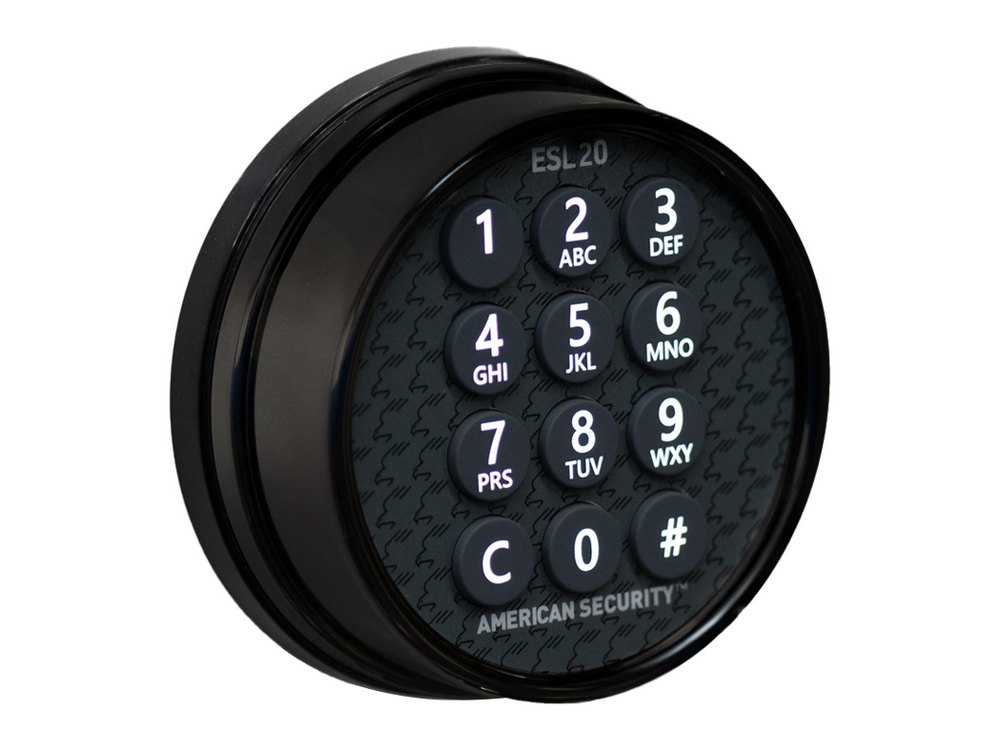 AMSEC ESL20The round ESL20 keypad shown from the side, with a black body and a numeric keypad.Open · Change code · Battery →
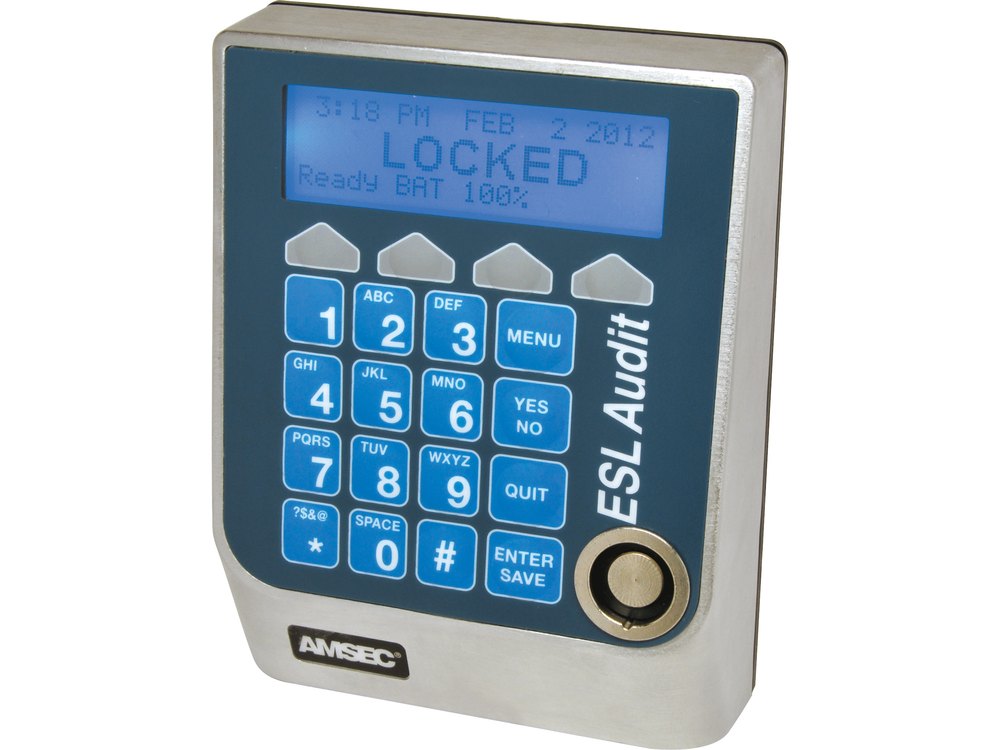 AMSEC ESLAudit / ESLAudit IIBlue keypad with a 4-line screen, four softkeys, number keys and an electronic-key reader.Login · Battery · PIN →
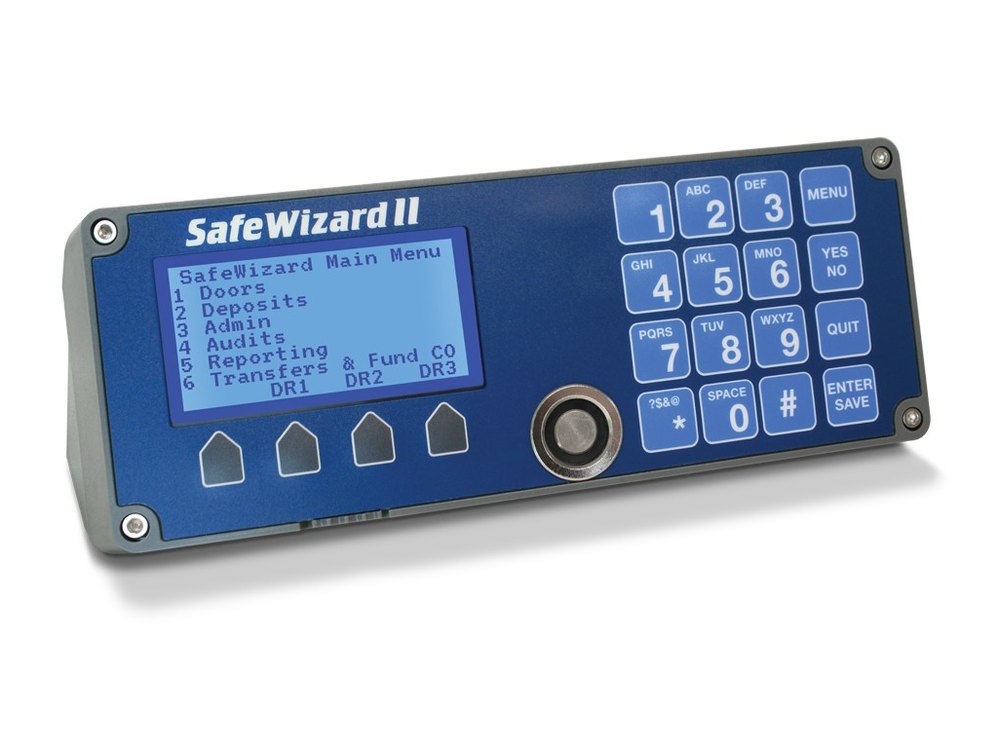 AMSEC SafeWizard II controllerBlue controller with a text screen showing the Main Menu, four grey soft keys, a number keypad with MENU, YES/NO, QUIT and ENTER/SAVE, and the key reader port.Log in and open · Change PIN · Power →
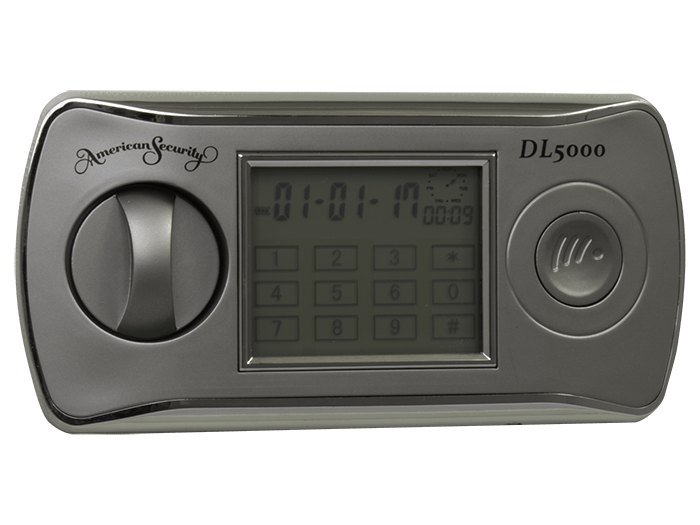 AMSEC DL5000 lockAn oval lock with an LCD showing the date and time over a keypad, a round turn knob on the left and a round emergency key cover on the right.Open · Change code · Battery →
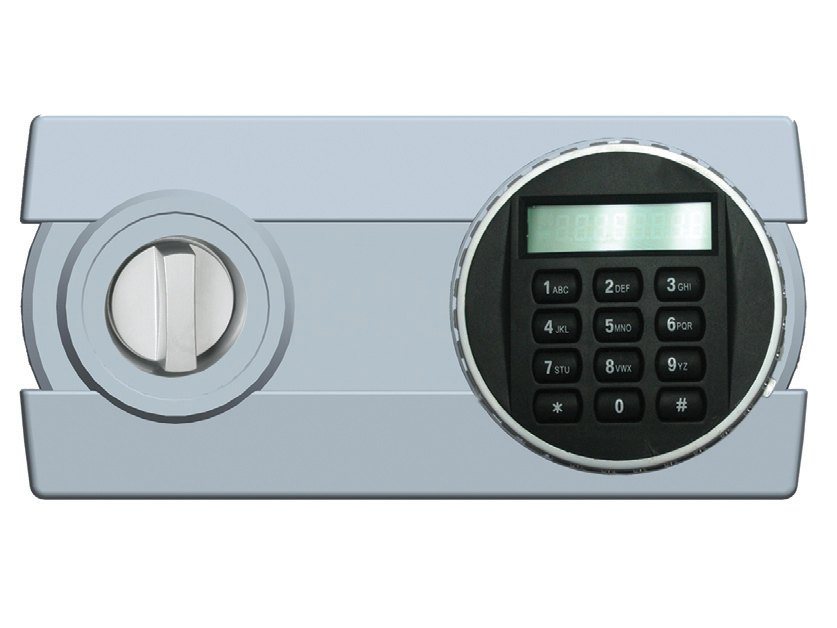 AMSEC DL4000 lockAMSEC’s drawing: a turn knob on the left and a round keypad with a small LCD on the right.Open · Change code · Battery →
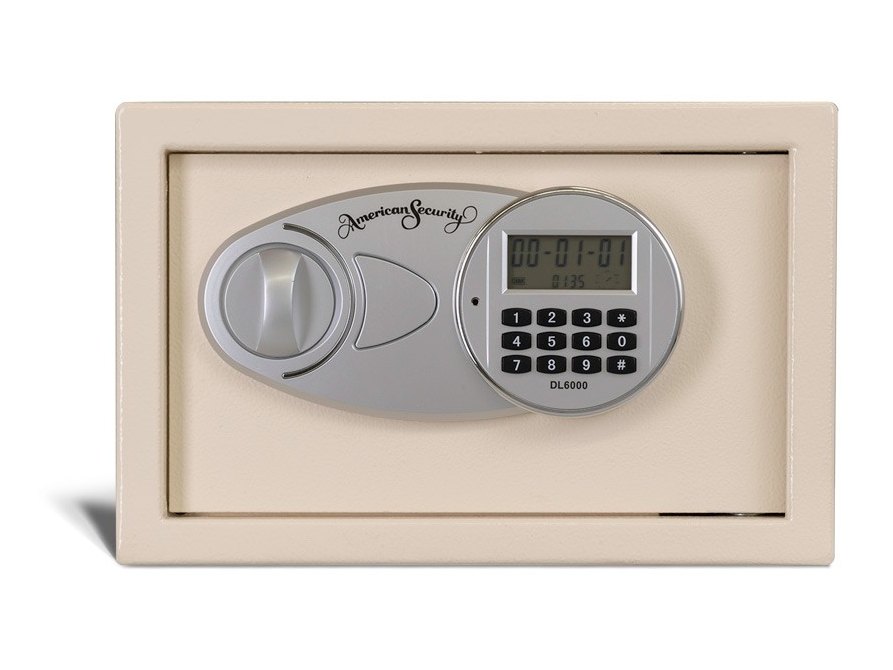 AMSEC EST813 with the DL6000 lockA small cream safe with the oval DL6000 lock on the door.Open · Change code · Battery →
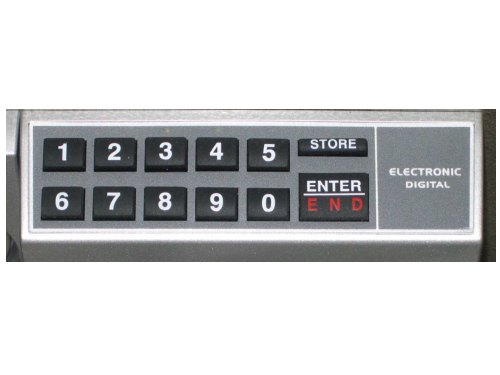 Newer ES / WES keypad (ENTER)A grey keypad with keys 1 to 5, STORE, 6 to 0 and ENTER / END, and the words ELECTRONIC DIGITAL.Open · Change code · Battery →
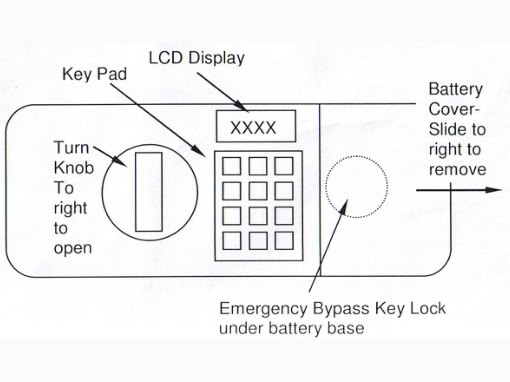 Older ES / WES lock (LCD and star keypad)AMSEC’s drawing: a turn knob, an LCD window above a 12-key pad, and the round battery cover to the right.Open · Change code · Battery →
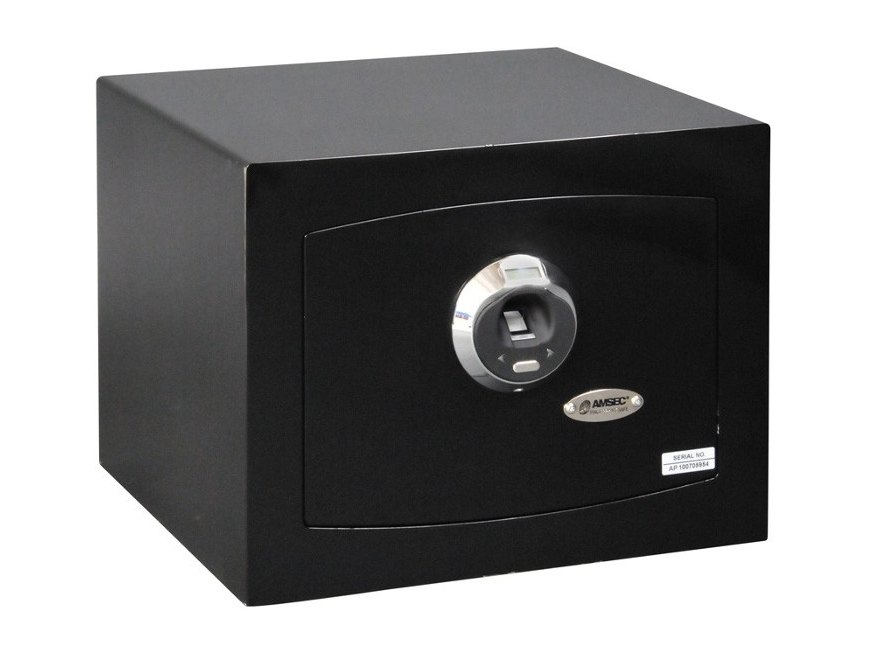 AMSEC ESF1214A small black safe with a round fingerprint reader with a silver ring and the AMSEC badge below it.Open · Enroll · Battery →
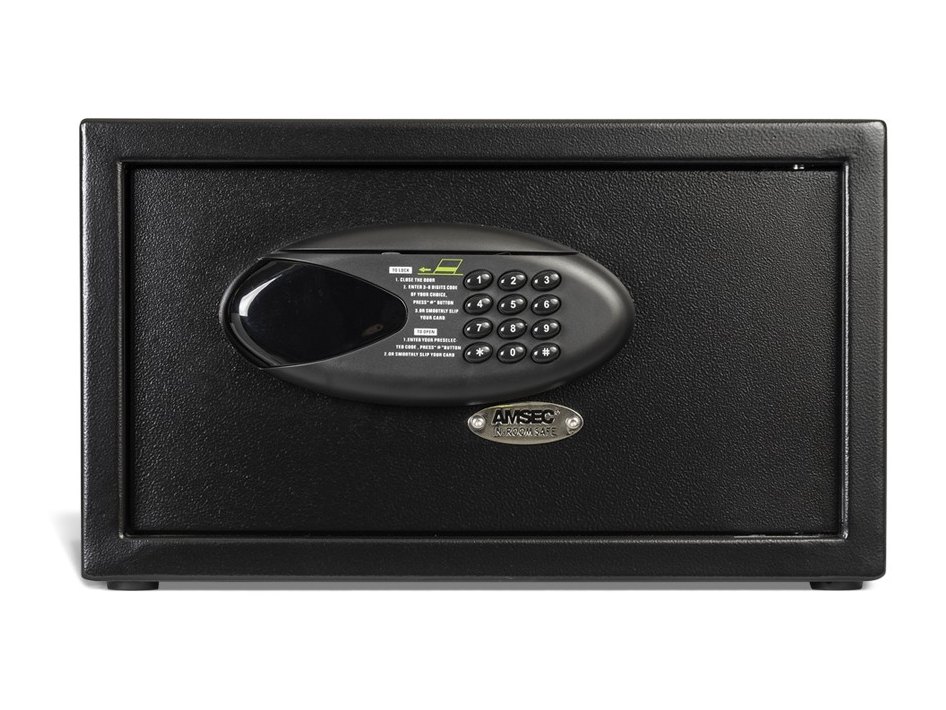 AMSEC IRC916EA small black in-room safe with an oval keypad and display on the door and the AMSEC badge below it.Lock and open · Battery · Emergency →
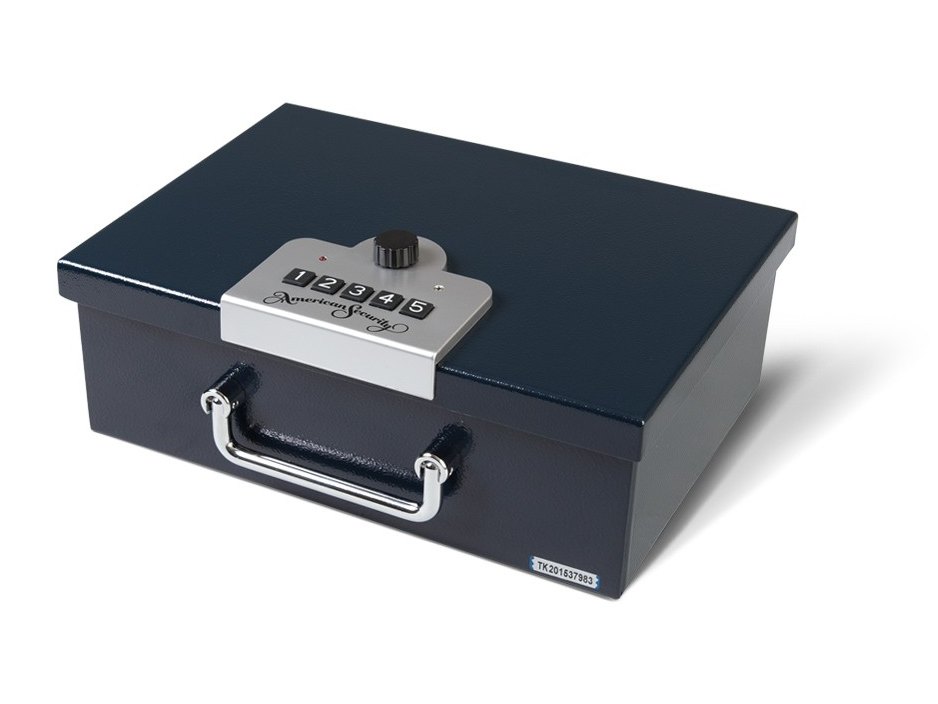 AMSEC PB3 (closed)A small dark blue box with a handle and a silver plate on the lid with five push buttons and a round knob.Open · Set codes · Battery →
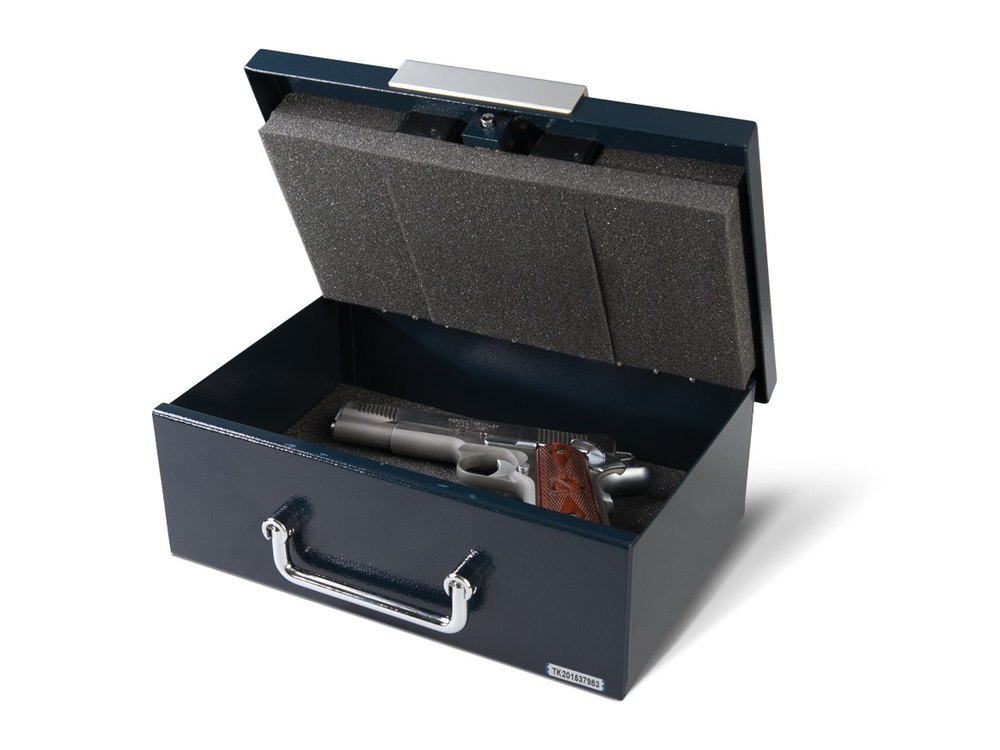 AMSEC PB3 (open)The same box open, with the foam lining and a handgun inside.Open · Set codes · Battery →
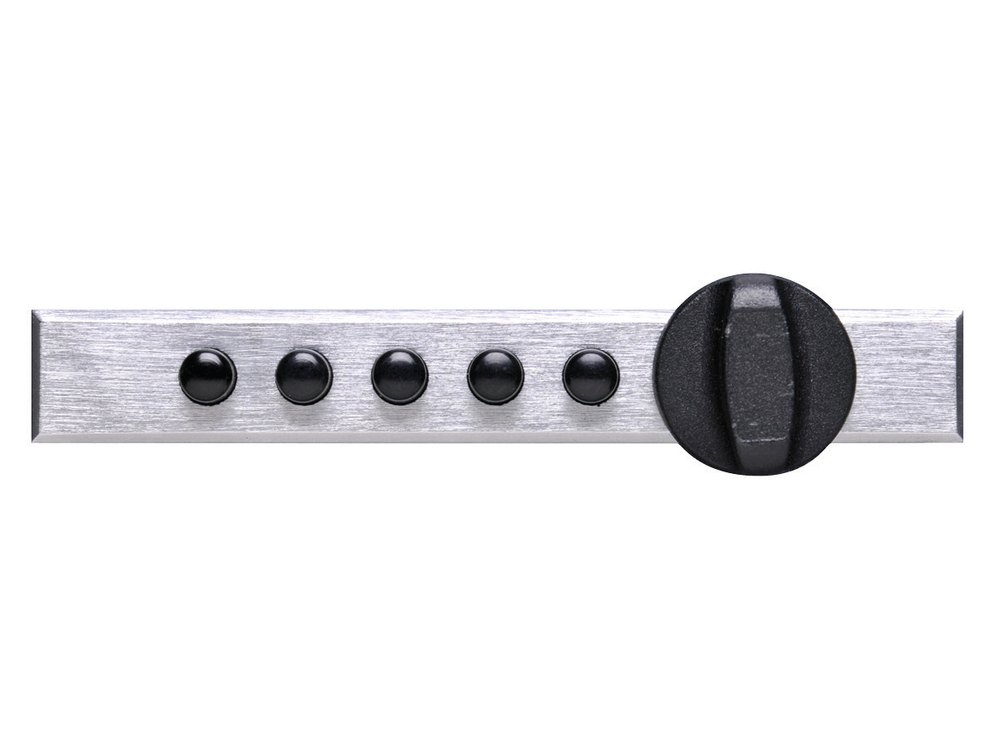 Simplex 5-button lockA brushed silver strip with five black round buttons and a black knob on the right.Open · Change combination →
Sargent & Greenleaf (S&G)
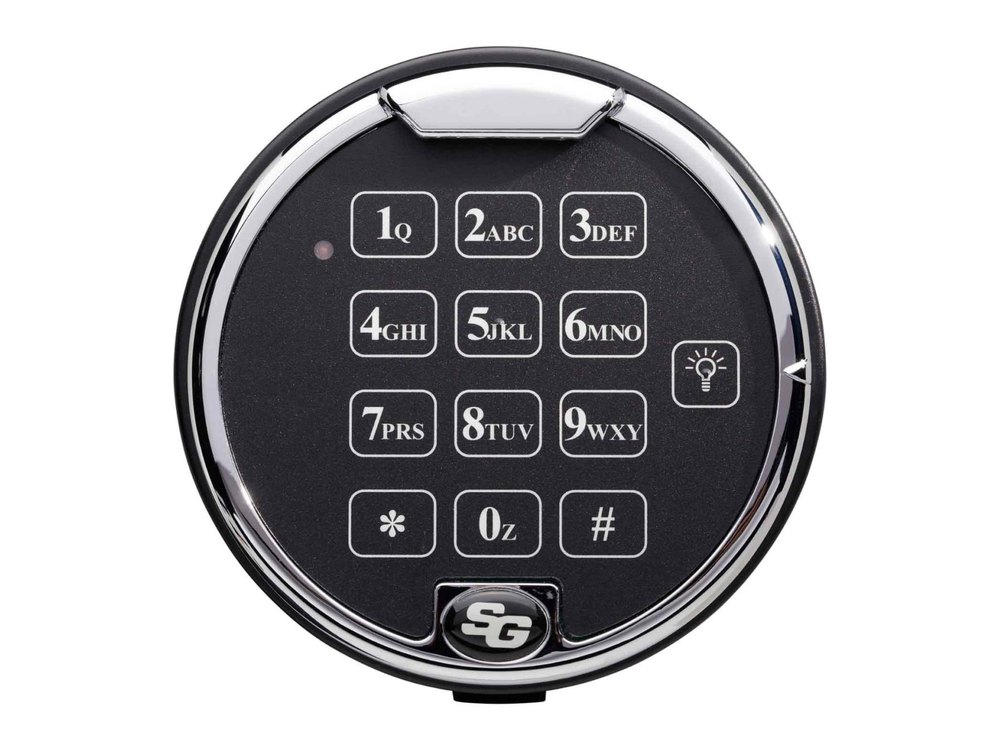 S&G 6120Round keypad with letters and the S&G logo. Two 9-volt batteries.Battery · Code · Beeps →
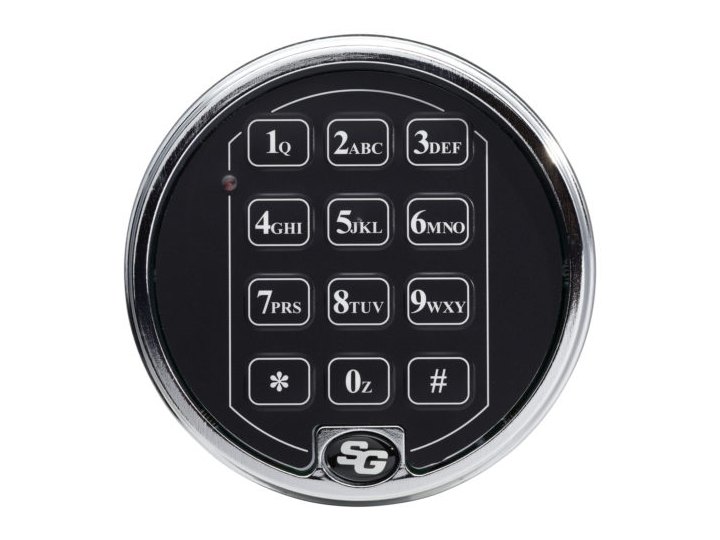 S&G 6120 (satin chrome)The same keypad with a satin chrome ring.Battery · Code · Beeps →
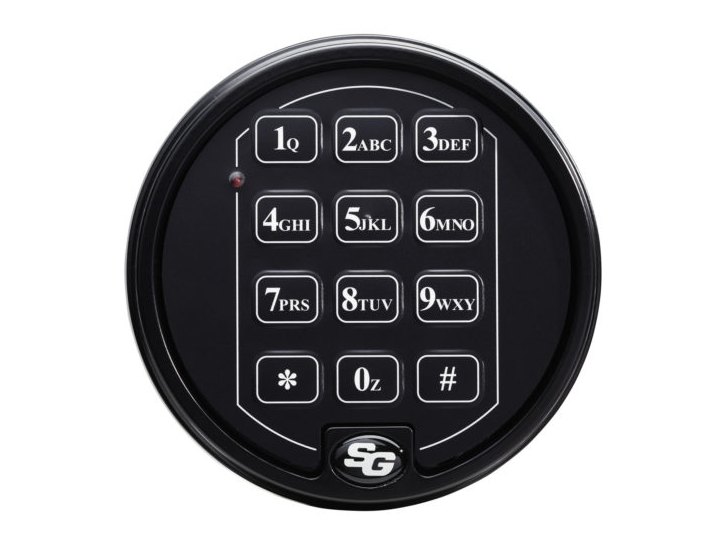 S&G 6120 (matte black)The same keypad in matte black.Battery · Code · Beeps →
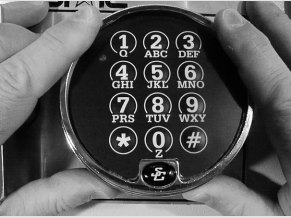 S&G 6120-family keypadA round keypad with keys 1 to 9, star, 0 and pound, each with letters, in a round bezel, shown in the manual with a 9-volt battery.Open · Change codes · Battery →
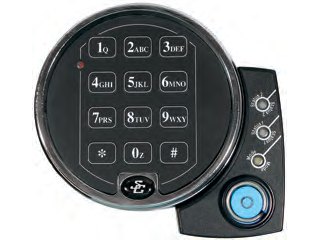 S&G 6126 / 6127 Audit LockRound keypad with letters on the keys. You enter a 2-digit position first. A side unit holds three lights.Battery · Code · Beeps →
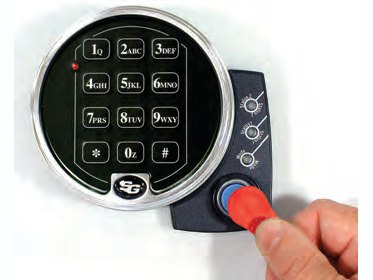 S&G 6126 / 6127 with a touch keyThe same keypad with a touch key held to the port on the side unit.Battery · Code · Beeps →
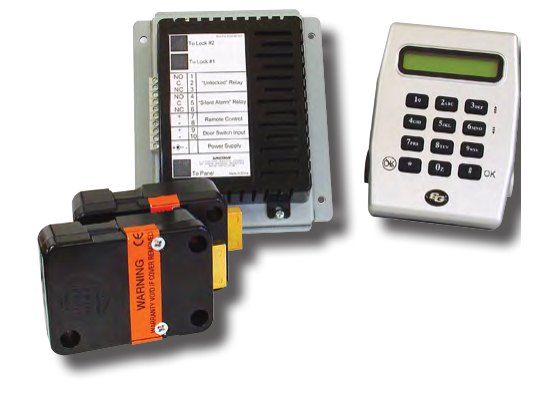 S&G 6300 systemThe 6300 control unit and square bolt lock with the LCD keypad.Is this your lock? · What it can do · If it will not open →
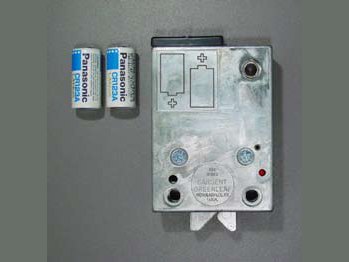 S&G Pulsetronic lock bodyThe lock body out of the safe with its battery compartment open and the two cylindrical lithium batteries beside it.Open · Change code · Battery →
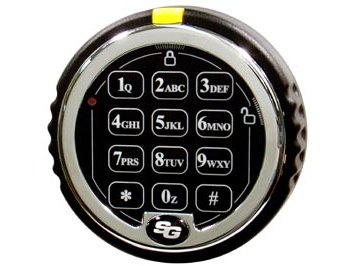 S&G D-Drive keypadA round black keypad with a chrome ring, keys 1 to 9, star, 0 and pound, an S&G logo at the bottom and a yellow tab at the top of the ring.Open · Change code · Battery →
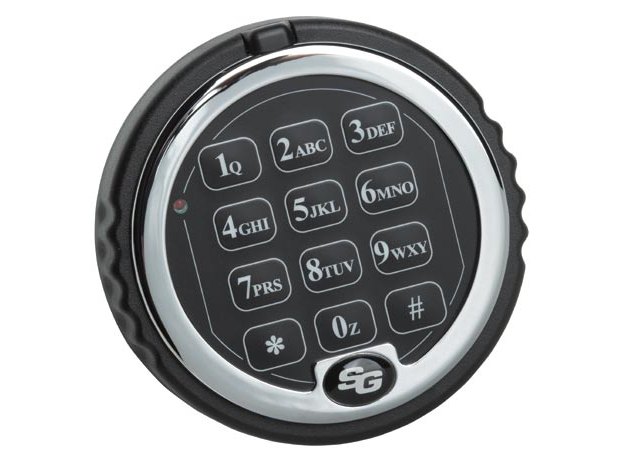 S&G keypad for the Z03A round black keypad with a chrome ring and the keys 1 to 9, star, 0 and pound, and the S&G logo at the bottom.Open · Change code · Battery →
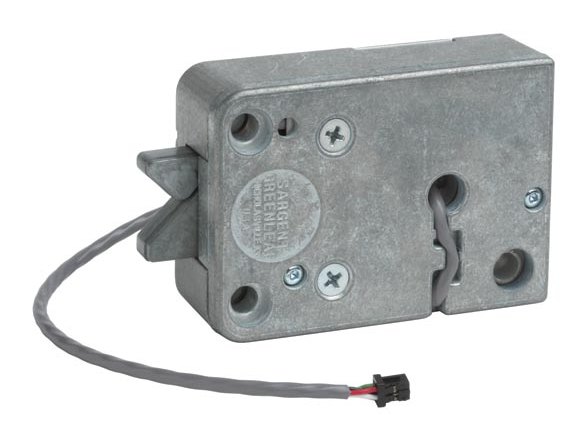 Rotarybolt Z03 lock bodyA small grey metal lock body with a cable that plugs into the keypad.Open · Change code · Battery →
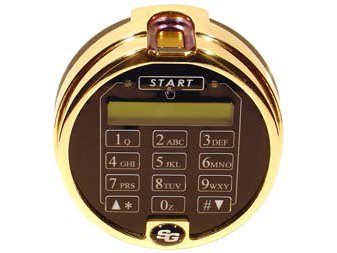 S&G Biometric KeypadA round gold-colored keypad with a START button above a small LCD, a number pad, and a fingerprint sensor at the top.Open · Enroll · Battery →
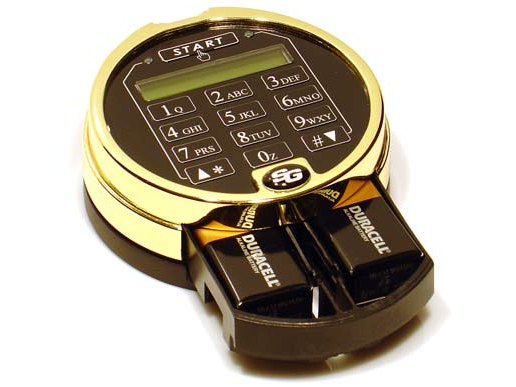 Battery drawerThe keypad with the battery drawer open at the bottom, holding two 9-volt batteries.Open · Enroll · Battery →
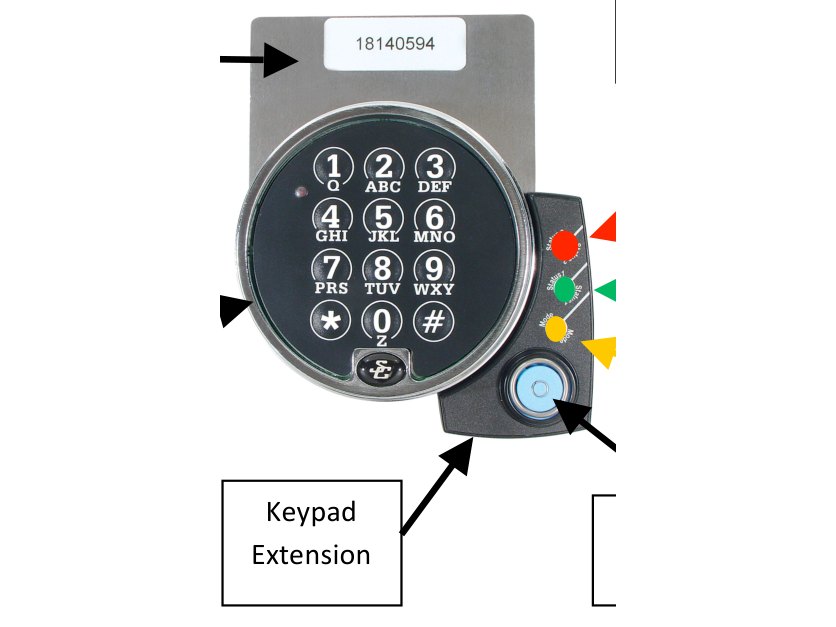 S&G A-Series ATM lockA round black keypad with letters on the keys, and a small extension on the right with red, green and amber lights and a blue-dot reader.Lights · Open · Change code →
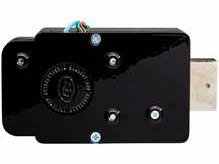 S&G E-Vault 6550The vault lock case with its bolt, and the keypad that goes with it.Is this your lock? · What it can do · If it will not open →
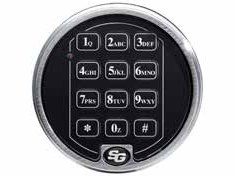 S&G Comptronic 6124 / 6125S&G’s 2-battery 61KP-105 keypad in satin chrome, with a red LED and the S&G logo at the bottom.Open · Change code · Batteries →
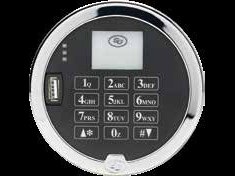 S&G 3000 series digital lockS&G’s digital keypad with a display, and the lock body that goes inside the door.Is this your lock? · What each one does · If it will not open →
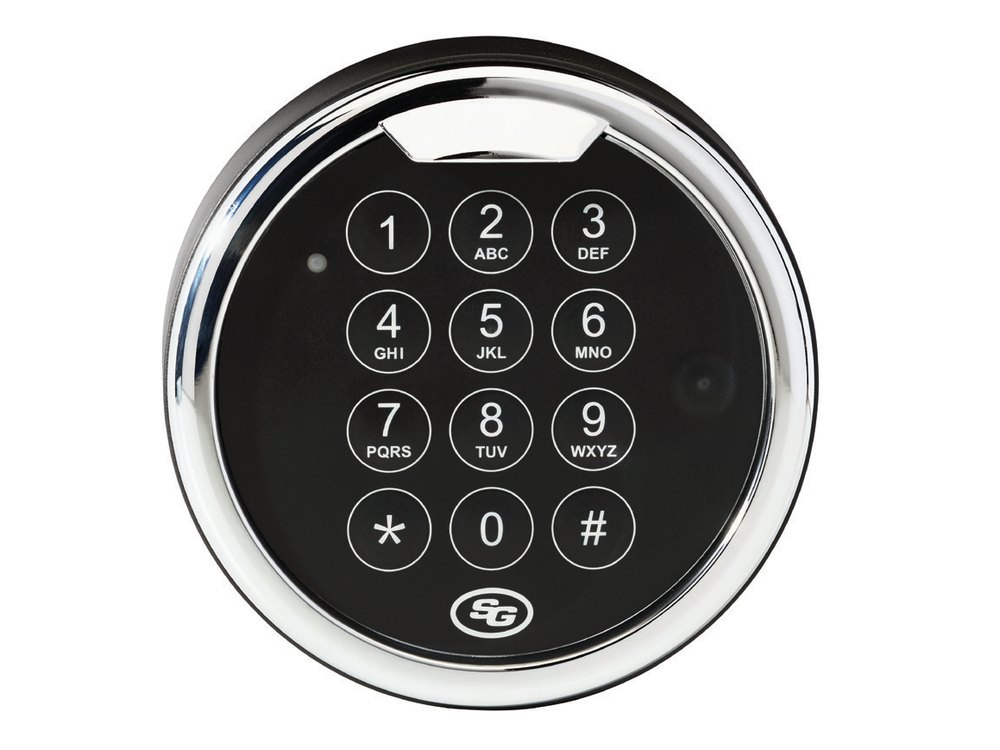 S&G Atlas (Model 1004)S&G’s Model 1004 data sheet picture: a round lighted keypad and the lock body.Open · Codes · Battery check →
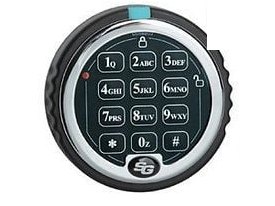 S&G Spartan (D-Drive and Swing Bolt)Round keypad with a blue tab at the top and a red light at the upper left. 9-volt battery.Open · Code · Battery →
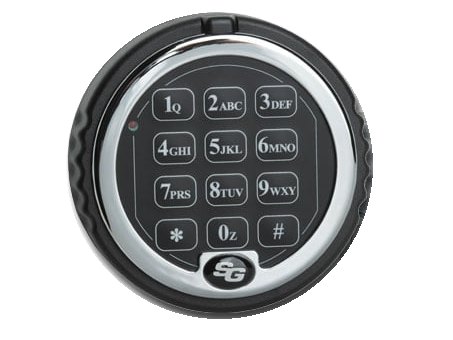 S&G Titan (2006 / 2007)Round keypad with a chrome ring, 12 keys and the S&G logo at the bottom. One 9-volt battery.Open · Code · Battery →
 S&G AxisBluA small AxisBlu medallion on the safe door, and the 1-battery keypad version.Is this your lock? · What it can do · If it will not open →
Securam
Securam makes the keypad locks inside many home and office safes. Find the one that looks like yours: some have no screen, some have a screen, and some read fingerprints.
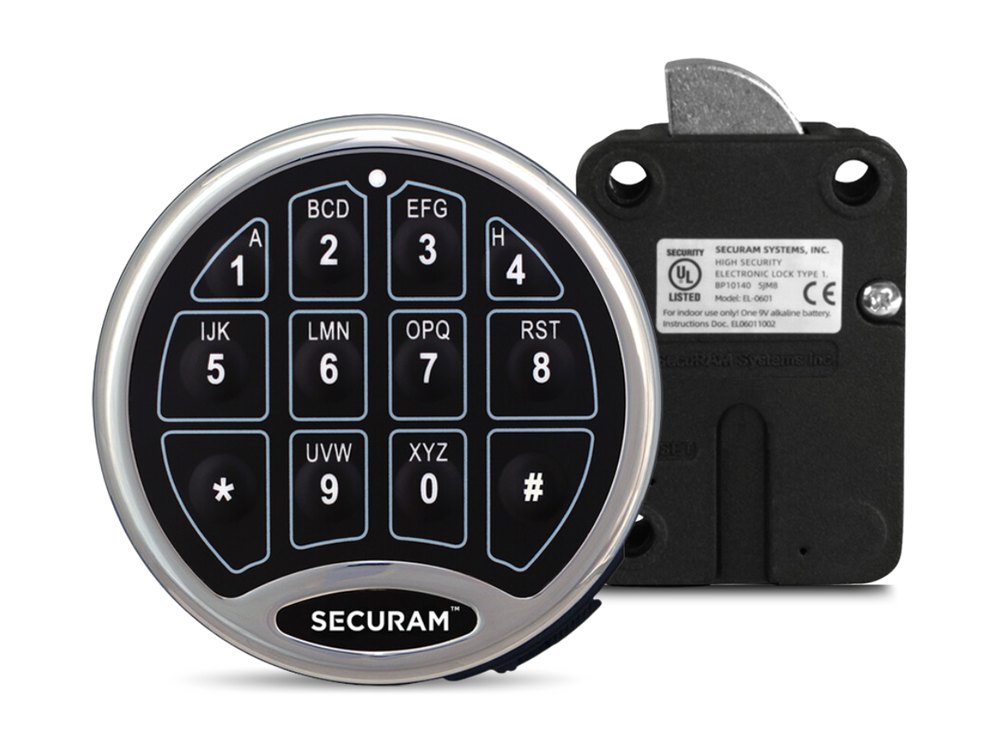 Securam SafeLogic Basic (silver)Round keypad with no screen. One 9-volt battery.Battery · Code · Beeps →
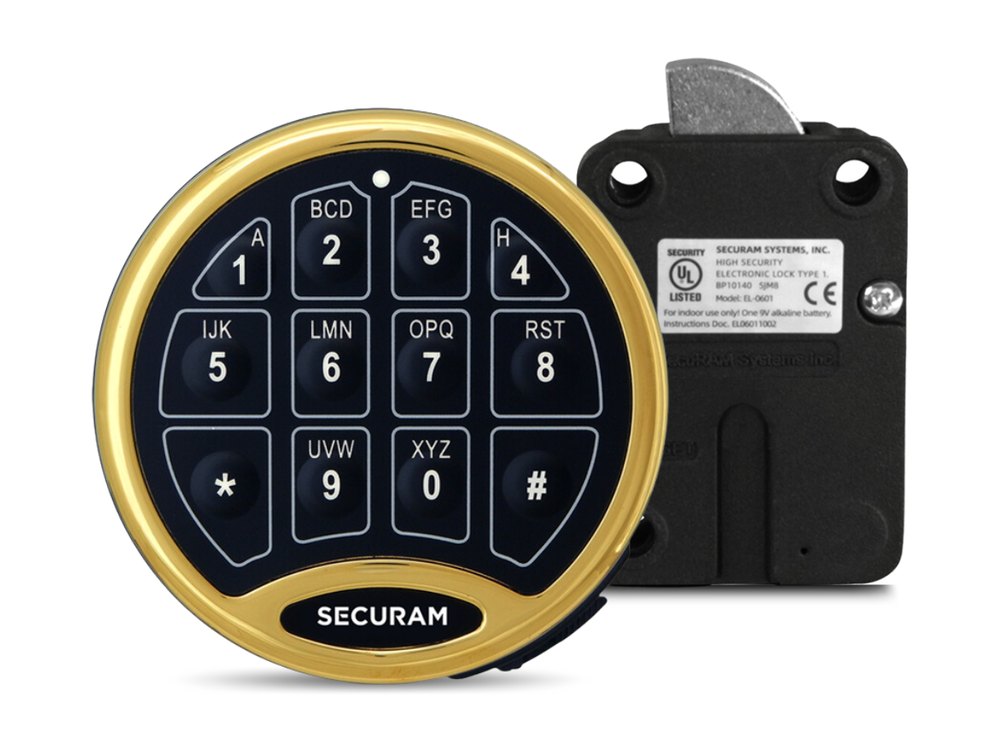 Securam SafeLogic Basic (gold ring)The same keypad with a gold ring.Battery · Code · Beeps →
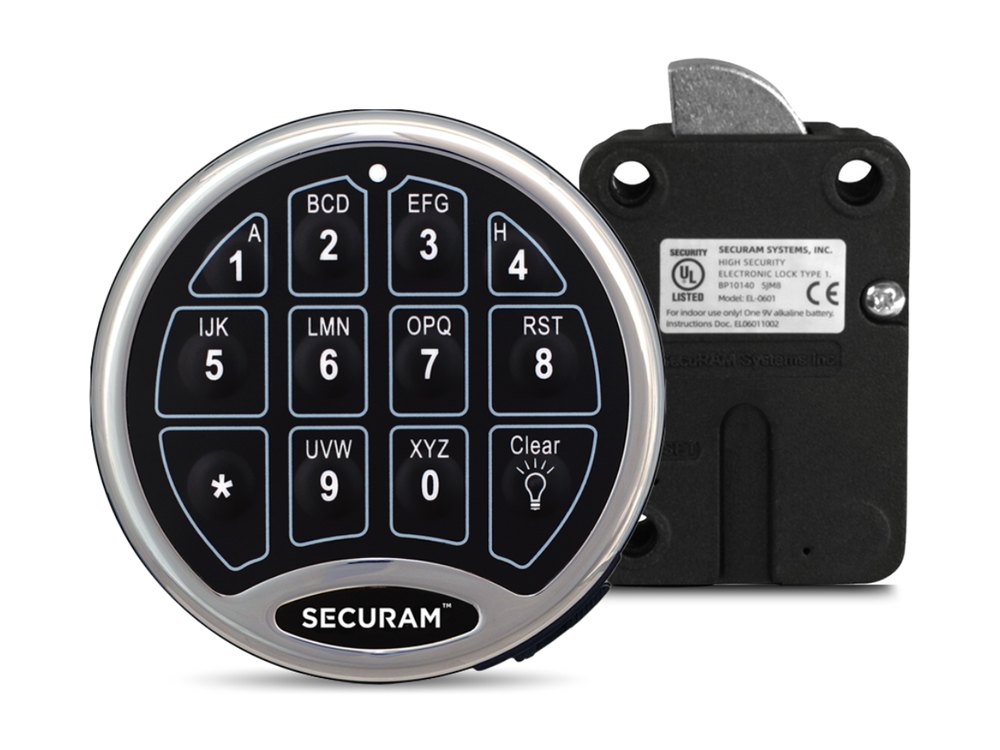 Securam SafeLogic BackLitRound keypad with a lit bulb key and a battery drawer at the bottom.Battery · Code · Beeps →
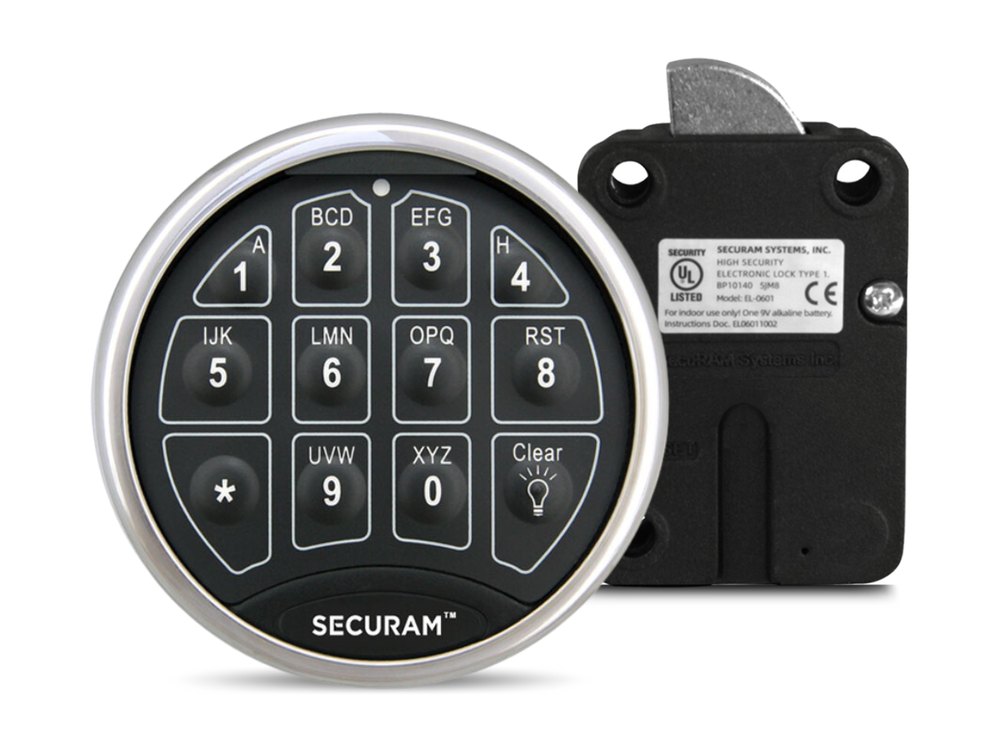 Securam SafeLogic TopLitRound keypad with two small lights at the top. Battery is behind a twist-off ring.Battery · Code · Beeps →
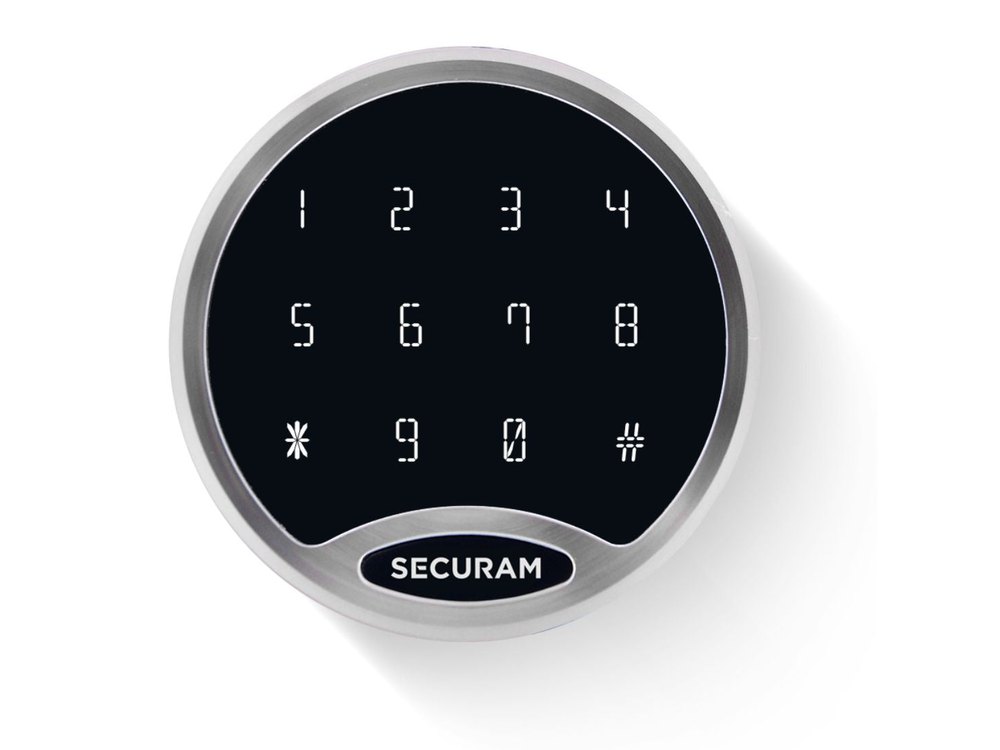 Securam SafeLogic StealthA round black keypad with a steel ring and a SECURAM label at the bottom. The numbers sit in three rows of four: 1 to 4, 5 to 8, then * 9 0 #.Open · Stealth Mode · Lockout →
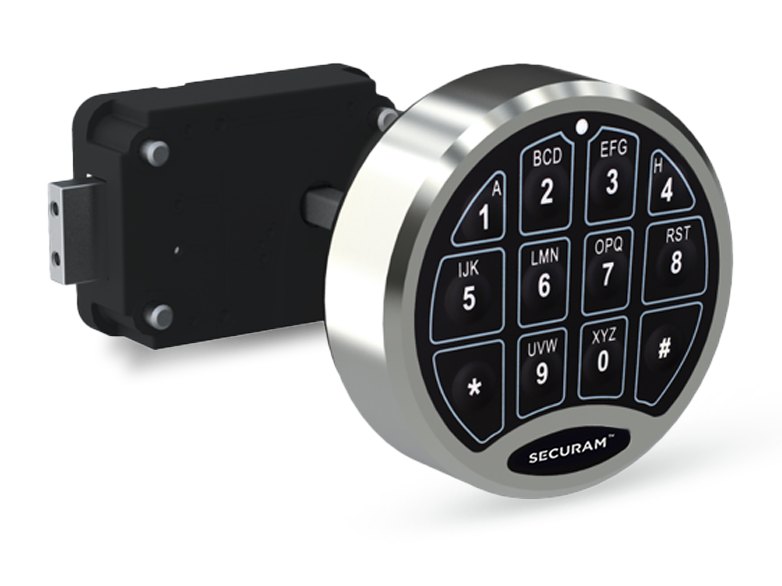 Securam SafeLogic Basic Direct DriveRound keypad that you turn after the code. Deadbolt lock body behind the door.Open · Code · Beeps →
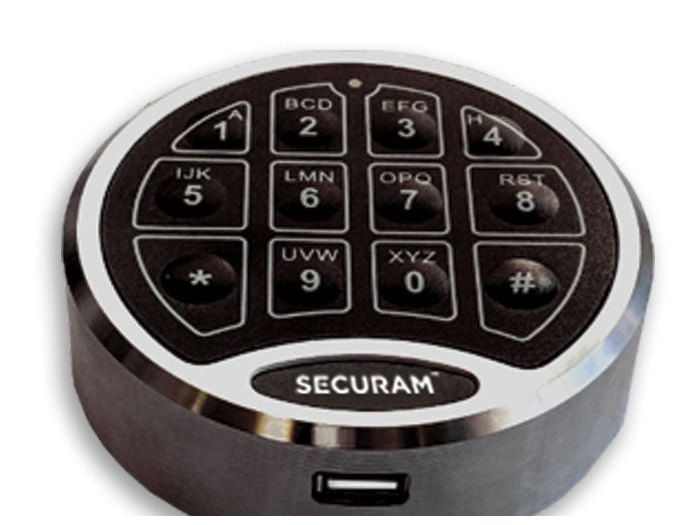 Securam SafeLogic C10 Direct DriveThe same turning keypad, with a manager and up to 8 user codes.Open · Code · Beeps →
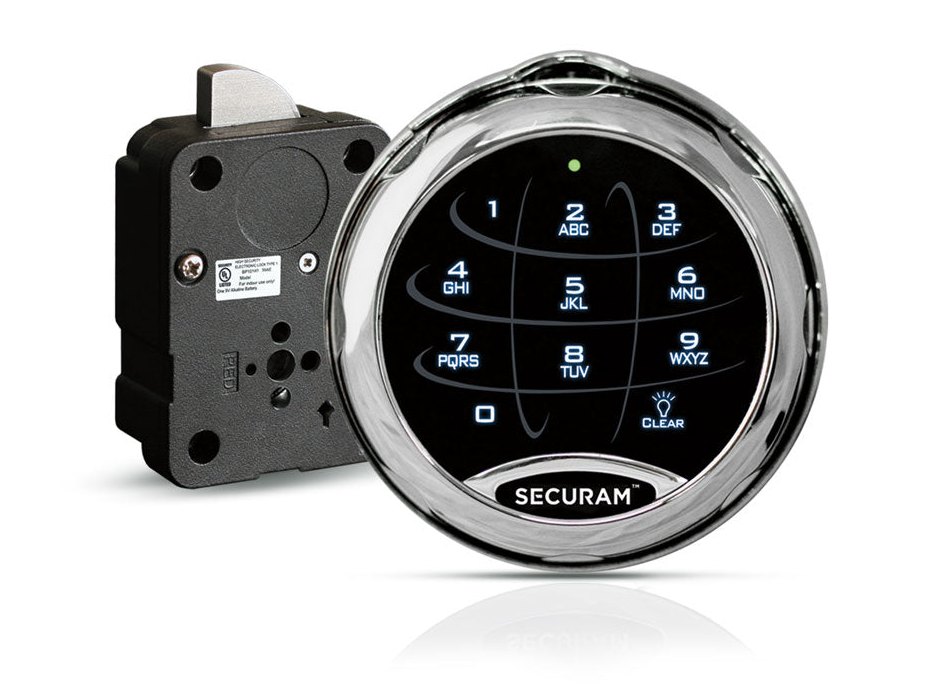 Securam SafeLogic XtremeRound keypad on a ring with a spin dial. Opens by code or by dial combination.Open · Code · Dial →
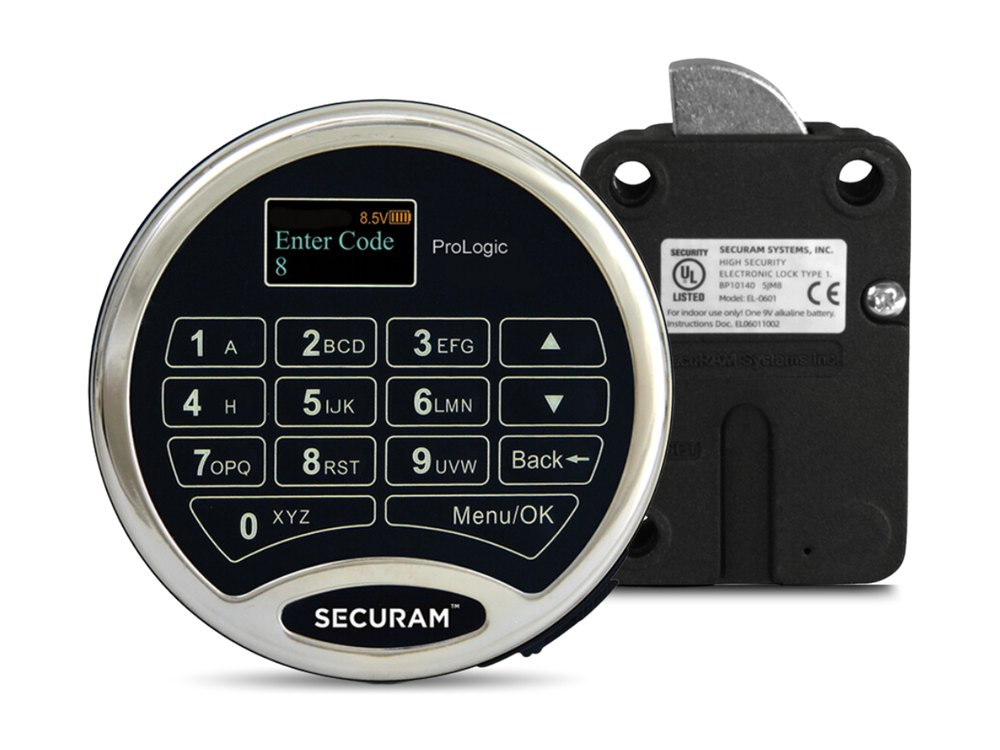 Securam ProLogic L01 / L02 / L22 / L62 / L66 / E66Round keypad with a small screen, arrow keys and Menu/OK.Open · Code · Messages →
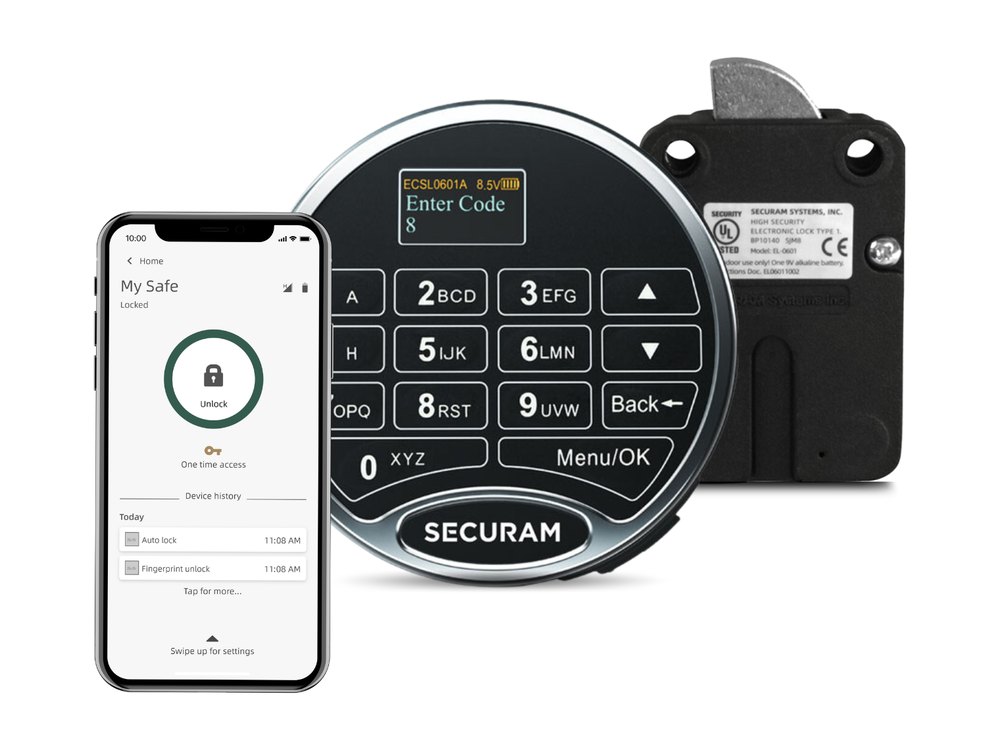 Securam ProLogic Smart B22The same screen keypad, paired with a phone app. Press Menu/OK after the code.Open · Code · Messages →
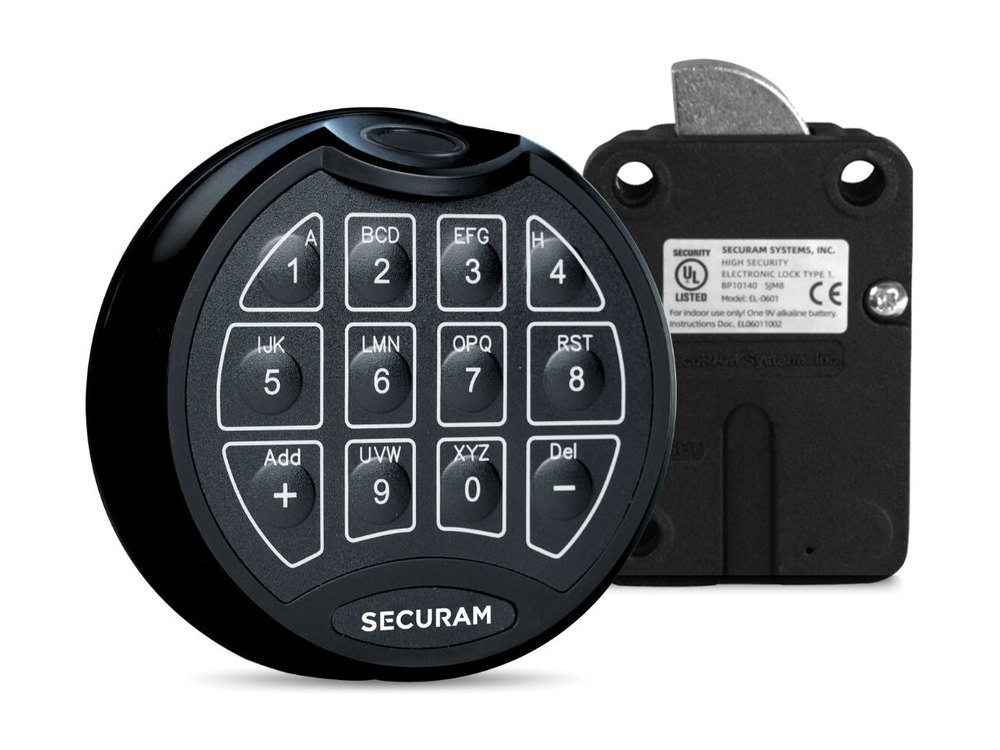 Securam ScanLogic BasicRound keypad with a fingerprint reader at the top and +/- keys. No screen.Open · Code · Battery →
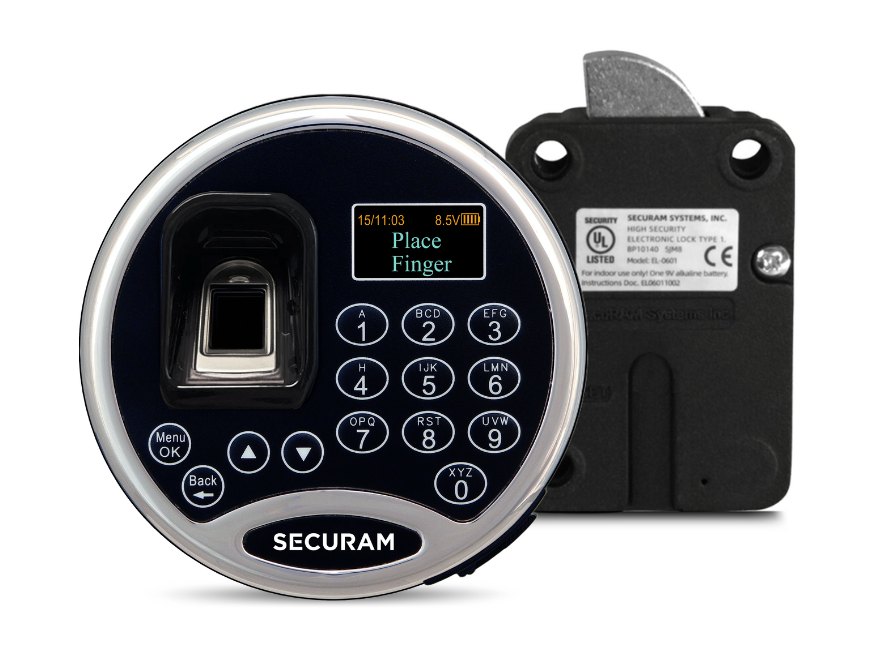 Securam ScanLogic D02 / D22 / D66Fingerprint reader on the left, small screen, arrow keys and Menu/OK.Open · Code · Battery →
Sentry Safe
Sentry makes dozens of fire, water and security safes, and over the years they have used several different keypads. Find the one that looks like yours, and check the model number on the label inside the door or on the back of the safe. The newer keypads are first, and the older fire safes, executive safes and commercial safes are last. If yours is not here, call us.
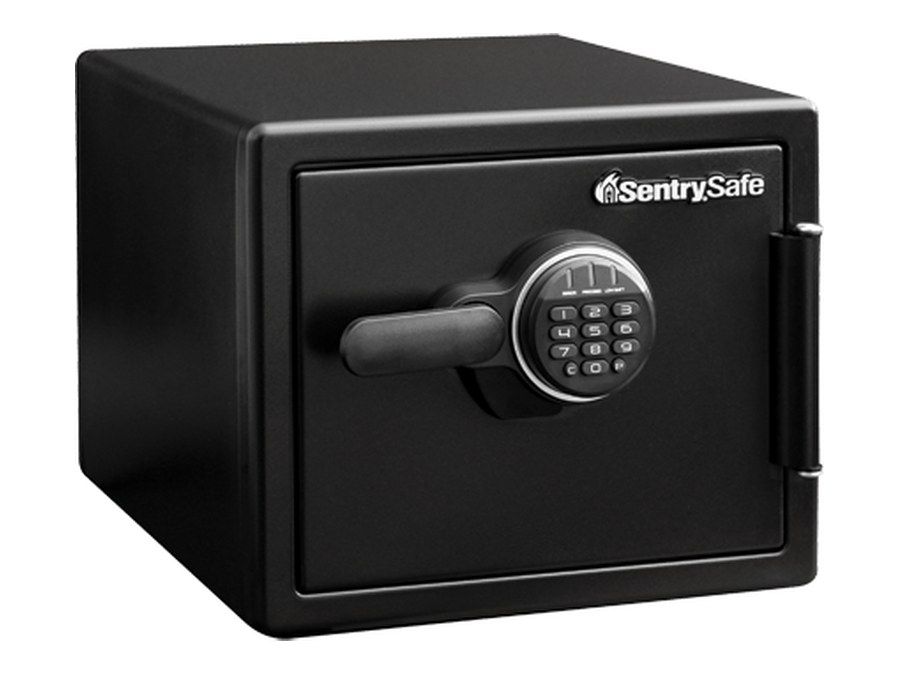 SentrySafe SFW (keypad in the handle)Fire and water safe with a round keypad at the end of the handle. 4 AAA batteries in a drawer on the side of the keypad.Open · Code · Battery →
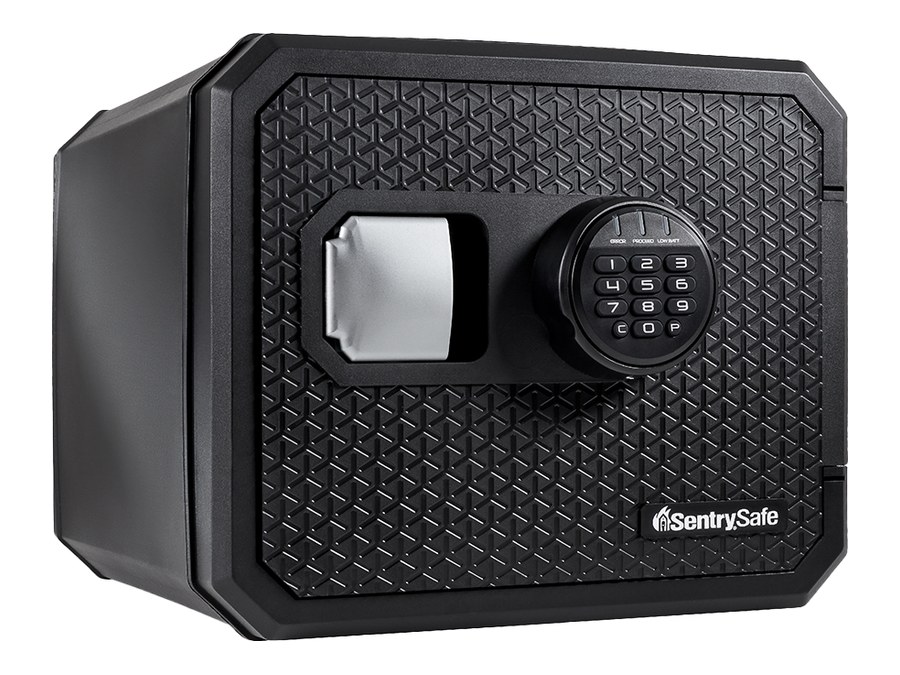 SentrySafe FP / FPWFire (and water) safe with a keypad and a handle you pull outward. 2 CR123 lithium batteries inside the door.Open · Code · Battery →
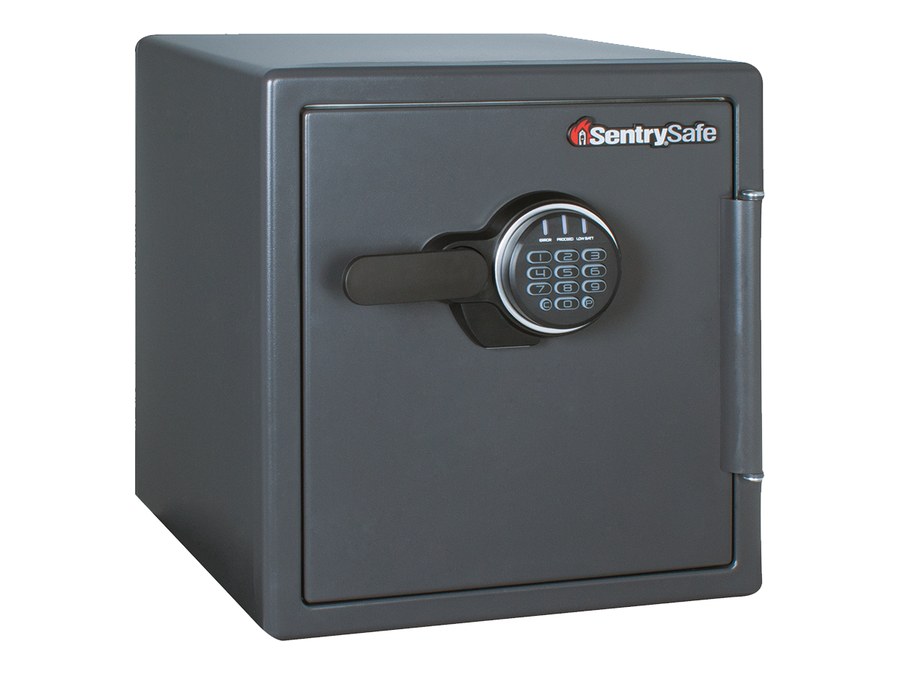 SentrySafe SF (SF082CS, SF123ES, SF205CV)Older Sentry fire safes. The same P and C keypad as the SFW, with 4 AAA batteries in the side drawer.Open · Code · Battery →
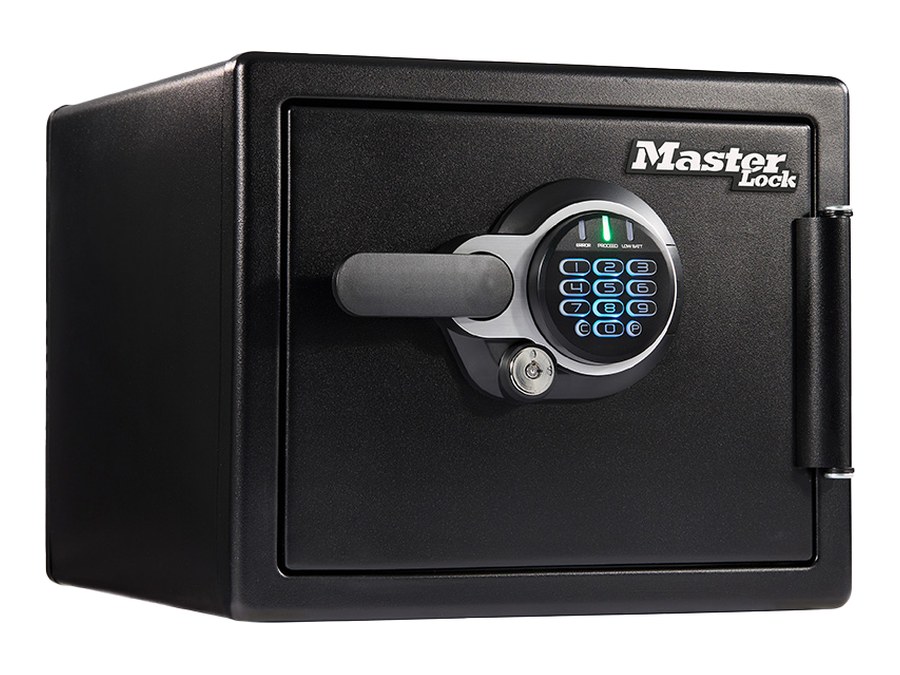 Master Lock / SentrySafe STW (STW082GTCML and others)2-hour fire and water safes with the same P and C keypad. 4 AAA batteries in the side drawer.Open · Code · Battery →
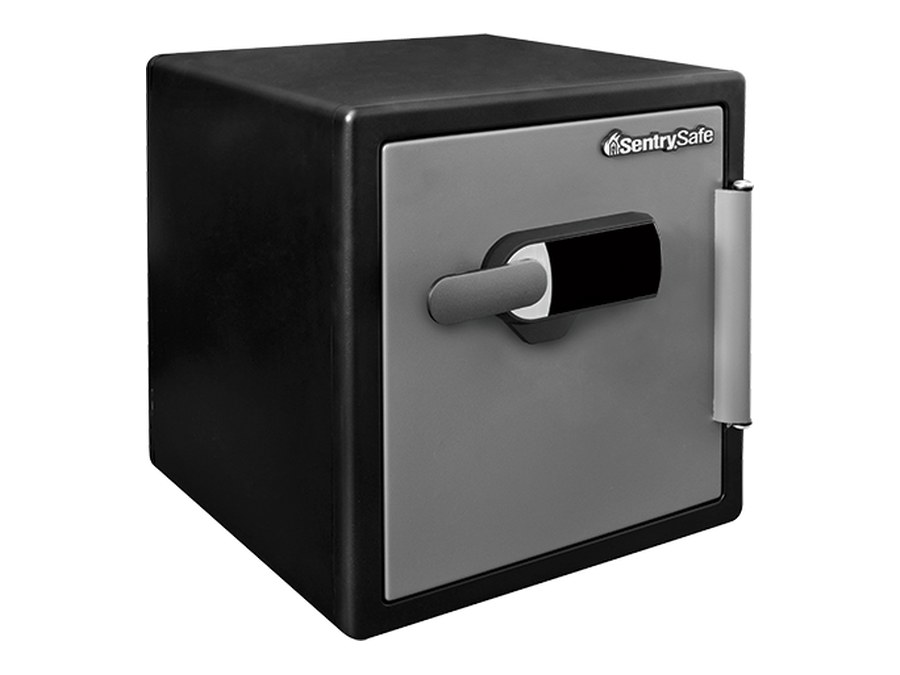 SentrySafe alarm safe (SFW123T)Fire and water safe with a black touch keypad in the handle. Alarm light on the keypad. 4 AAA batteries inside the door.Open · Alarm · Battery →
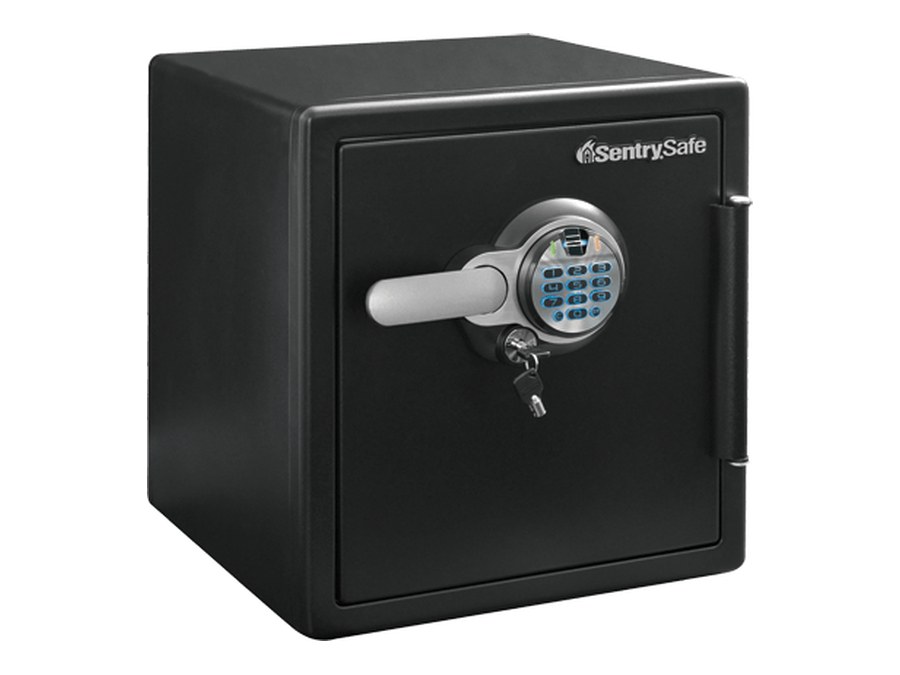 SentrySafe fingerprint safe (SFW123B, SFW205B)Fire and water safe with a round keypad and a fingerprint sensor. 4 AAA batteries in a drawer at the side of the keypad.Open · Fingerprints · Battery →
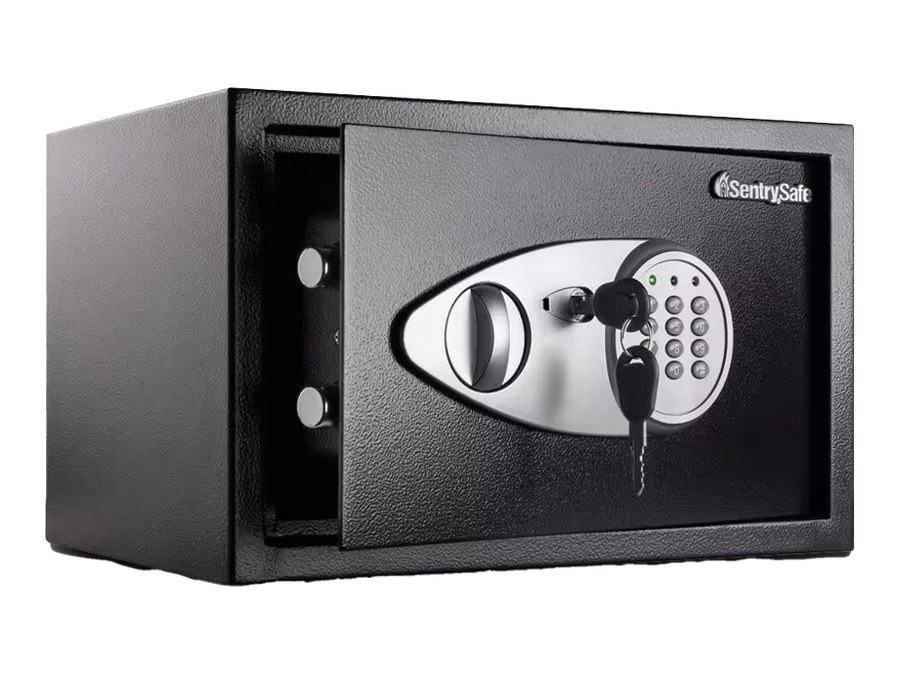 SentrySafe X055Black steel safe with an oval keypad, a knob and an override key beside the keypad.Open · Code · Battery →
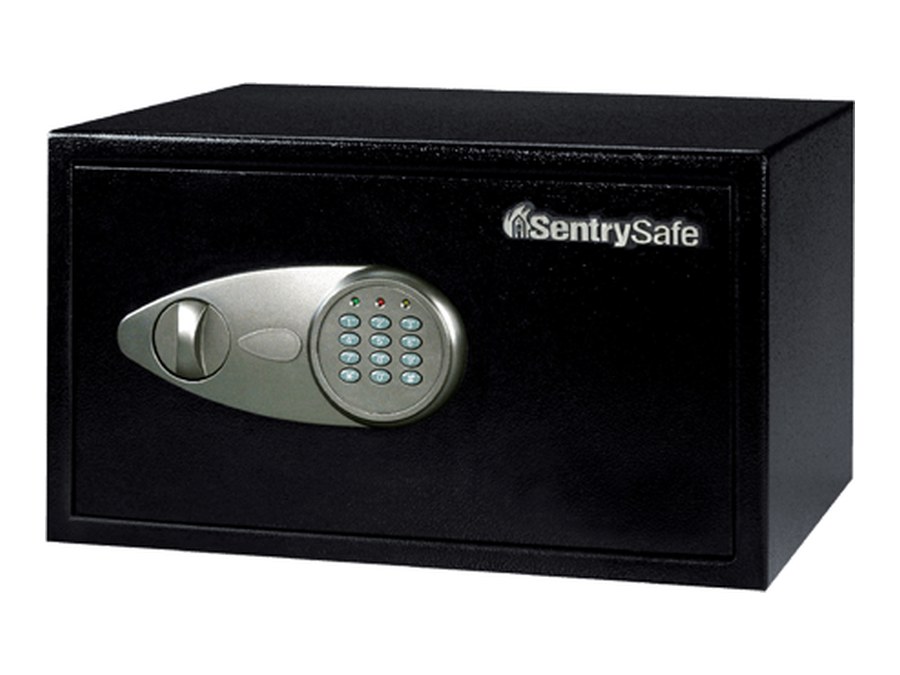 SentrySafe X105 / X125Larger X-series safe with an oval chrome keypad and knob. Same keypad and steps.Open · Code · Battery →
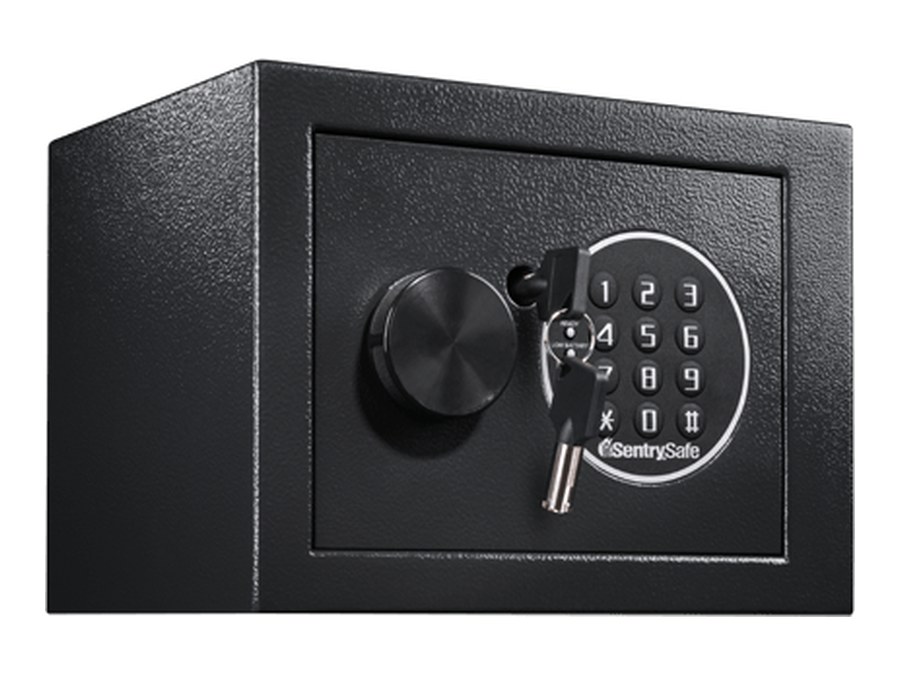 SentrySafe X014E (older style)Small safe with a knob, a key and a round keypad. Codes end with #. Four AA batteries in a cover inside the door.Open · Code · Battery →
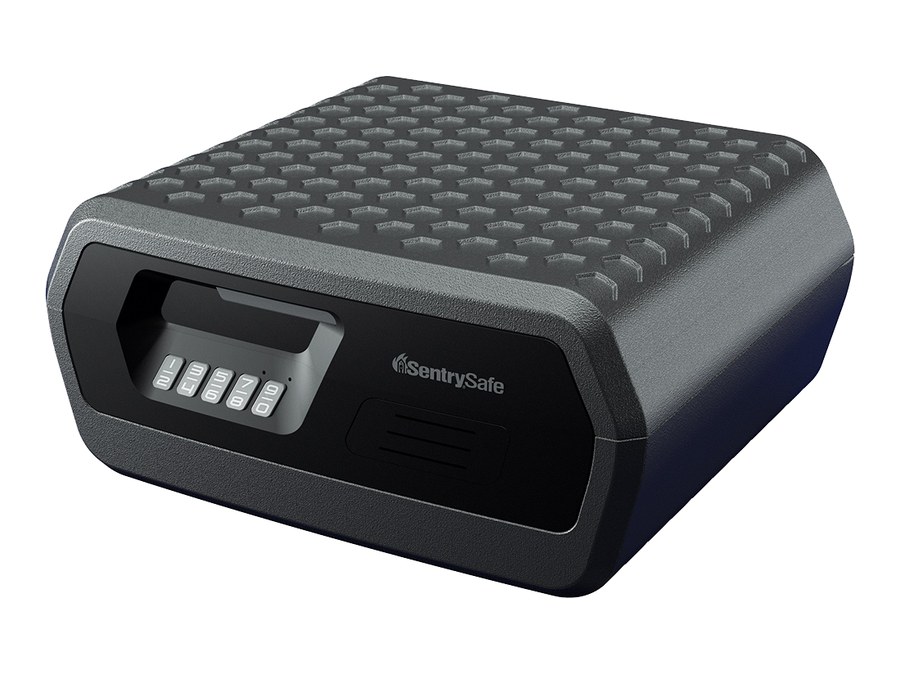 SentrySafe CHW30300 chestFire and water chest with a row of keys in the front of the handle. One 9-volt battery.Open · Code · Battery →
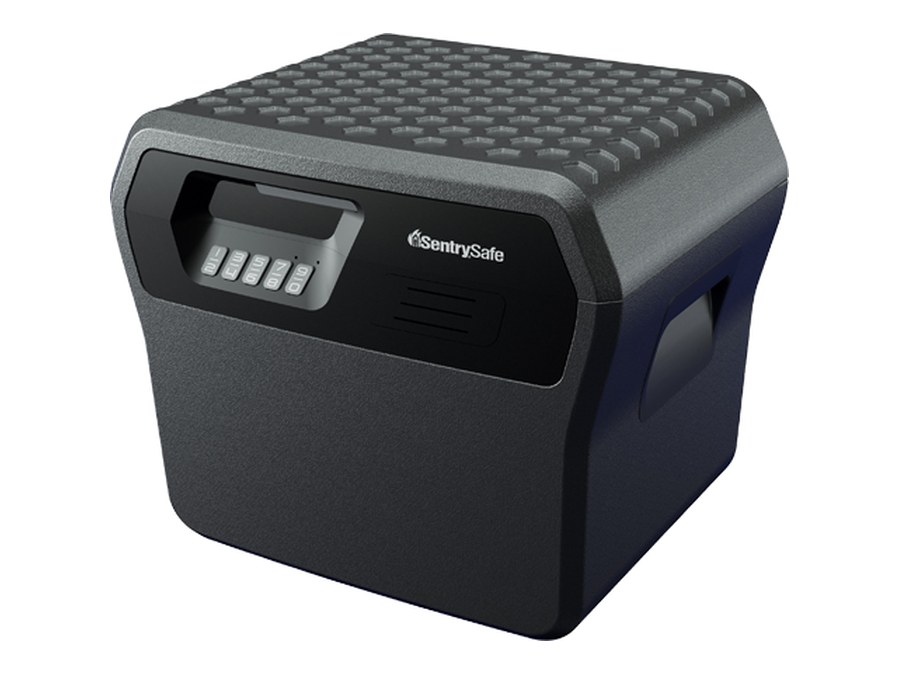 SentrySafe FHW40300 file safeFire and water file safe with the same keypad. One 9-volt battery.Open · Code · Battery →
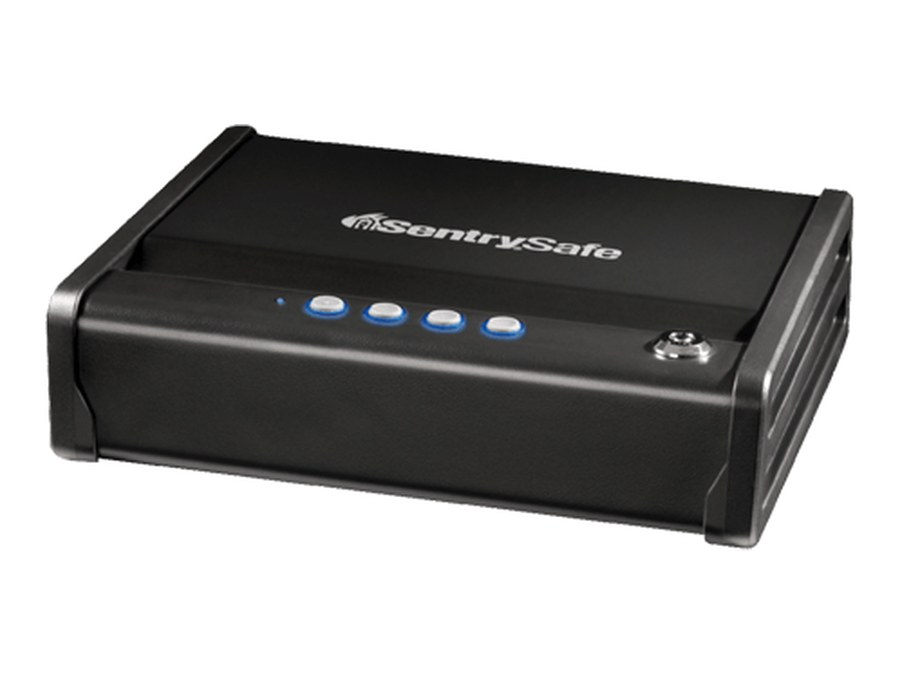 SentrySafe QAP1EBlack pistol safe with four buttons on the lid and a key lock at the end. Four AA batteries.Open · Battery · Lights →
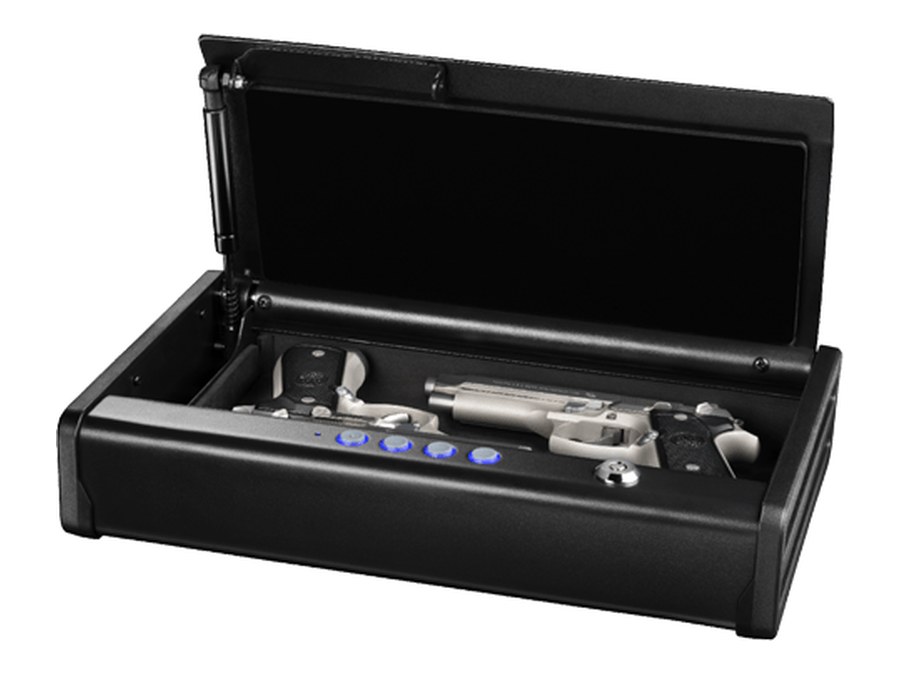 SentrySafe QAP2E (XL)The larger version with the same buttons and key lock. Four AA batteries.Open · Battery · Lights →
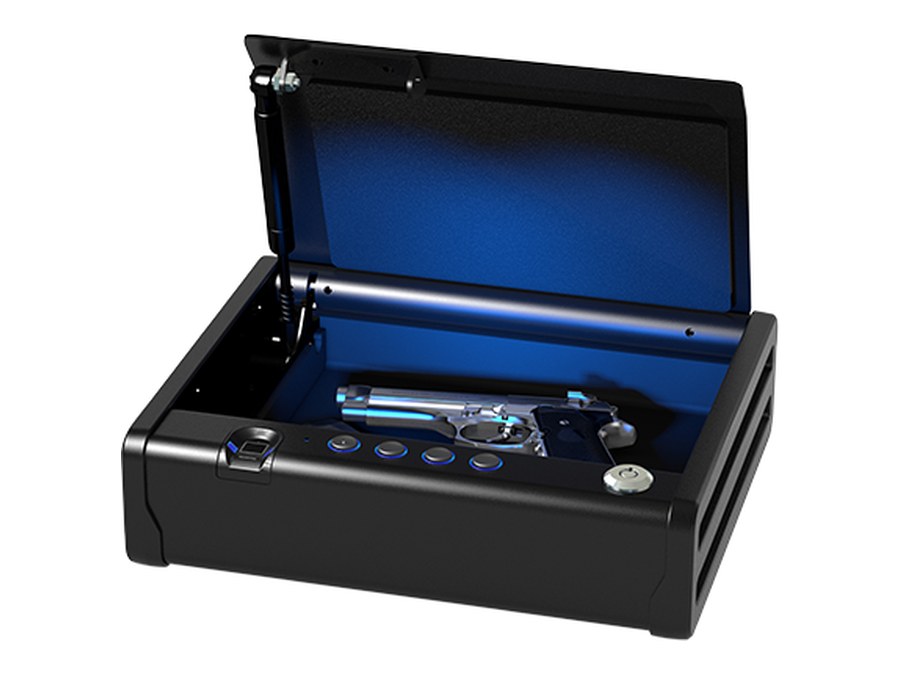 SentrySafe QAP1BLX / QAP2BLX (biometric)Biometric pistol safe with a fingerprint sensor and four buttons. Four AA batteries.Open · Battery · Lights →
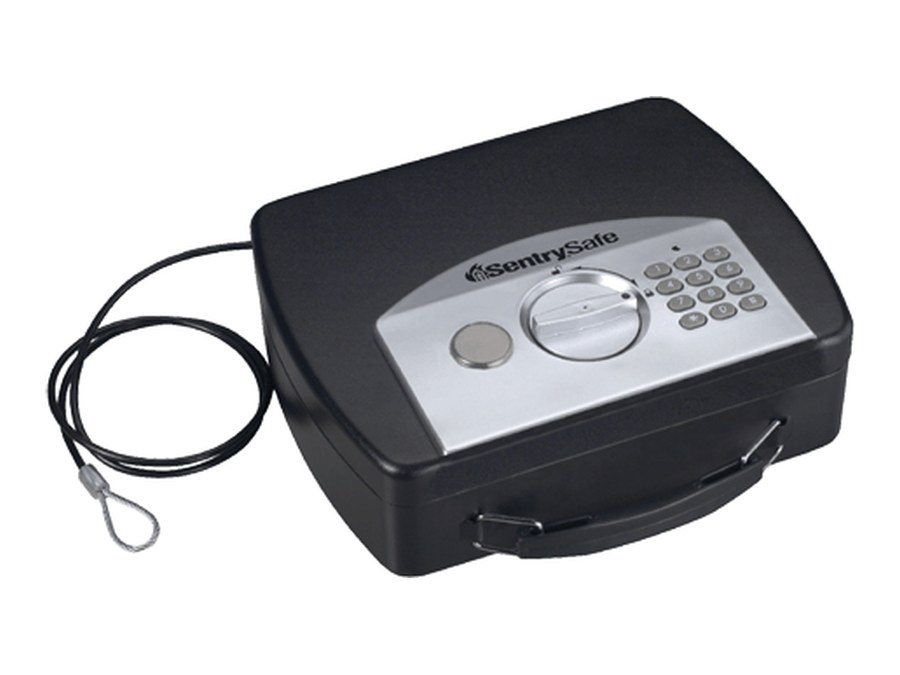 SentrySafe P008E / P021E / P008EMLSmall black portable lock box with a silver panel: keypad, round knob and key lock. A tether cable comes with it.Open · Codes · Battery →
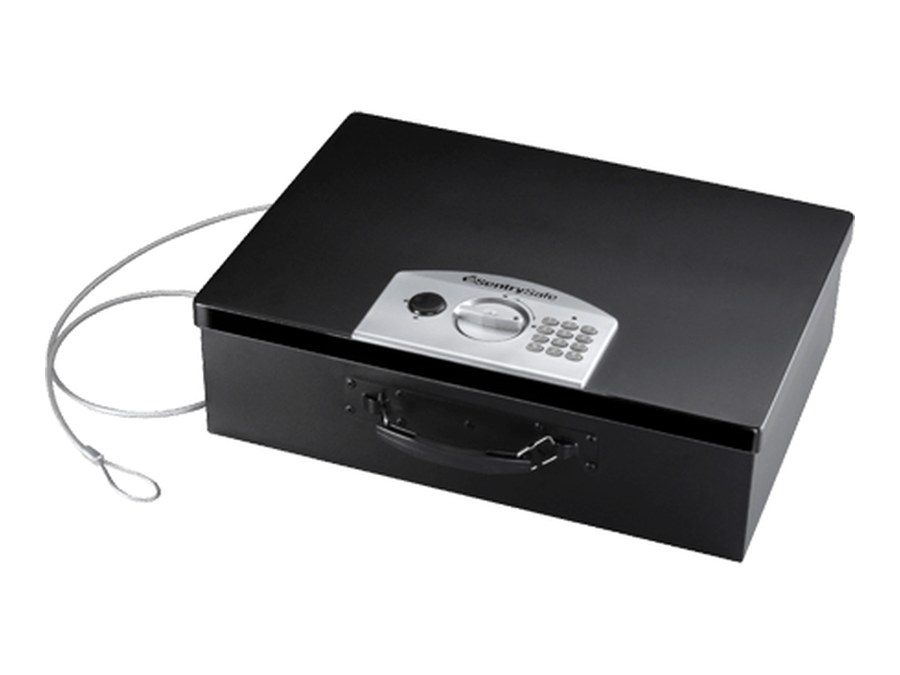 SentrySafe PL048E (laptop box)Larger portable box with the same keypad panel and a carry handle.Open · Codes · Battery →
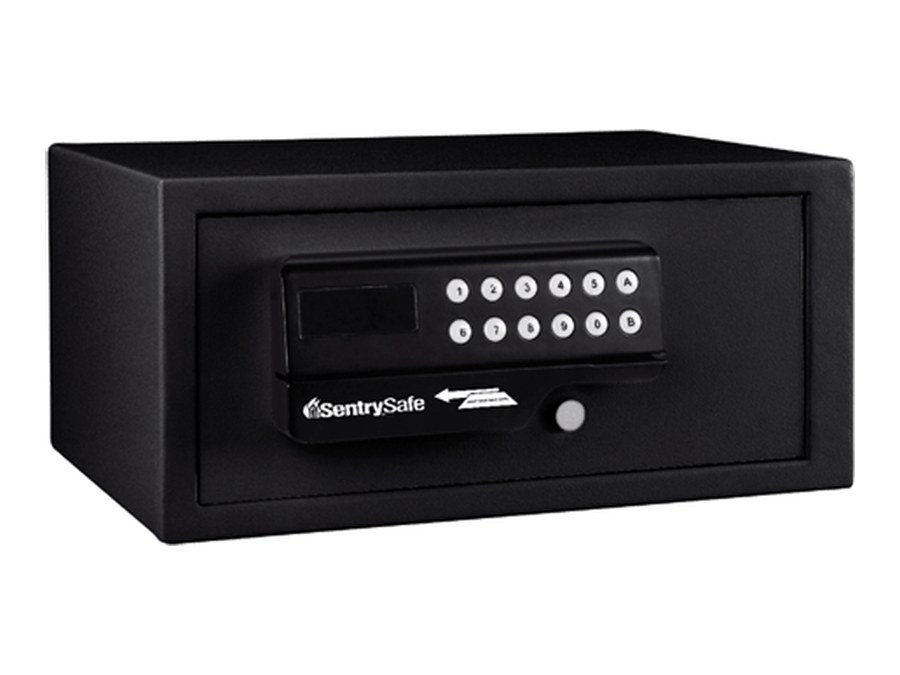 SentrySafe H060ESHotel or home safe with a keypad, display window and card slot on a front panel. Four AA batteries inside the door.Lock & open · Messages · Battery →
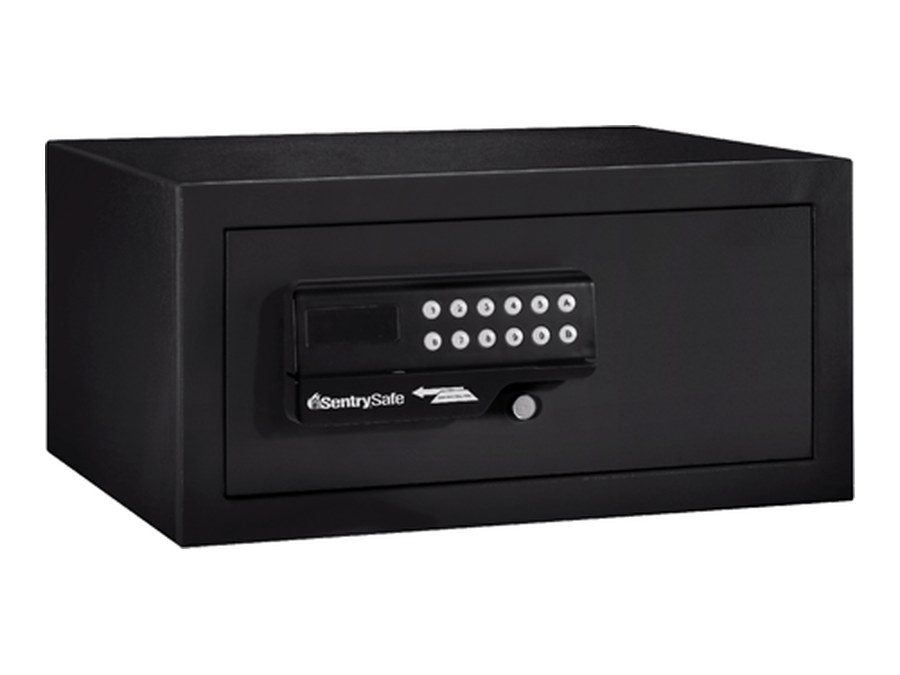 SentrySafe HL100ESLarger hotel safe with the same panel. Four AA batteries inside the door.Lock & open · Messages · Battery →
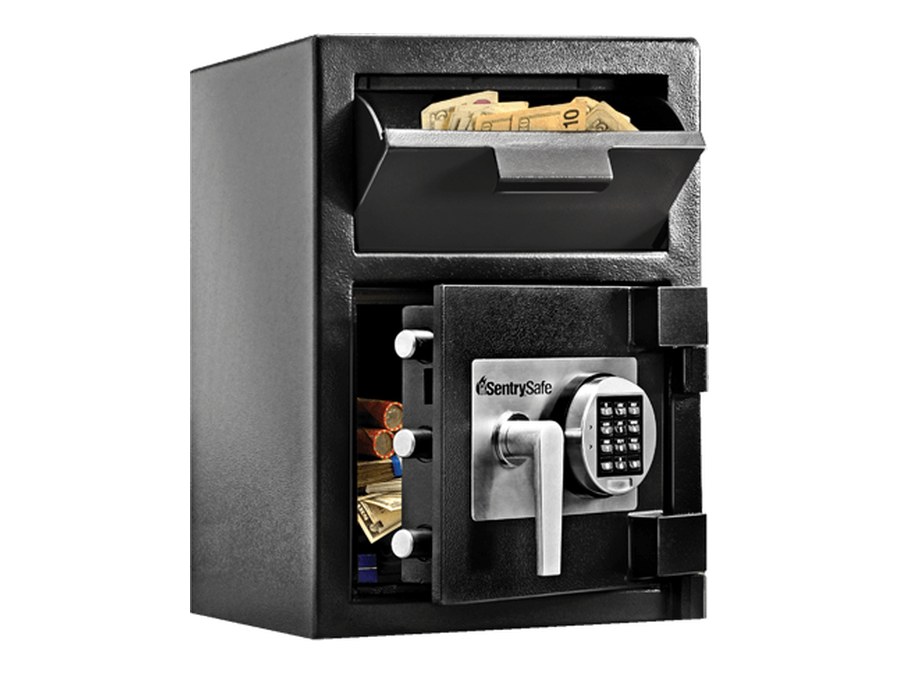 SentrySafe DH-074E / DH-109E / DH-134EDepository safe with a drop slot and a keypad with a star and pound key. Four AAA batteries behind the keypad.Open · Codes · Battery →
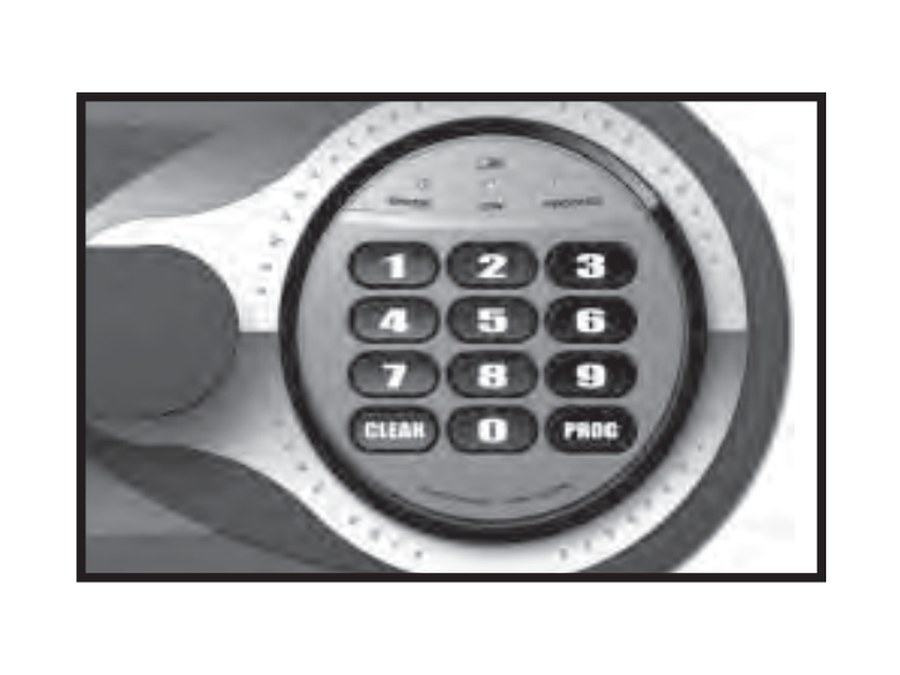 Round keypad with CLEAR, 0, PROGOlder Sentry fire safes (CS, DS, KS, MS, OA, OS, DA). Three lights above the keys. A lock case that turns off to reach the batteries.Open · Code · Battery →
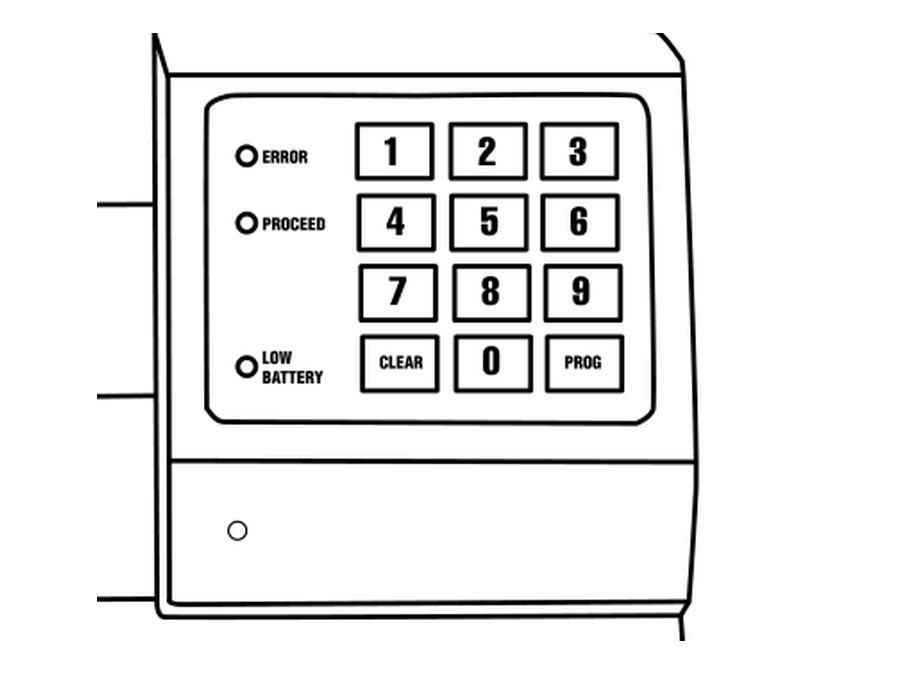 Square keypad with ERROR, PROCEED, LOW BATTERYOlder Sentry fire safes (A3xxx to A5xxx, 12xx to 15xx). A small cover under the keypad holds the batteries.Open · Code · Battery →
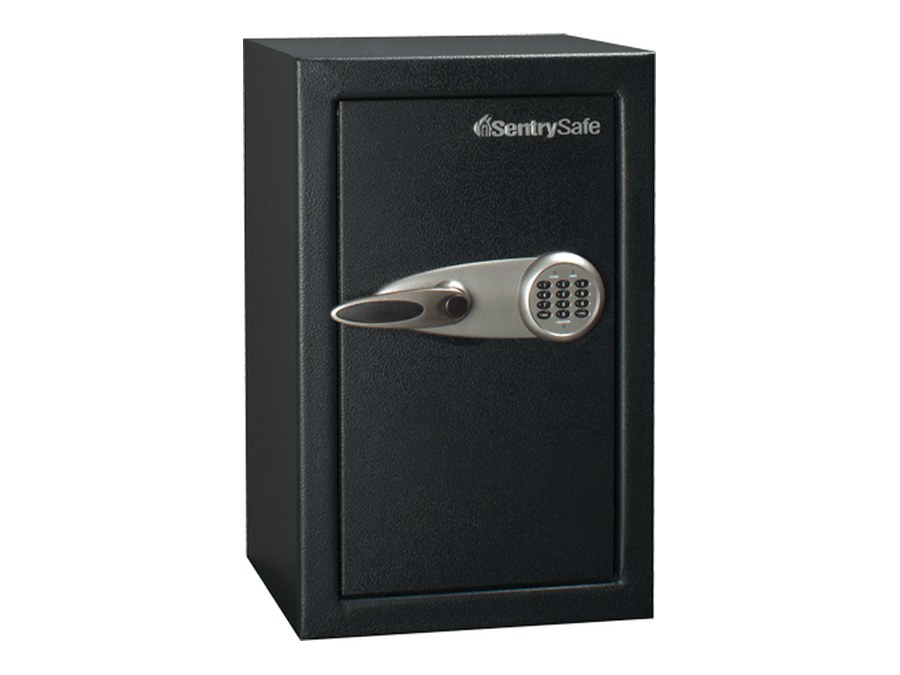 SentrySafe T-series (T0-331, T6-331, T8-331)Lever handle with a keypad. Override key. Four AA batteries behind a plate on the inside of the door.Open · Code · Battery →
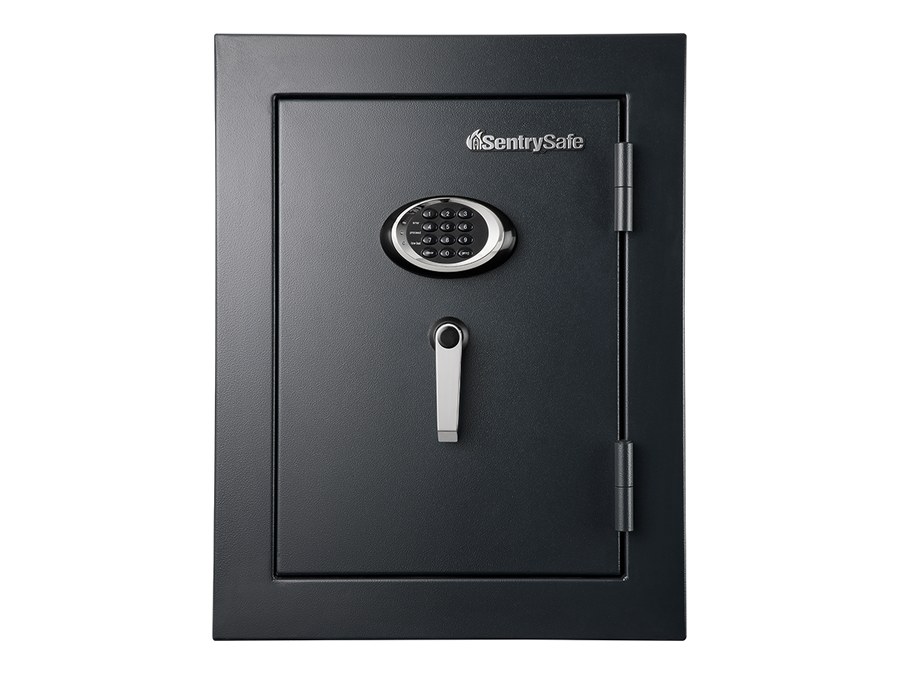 SentrySafe EF executive safes (EF3428E, EF4738E)Round keypad above a lever handle. Four AA batteries in a holder behind the keypad.Open · Code · Battery →
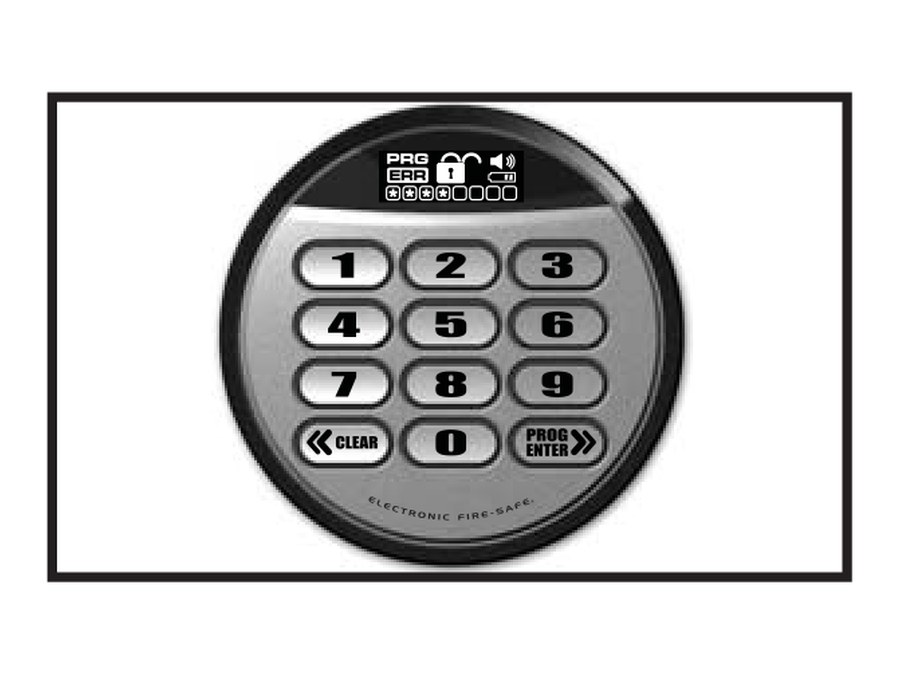 Sentry advanced electronic lockRound keypad with a small display, a CLEAR key (<<) and a PROG/ENTER key (>>). The words “Electronic Fire-Safe” are on the ring.Open · Codes · Battery →
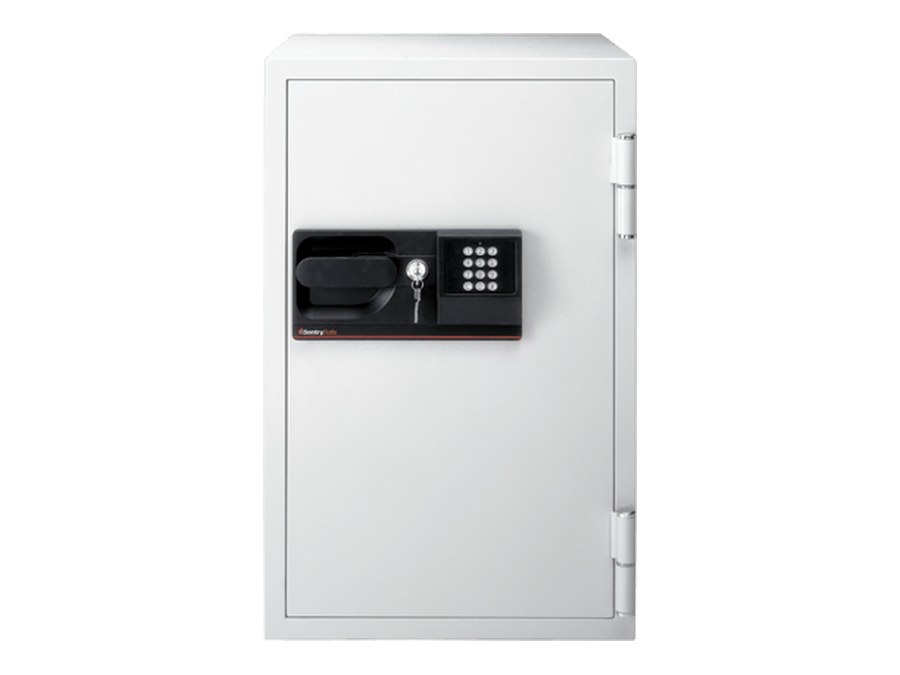 SentrySafe S6770White commercial fire safe with a small keypad (1 to 9, C, 0, #) next to a key lock. Four AA batteries.Open · Code · Battery →
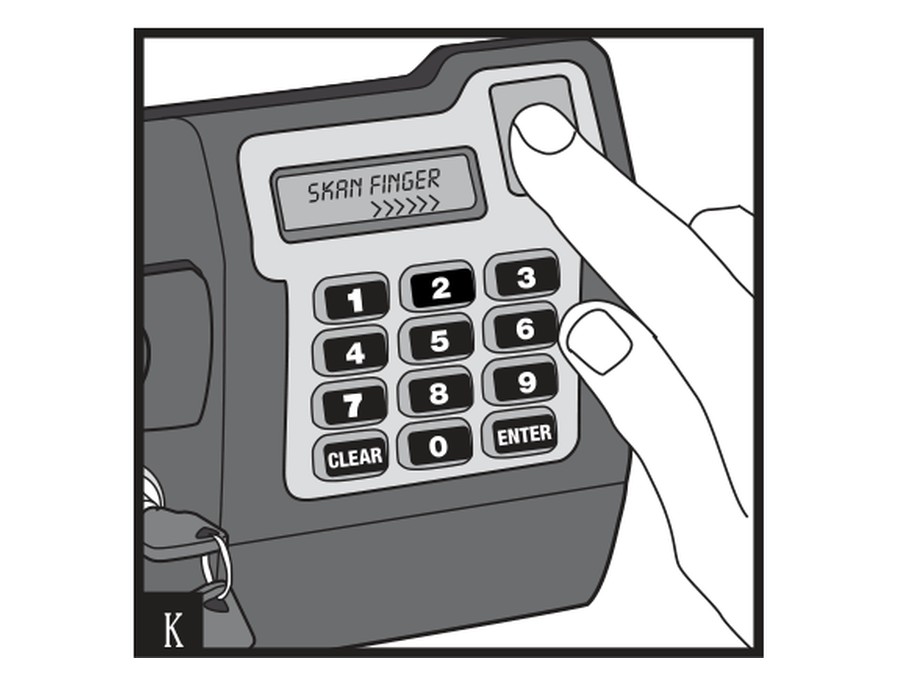 Sentry LCD fingerprint lockA display that says SKAN FINGER, a fingerprint sensor at the top right, a keypad with CLEAR and ENTER, and a key lock.Open · Enroll · Battery →
Hollon Safe
We are a Hollon Safe dealer. These are the keypads on Hollon’s home, office, and fire and burglary safes. Many Hollon safes also have an S&G lock (Spartan or Titan) or a Securam lock (SafeLogic, ProLogic or ScanLogic): find yours in the Sargent & Greenleaf or Securam section.
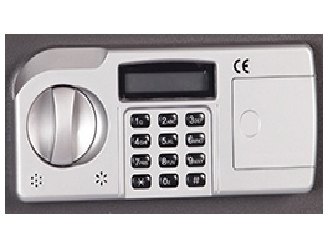 Hollon Home safe keypadLCD above a 12-key pad, round knob at the left, battery cover at the right.Open · Code · Battery →
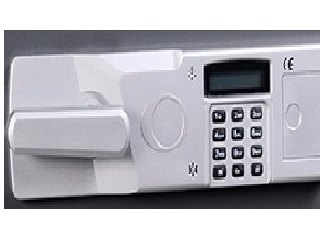 Hollon Office safe keypadLCD above a 12-key pad, long lever handle at the left, battery cover at the right.Open · Code · Battery →
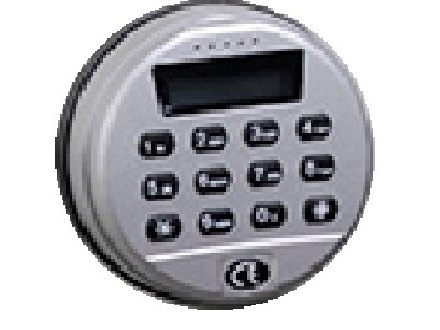 Hollon Fire & Burglary safe keypadRound keypad with an LCD screen and a CE mark. Four AA batteries.Open · Code · Battery →
Mesa Safe
We are a Mesa Safe dealer. Mesa uses these electronic locks on its gun safes, fire safes, depository safes, hotel safes and wall safes.
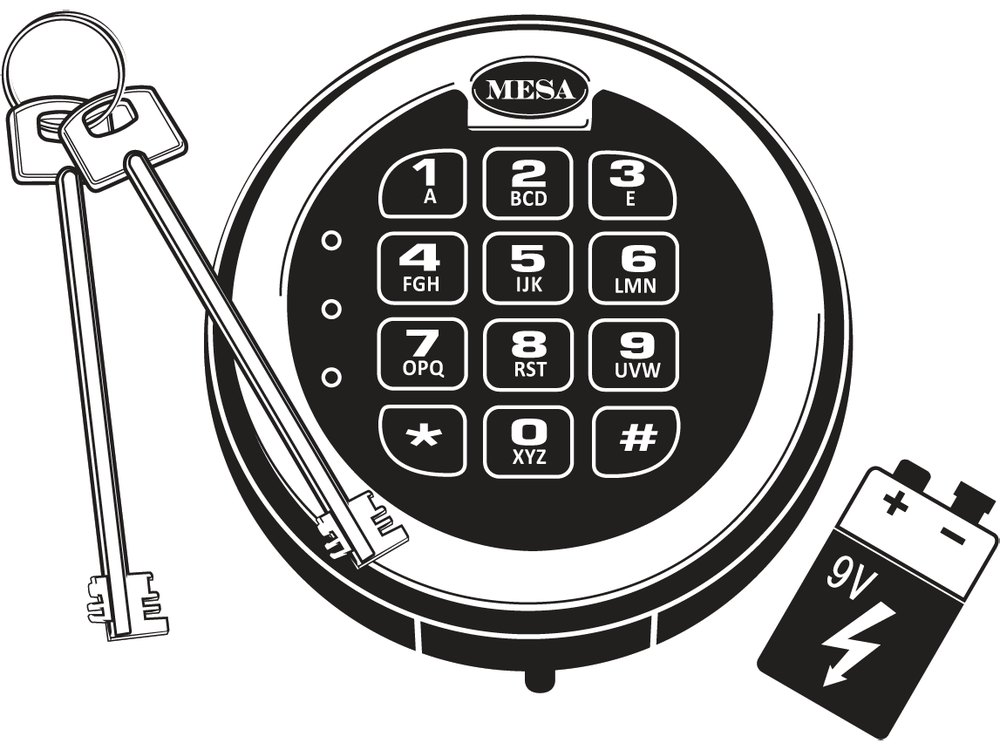 Mesa MSL-50 / MSL-50-PRound keypad with the MESA name, three small lights and * and # keys. 9-volt battery.Open · Code · Battery →
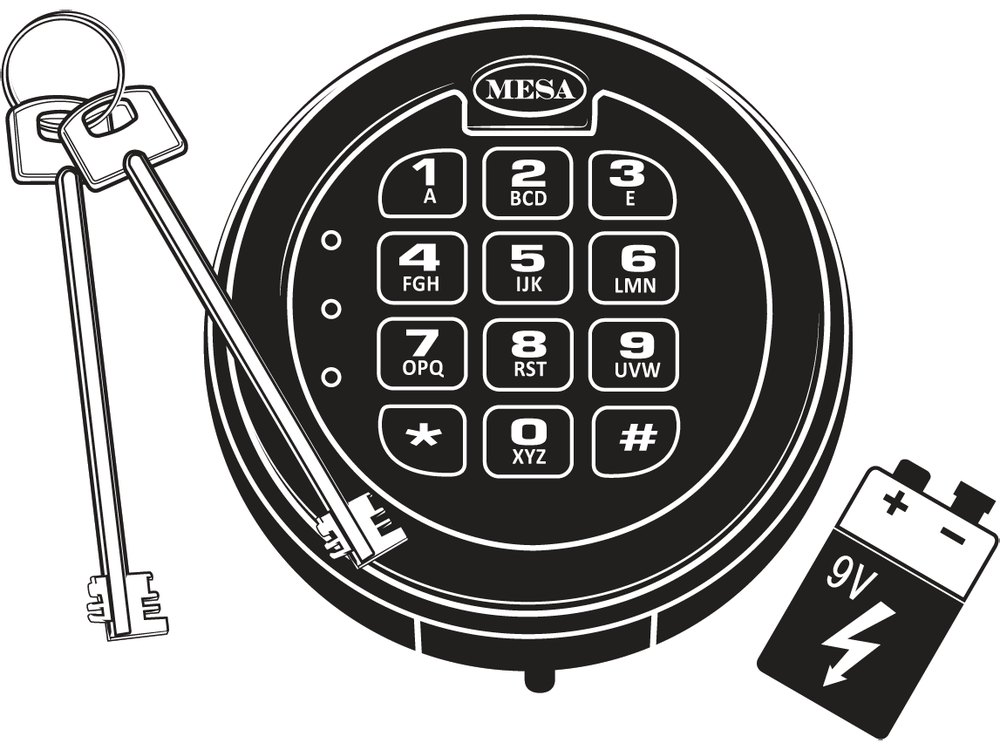 Mesa MSL-5Round keypad with the MESA name and three small lights. One 6-digit code.Open · Code · Battery →
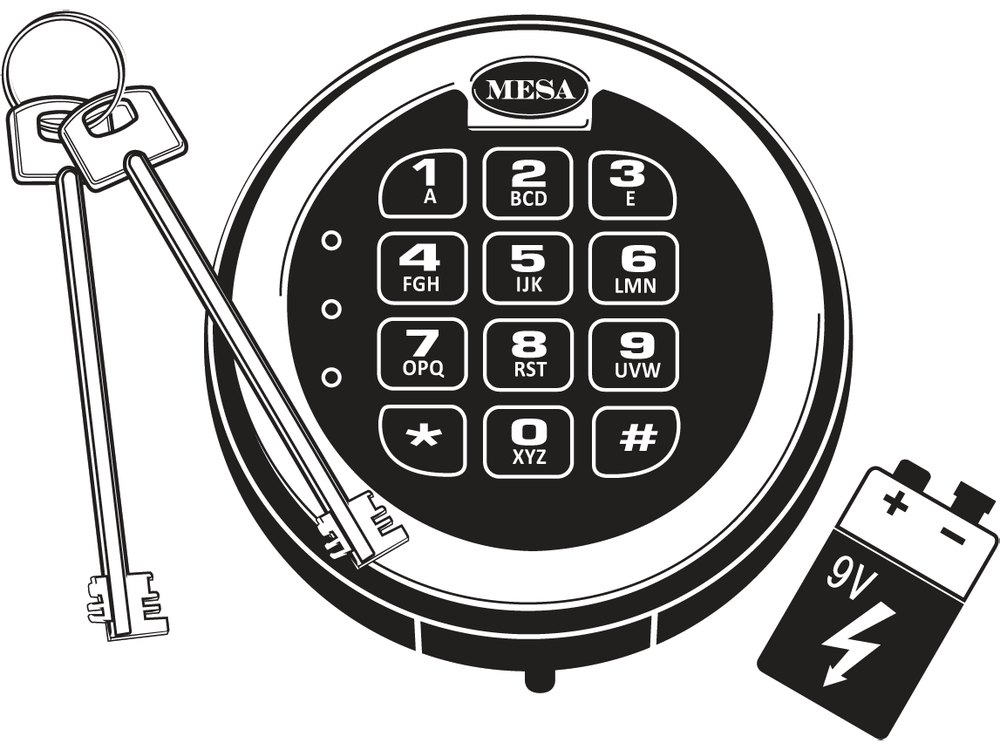 Mesa MSL-500 / MSL-500-PRound keypad with the MESA name, three small lights, * and # keys. Six codes.Open · Code · Battery →
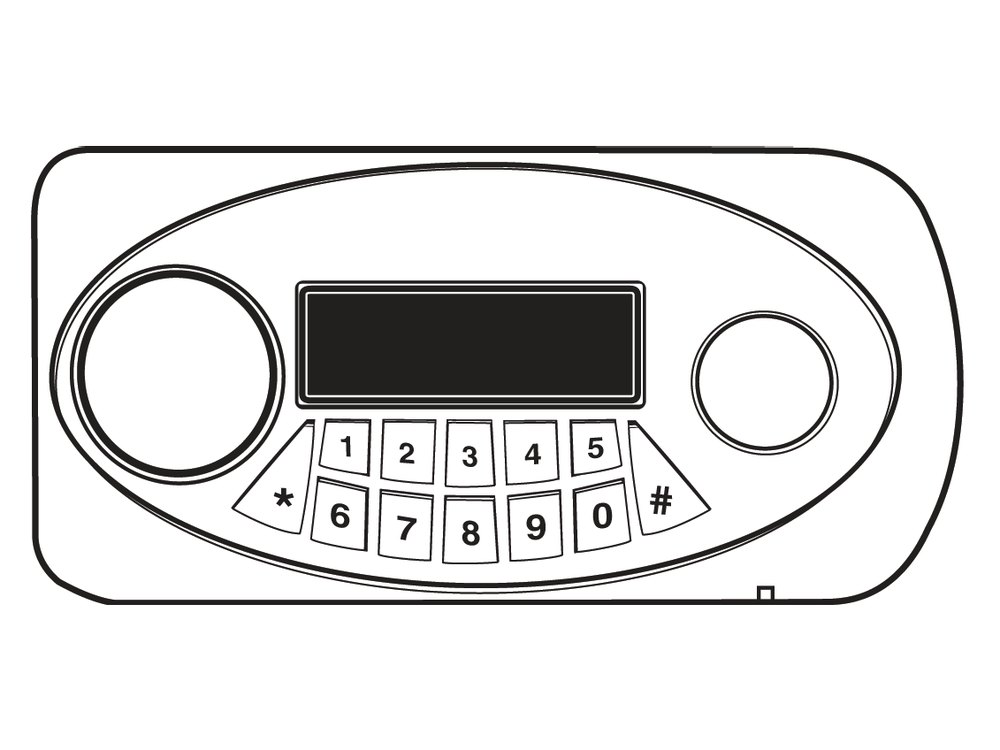 Mesa MF series (MSL-MF2)Oval keypad with an LCD screen and two round spaces. Four AA batteries.Open · Code · Battery →
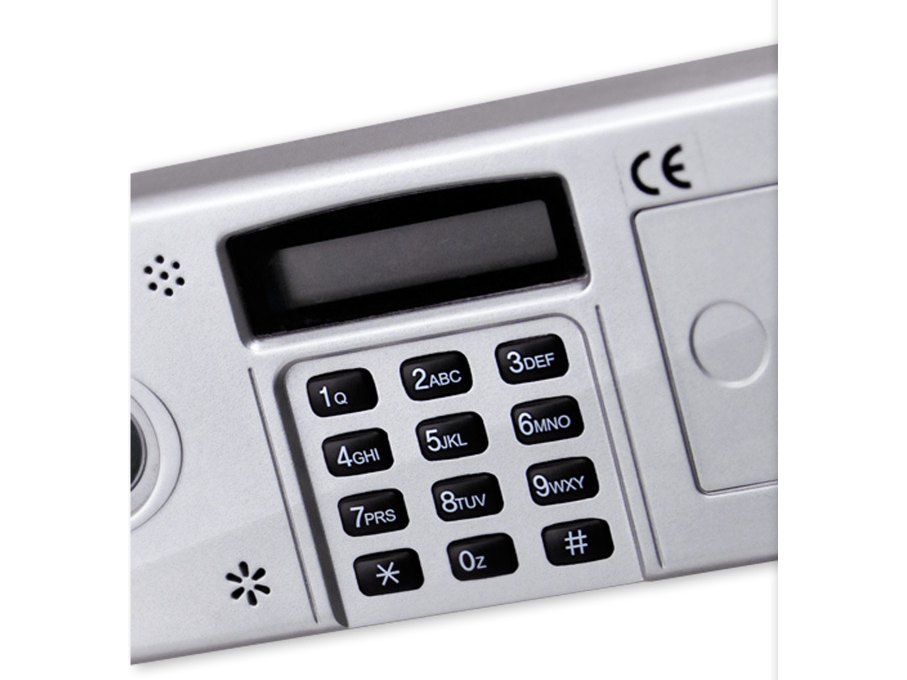 Mesa MFS-1 / MFS-2Rectangular keypad with an LCD screen and a battery cover at the right.Open · Code · Battery →
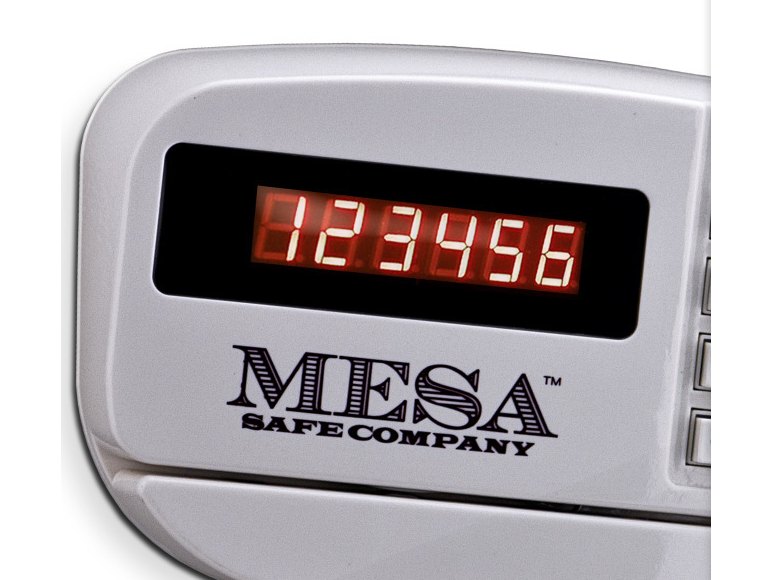 Mesa MH101E / MHRC916ERed number display above a 12-key pad, with a card-swipe slot. Hotel-room safe.Open · Battery · Messages →
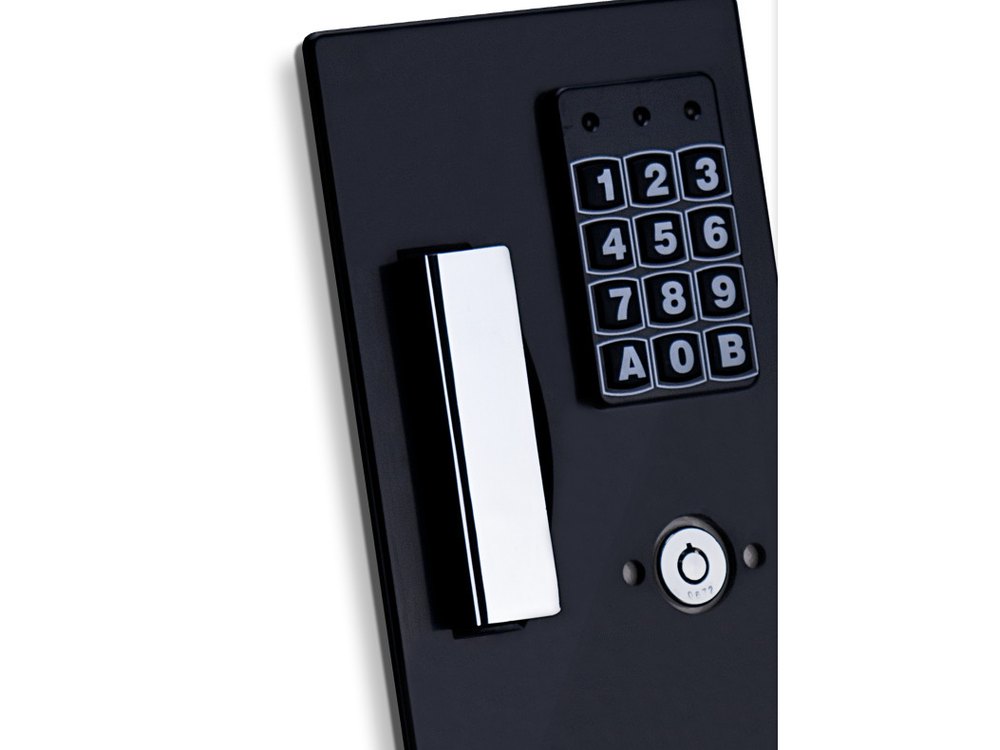 Mesa MAWS2113E wall safeBlack keypad with three small lights, keys 1 to 9, A, 0, B, and a key lock below.Open · Code · Battery →
LA GARD (dormakaba)
LA GARD makes some of the most common electronic safe locks. Find the keypad that looks like yours: the 3000, 3035 and 3125 (Basic and ComboGard Pro locks), the 3750 and 3750-K (Basic and ComboGard locks), the 5715, 5750 and 5750-K (ComboGard Pro and AuditGard locks), and the 700 Series (700 Basic, 702, 703, 704 and 705). The LGAccess 3900 is a handle with the keypad built in. The ComboGard Pro (39E) and the AuditGard (66E, also LG Audit) are the locks behind the keypads. The SmartPoint, SmartLinc II and the older SmartGard are LA GARD’s multi-lock systems with a logic module and an LCD.
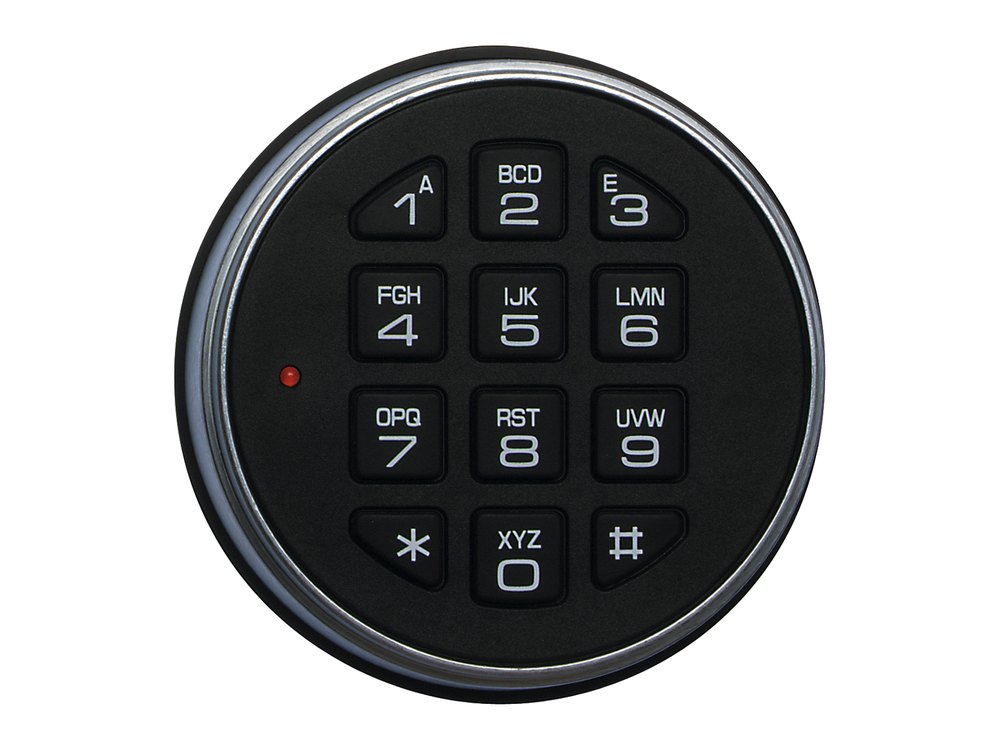 LA GARD 3000 / 3035 / 3125Round keypad with letters on the keys and a small LED. Basic and ComboGard Pro locks. 9-volt battery.Open · Combination · Battery →
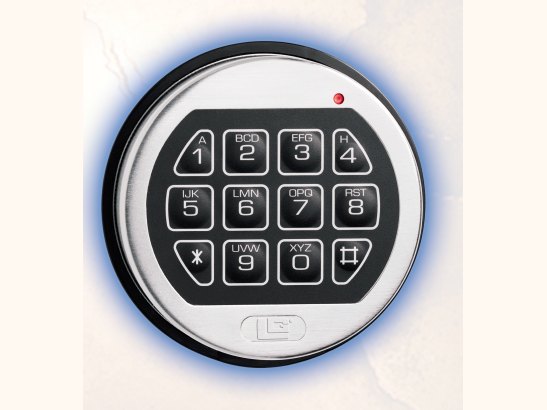 LA GARD 3750 / 3750-KA round keypad with a battery compartment cover under it. Satin chrome, brass or black.Open · Change code · Battery →
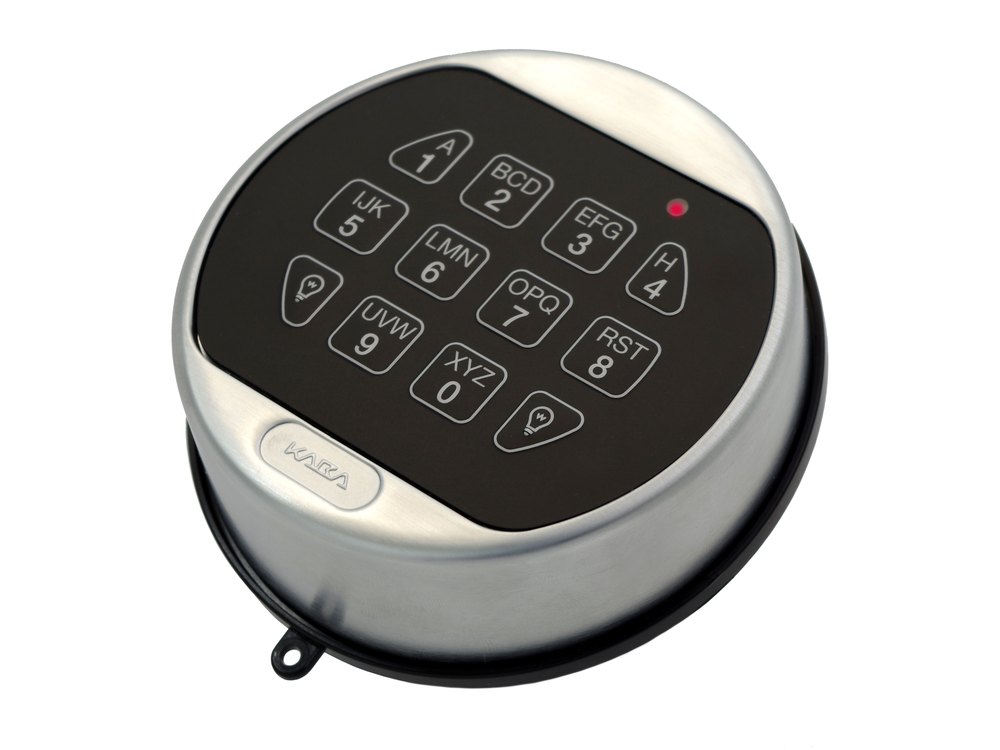 LA GARD 5715 / 5750Slanted round keypad with two light-bulb keys and a red LED. ComboGard Pro and AuditGard locks. 9-volt battery.Open · Combination · Battery →
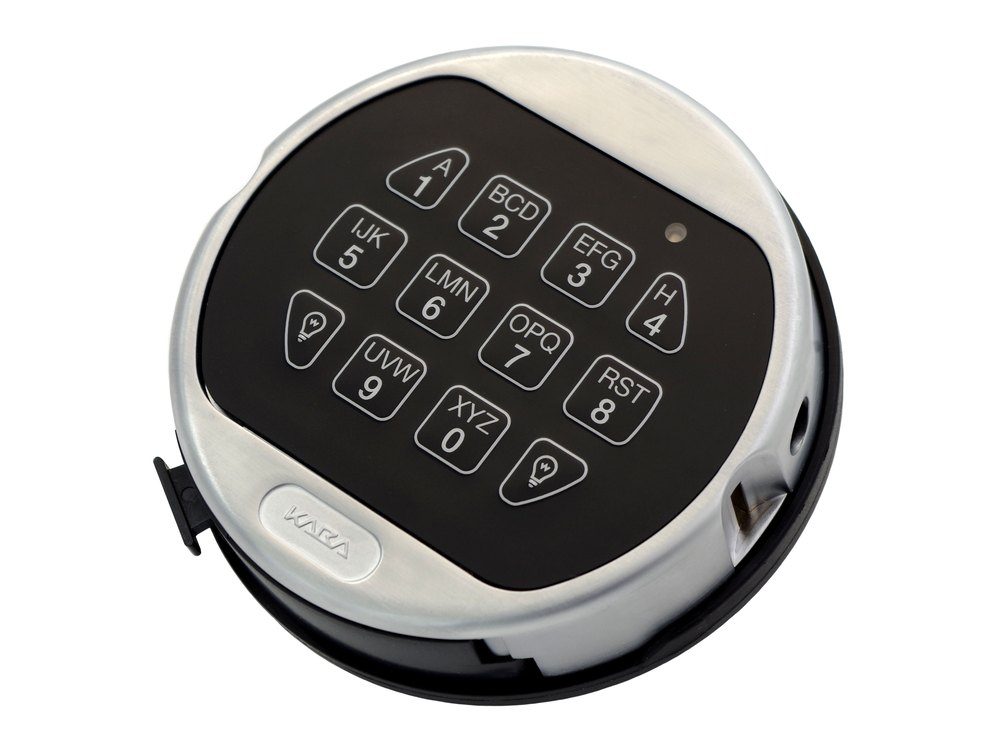 LA GARD 5750-KThe same keypad with a small eKEY port on the side.Open · Combination · Battery →
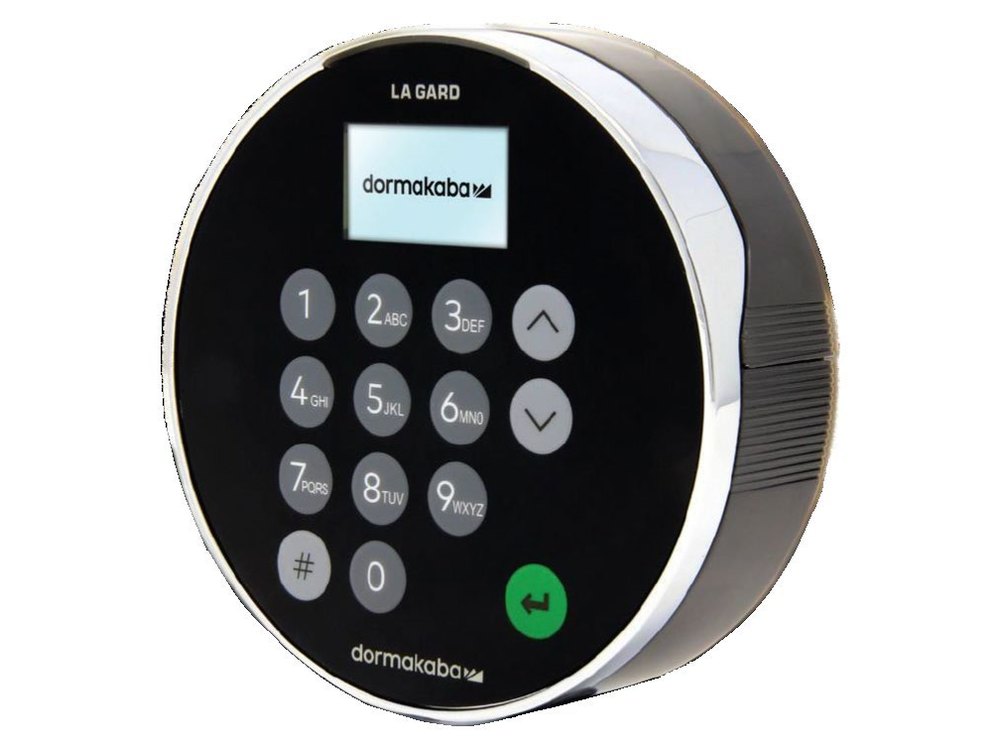 LA GARD 700 Series (display keypad)Round keypad with a small screen and up/down arrow keys. User ID and combination.Open · Combination · Battery →
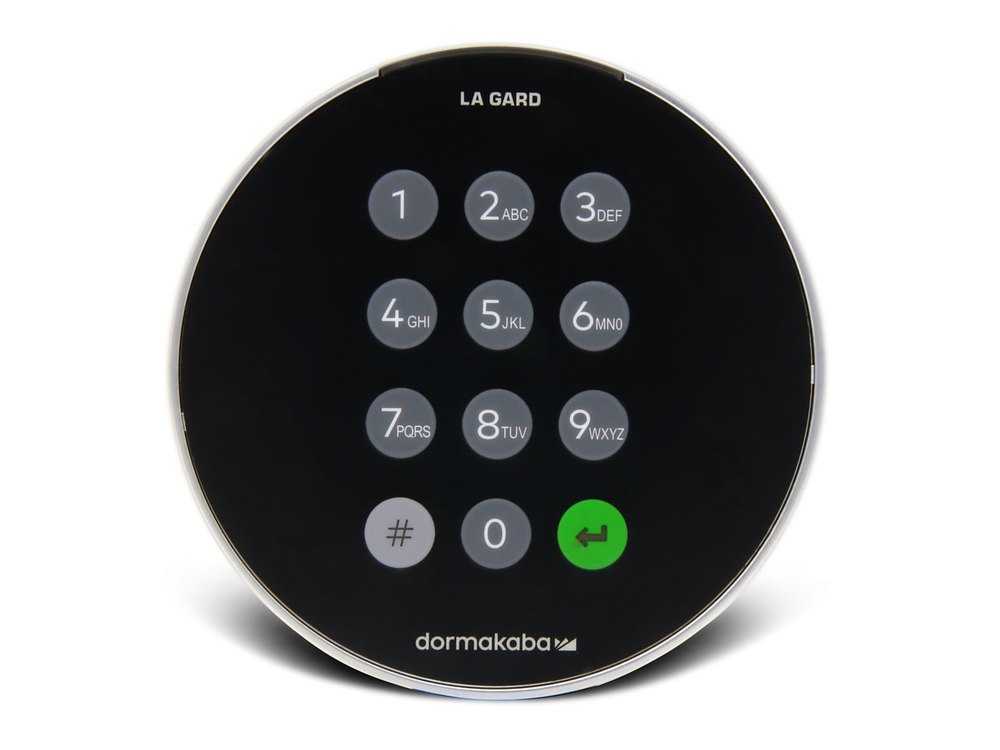 LA GARD 700 Basic / 702 (no display)Round keypad with number keys, a # key and a green Enter key. No screen.Open · Combination · Battery →
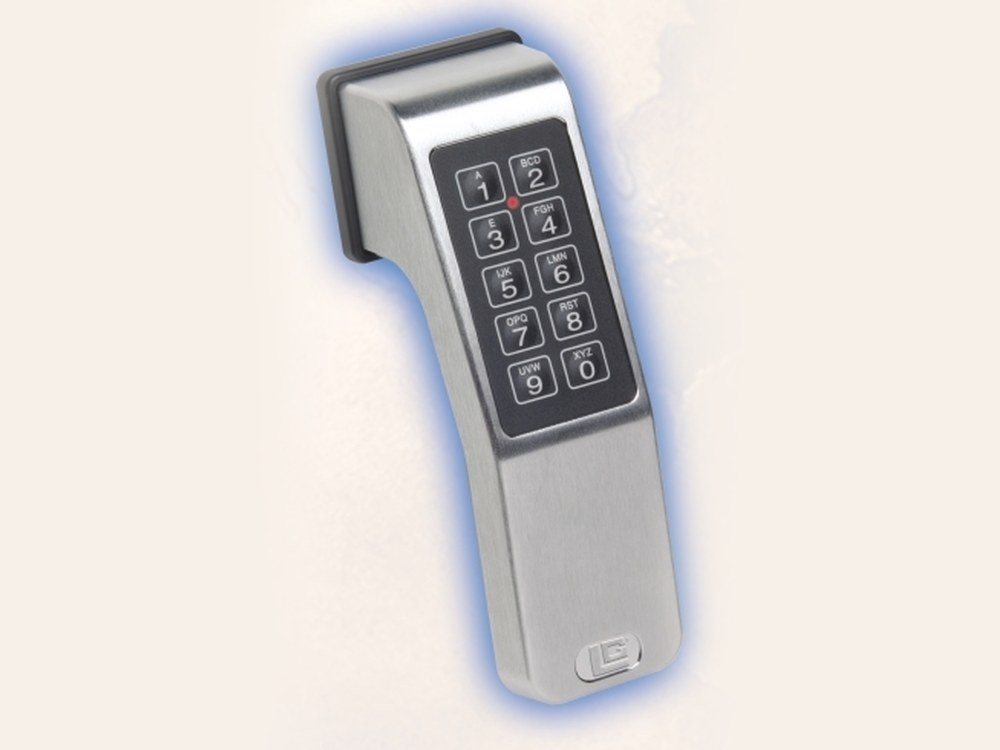 LA GARD LGAccess 3900A handle with the keypad built in: two columns of five keys with letters, and a small red LED. One 9-volt battery behind the handle.Open · Code · Battery →
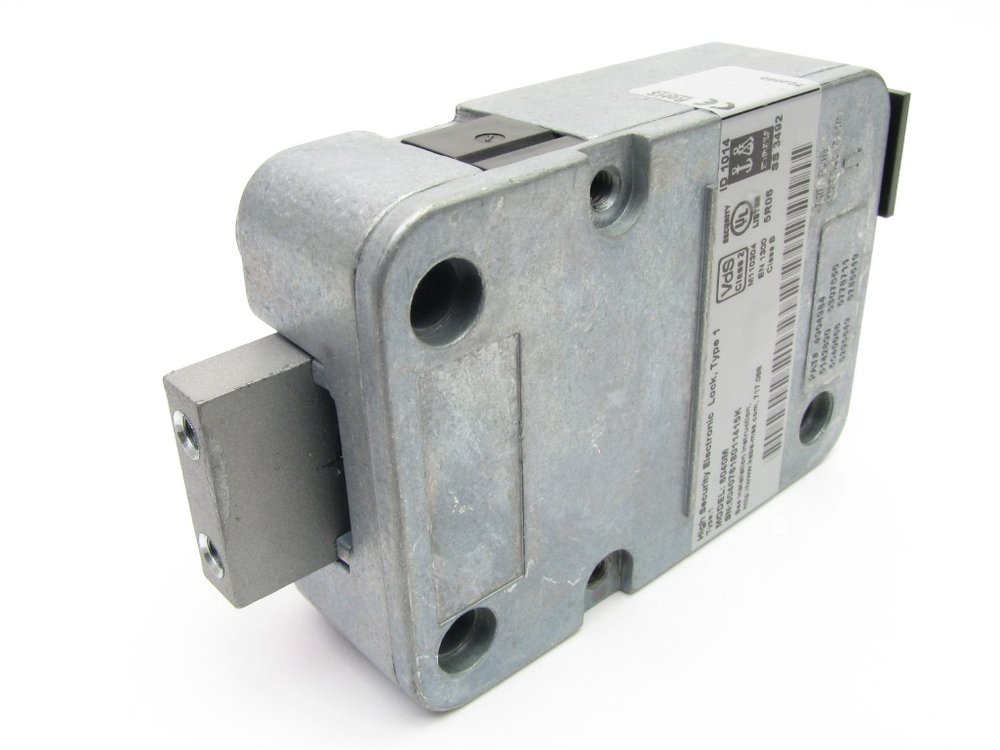 LA GARD ComboGard Pro (39E)The lock body inside the door. The keypad on the front is a 3125, 5715, 5750, 5750-K or 8130. Manager plus up to 9 users.Open · Combination · Time delay →
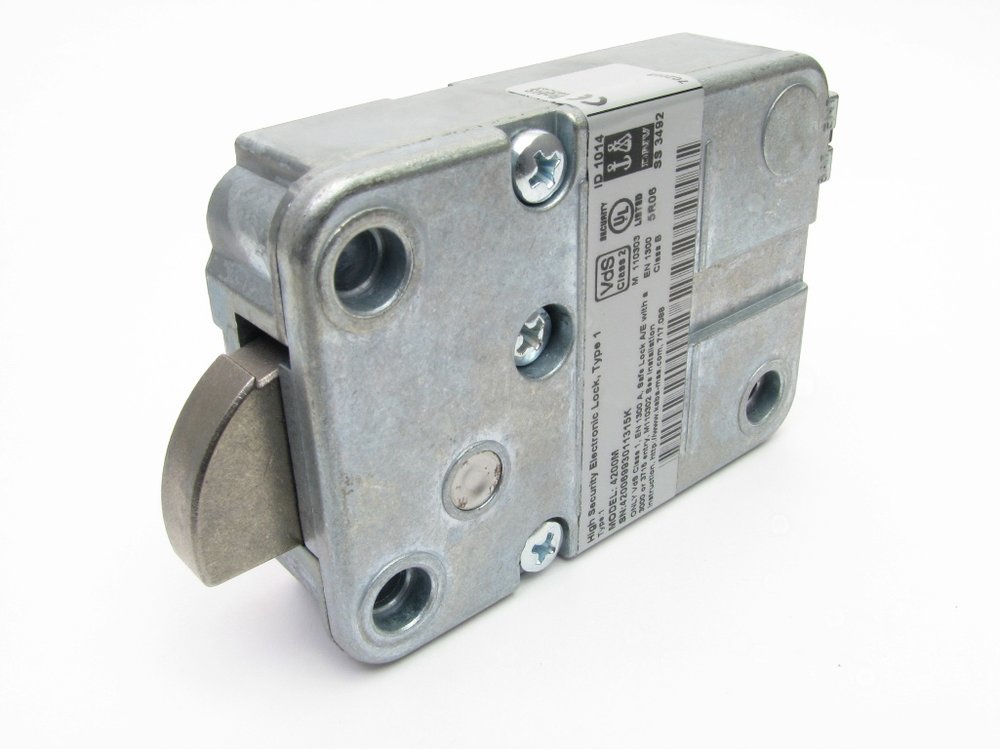 ComboGard Pro lock, model 4200MAnother lock body that dormakaba lists under ComboGard Pro. You only see it with the door open.Open · Combination · Time delay →
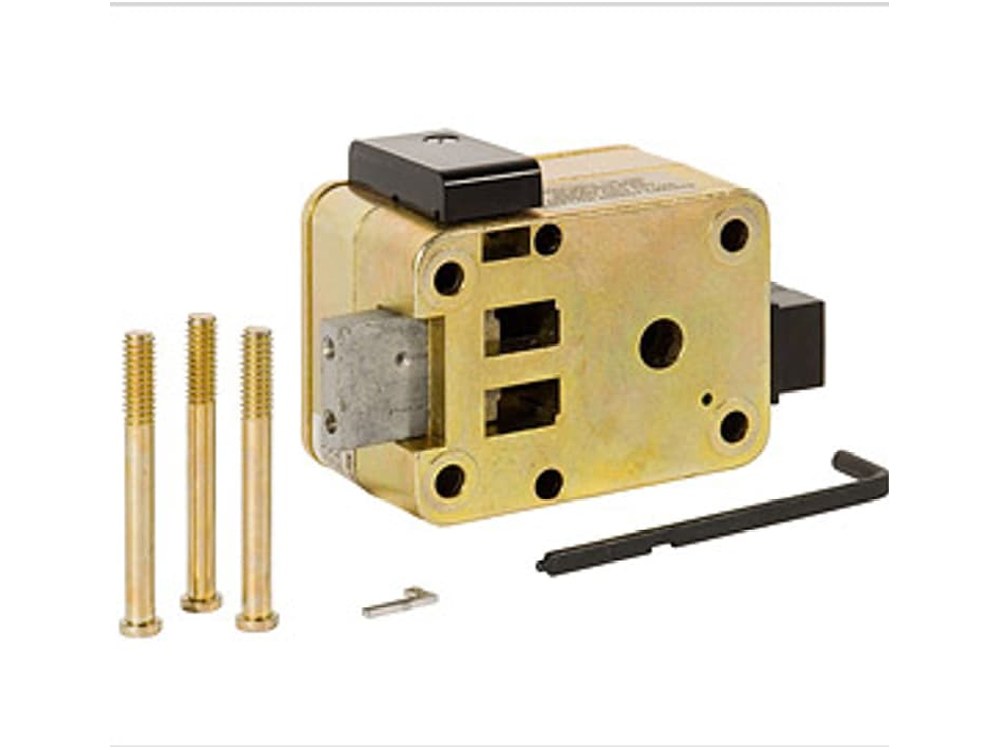 LA GARD AuditGard (66E / LGA)The lock body inside the door (dormakaba lock 6441-1). The keypad on the front is a 3750-K, 3125, 5715, 5750 or 5750-K. Master, Manager and up to 8 users.Open · Combination · Audit →
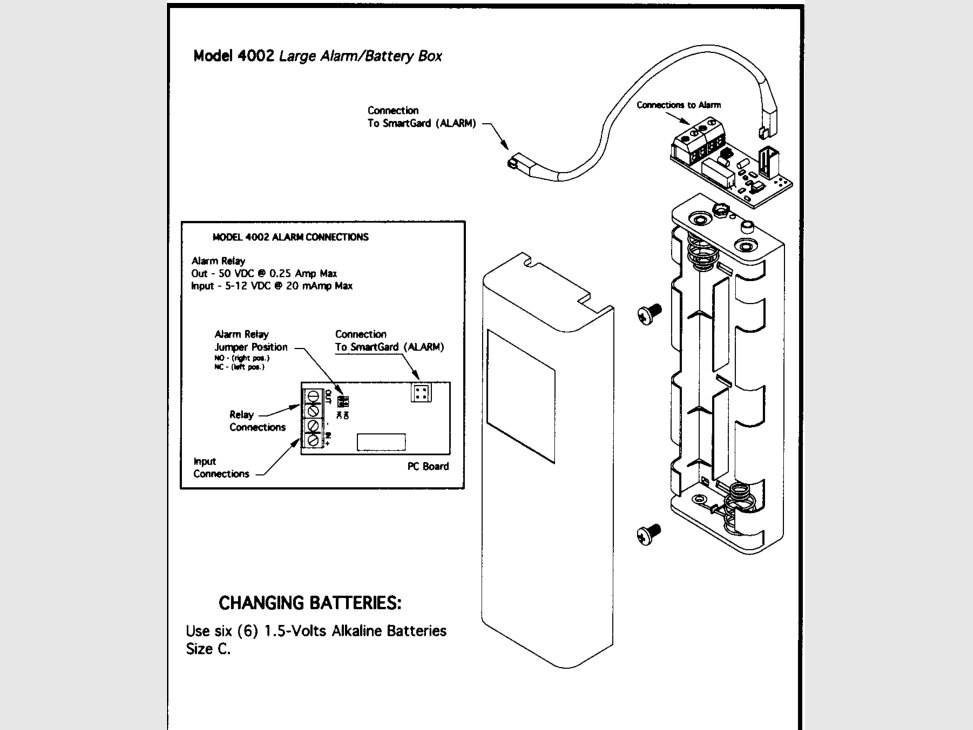 SmartGard alarm and battery box (model 4002)LA GARD’s drawing of the large alarm and battery box, with its six battery positions and the connection back to the SmartGard.Change combination · Manager · Battery →
Kaba / dormakaba (Auditcon, Axessor, Cencon)
Kaba and LA GARD are now part of dormakaba. Auditcon and Axessor are commercial safe locks used on safes across the country, and Cencon locks are on ATMs and cash safes. LA GARD has its own section above.
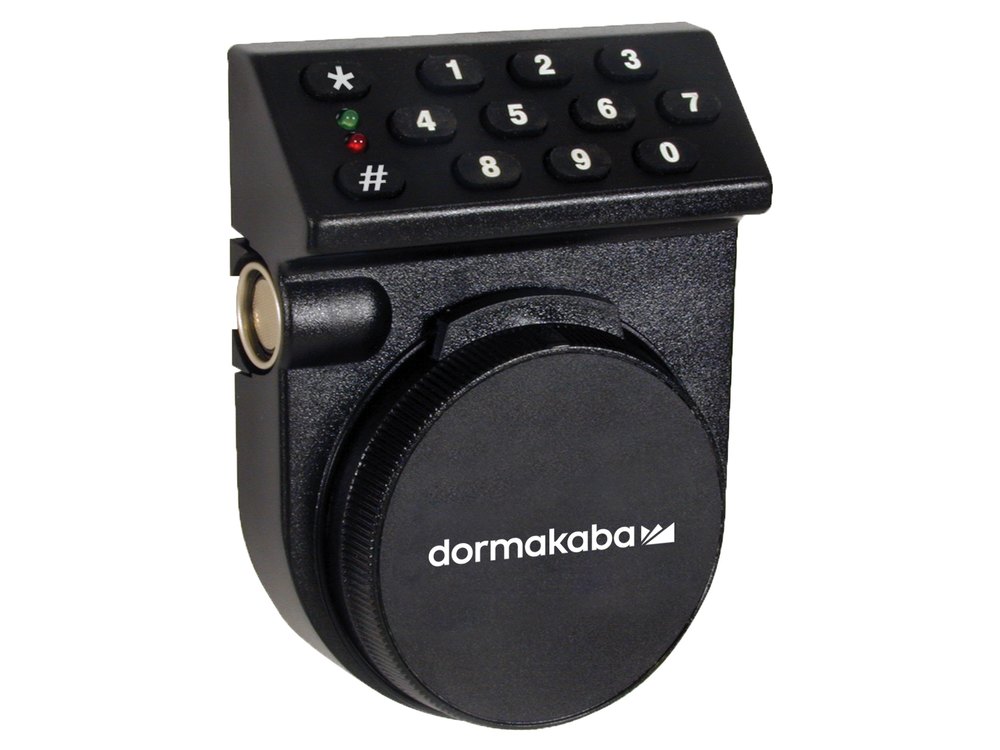 Kaba Auditcon 252 / 552Keypad above a dial. You turn the dial to power it. A user ID and PIN.Open · PIN · Lights →
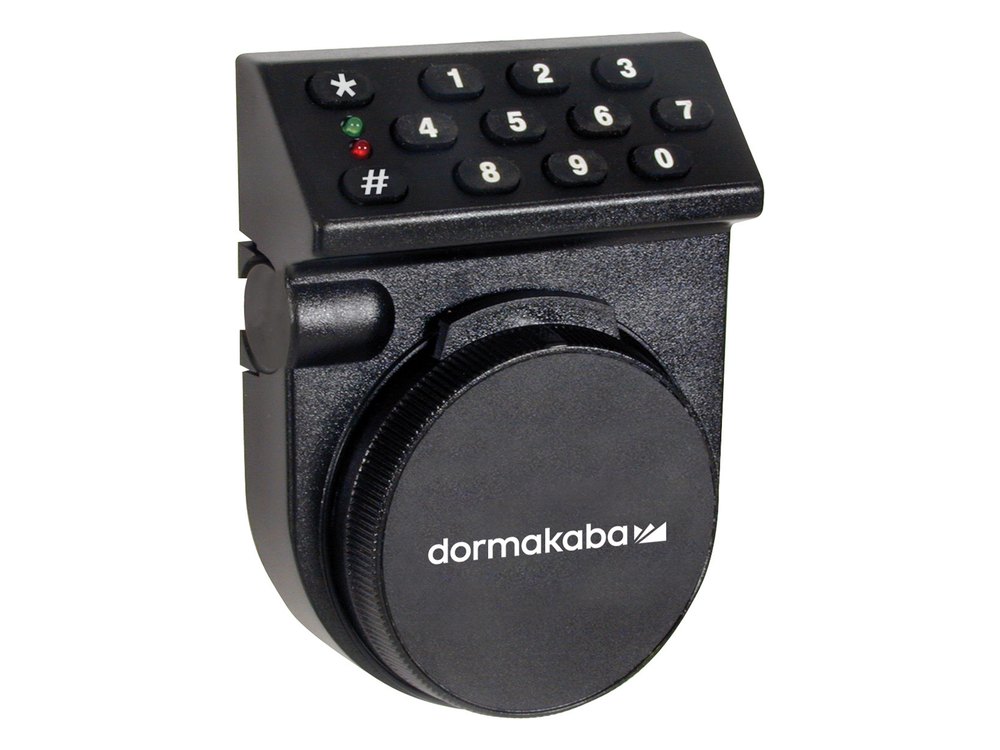 Kaba Auditcon 52 / T52The same keypad and dial with a single combination. No battery.Open · PIN · Lights →
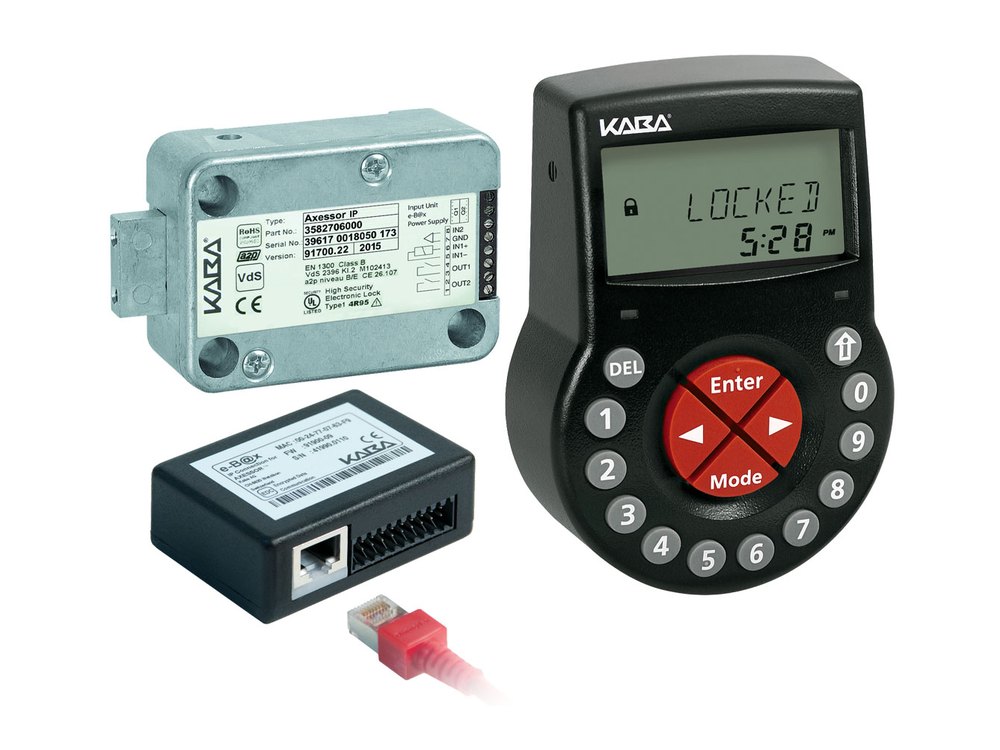 dormakaba AxessorBlack input unit with an LCD, a red Enter key and a DEL key. 3 AA batteries.Open · Battery · Messages →
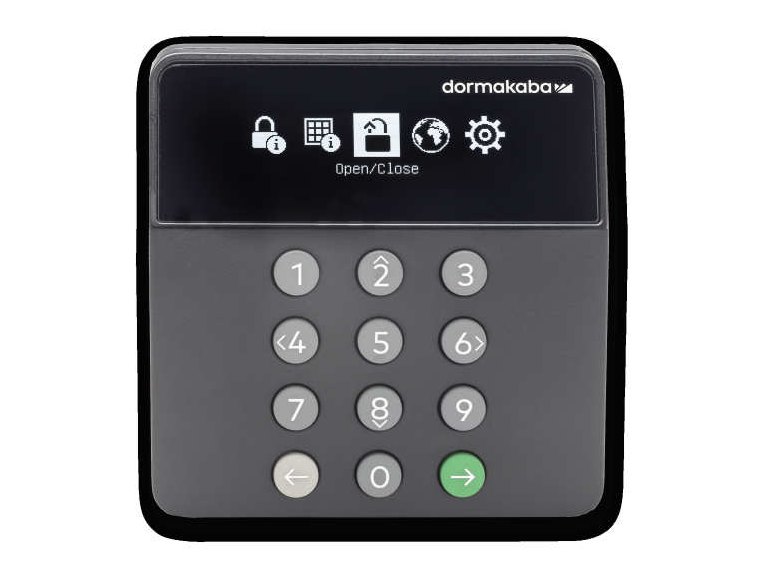 dormakaba Axessor ApexxDark keypad with a screen of menu icons, number keys, a Back key and a green Enter key.Unlock · PIN · Battery →
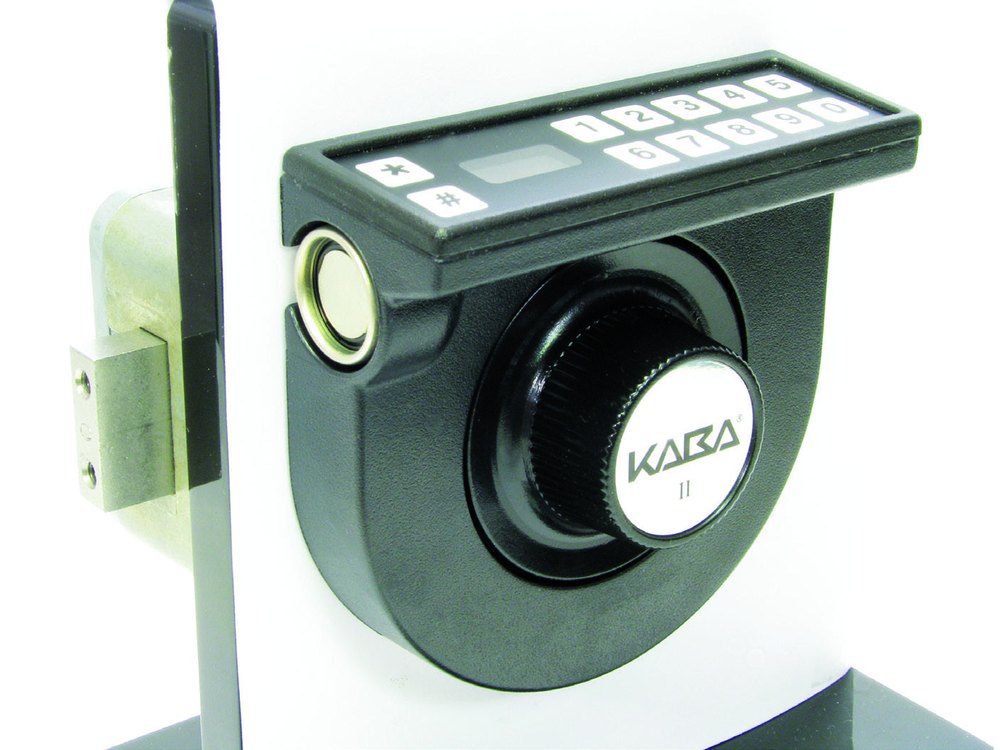 dormakaba Cencon (Gen 2)ATM lock: a dial with a small keypad and display on the housing. Opens with a key and a combination.Open · Prompts · Errors →
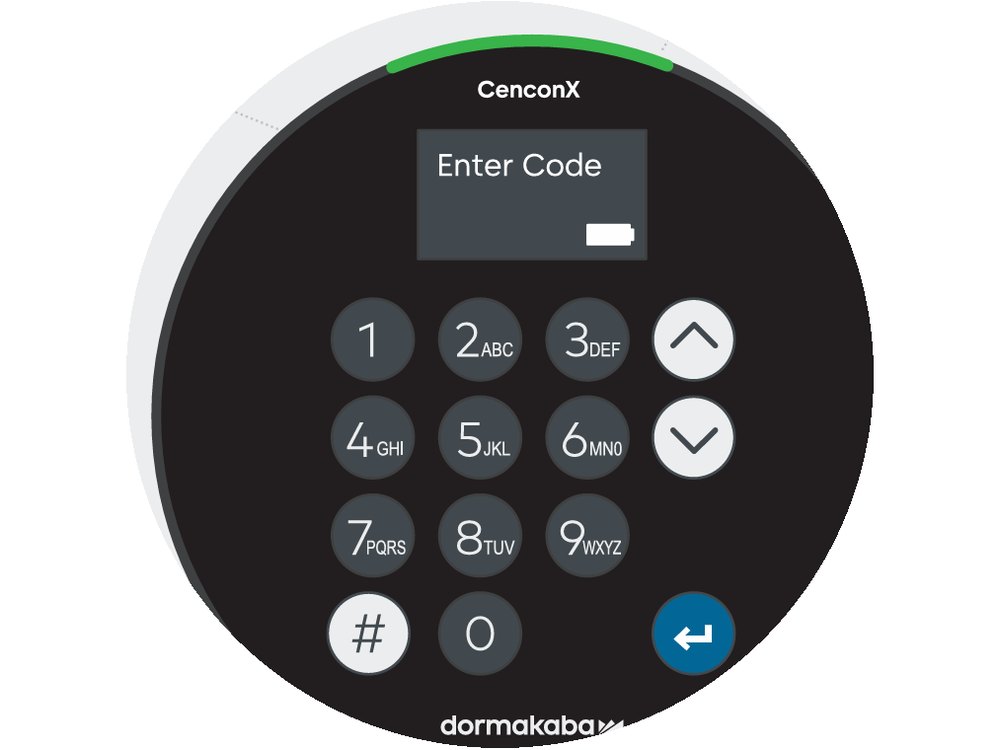 dormakaba CenconXRound keypad with a small display and a green light bar. No dial, no keys. Opens with a phone app code.Open · Battery · Help →
Government / GSA locks (Kaba Mas X-series, CDX, S&G 2740, LKM10K)
These locks are used on government (GSA) security containers. None of them has a keypad: you spin the dial, and they have no battery to change (the Kaba Mas X-07 to X-10) or two small batteries inside (the S&G 2740). The CDX-07 to CDX-10 and Lockmasters’ LKM10K are government door locks built around those same combination locks.
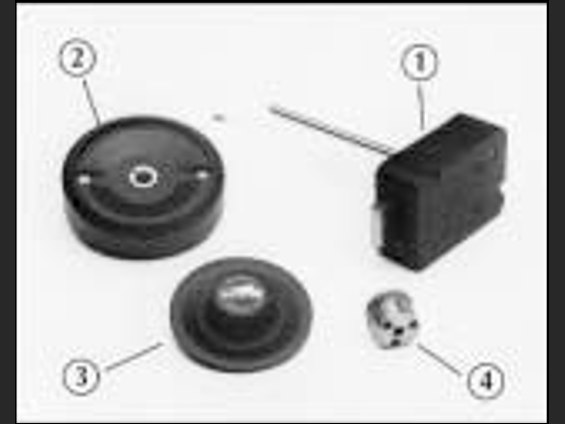 Kaba Mas X-07 / CEX-07GSA lock: a dial with a small display. No battery: you spin the dial left to power it.Open · Combination · Display →
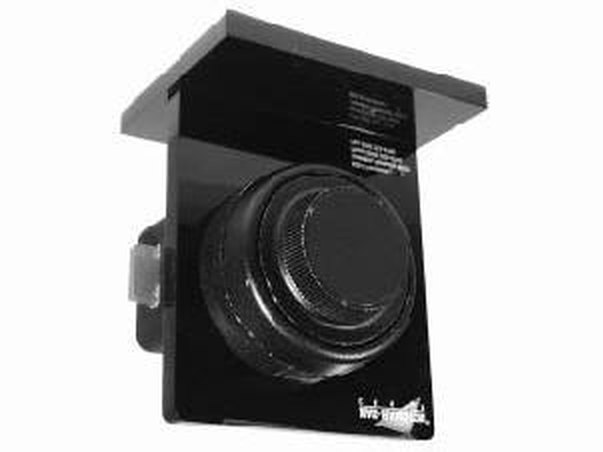 Kaba Mas X-08GSA lock: a black dial with a small display. No battery: you spin the dial left to power it.Open · Combination · Display →
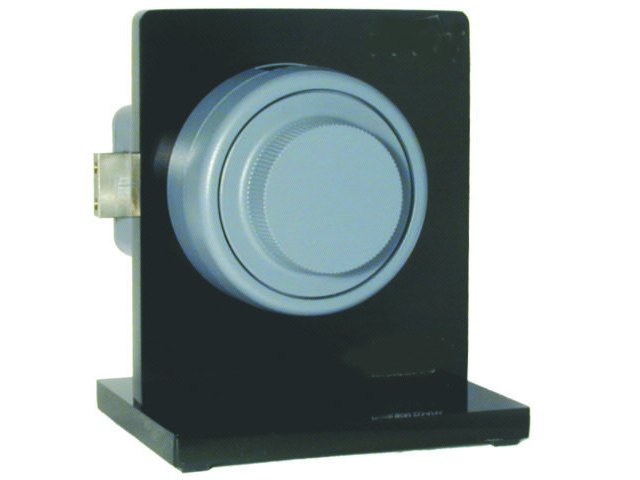 Kaba Mas X-09A dial with a small display. No battery: you spin the dial to power it.Open · Combination · Display →
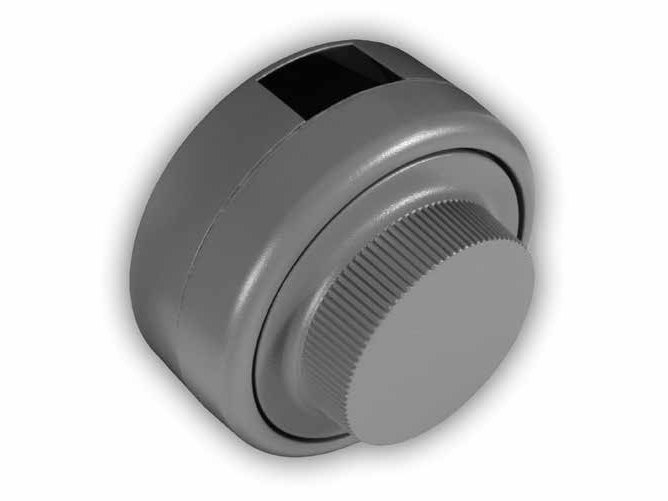 Kaba Mas X-10GSA lock: a gray dial with a small display behind it. No battery: you spin the dial to power it.Open · Combination · Display →
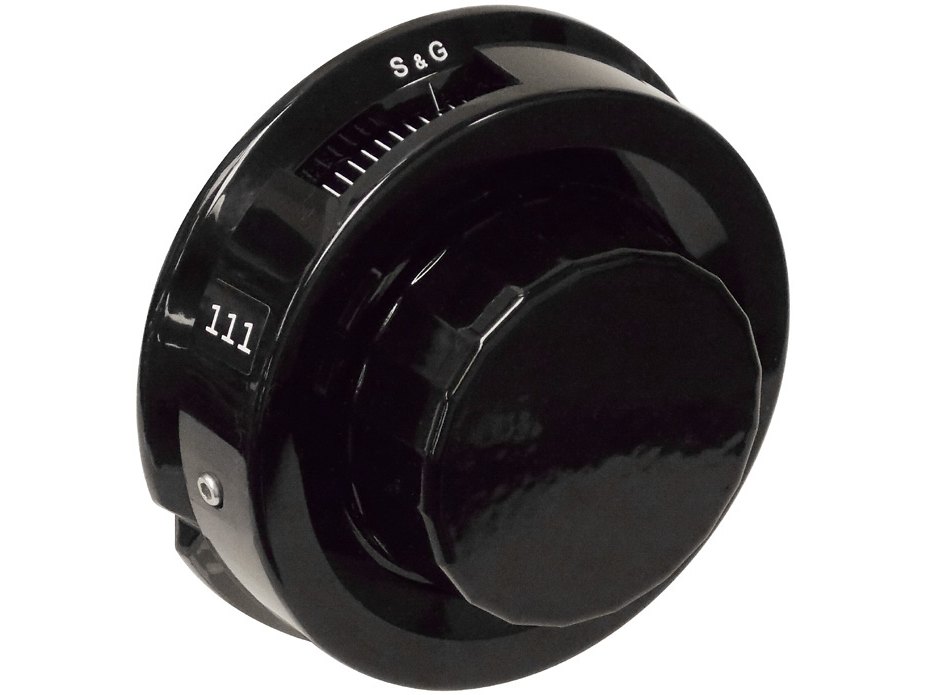 S&G 2740 / 2740BGSA lock: a black S&G dial with a number ring. No screen. It beeps.Open · Combination · Beeps →
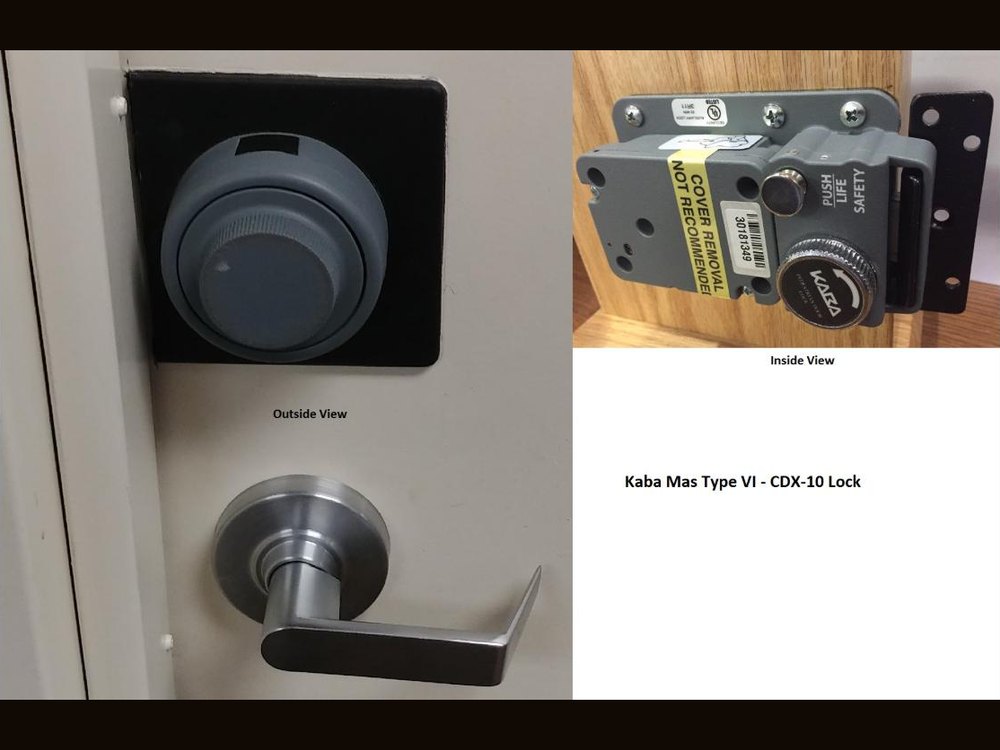 Kaba Mas CDX-10The outside dial plate with a lever handle, and the inside deadbolt unit with the PUSH LIFE SAFETY switch and the release knob.Open · Life safety · Which model →
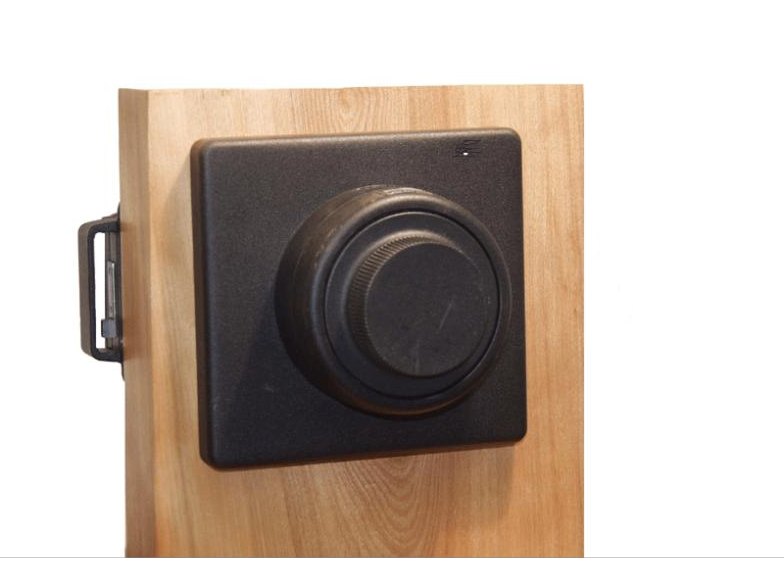 Kaba Mas CDX-08A black square plate with a dial ring on a door, with the deadbolt unit visible on the edge.Open · Life safety · Which model →
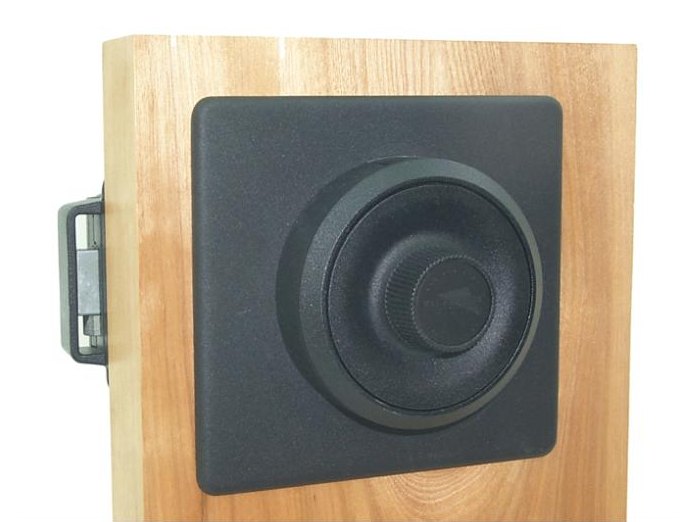 Kaba Mas CDX-07A black square plate with a round dial ring on a door, with the deadbolt unit visible on the edge.Open · Life safety · Which model →
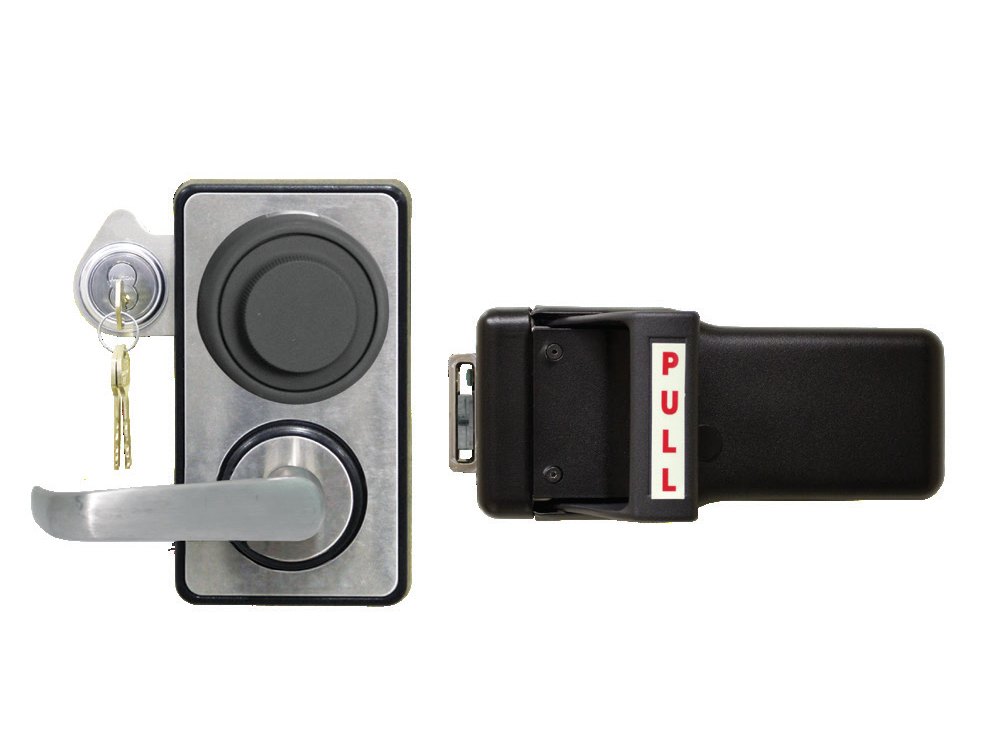 LKM10K handle modelAn outside lever handle under a round dial and a key cylinder, and the black push/pull handle that goes on the inside of the door.Open · Exit · Lock down →
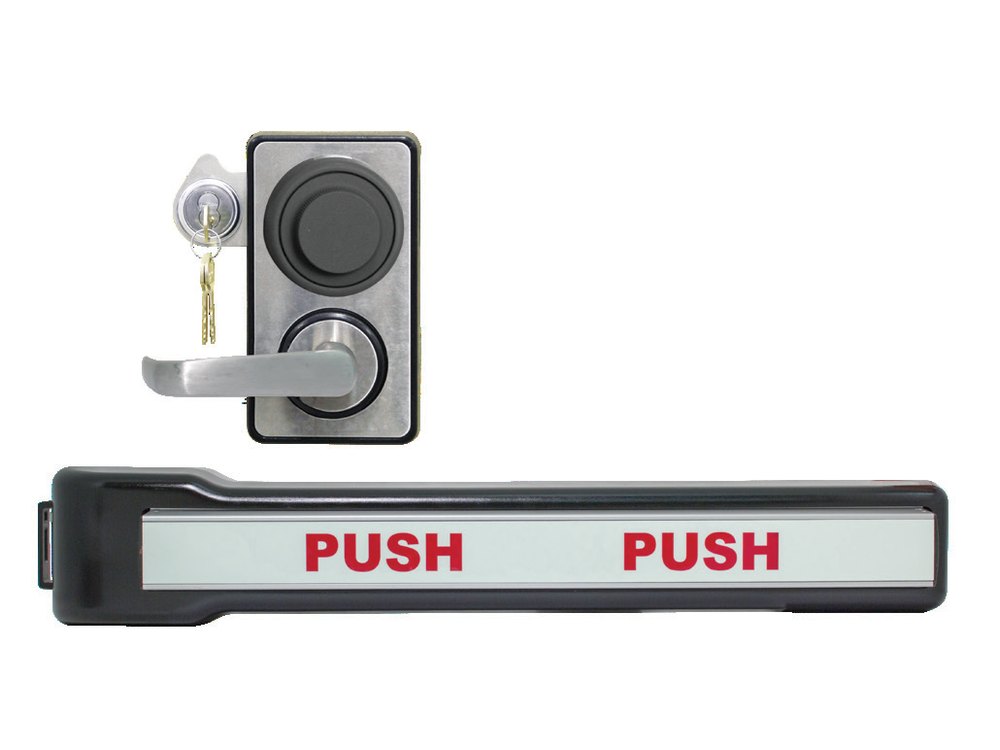 LKM10K panic bar modelThe same outside trim, and the panic bar with a PUSH label that goes on the inside of the door.Open · Exit · Lock down →
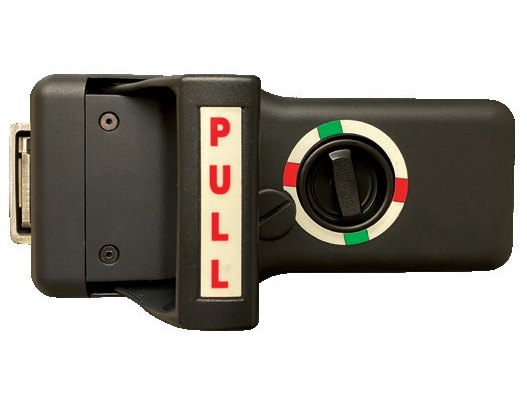 LKM10K Type VII (lock down)The inside push/pull handle with a red and green LOCK DOWN ring.Open · Exit · Lock down →
NL and LP locks
NL electronic locks (sold under the LP name and others) come with several different keypads and lock boards: the Basic board has two users and the DIA board has up to ten. The Duet and Redundant RotoBolt have a mechanical combination lock built in as a backup.
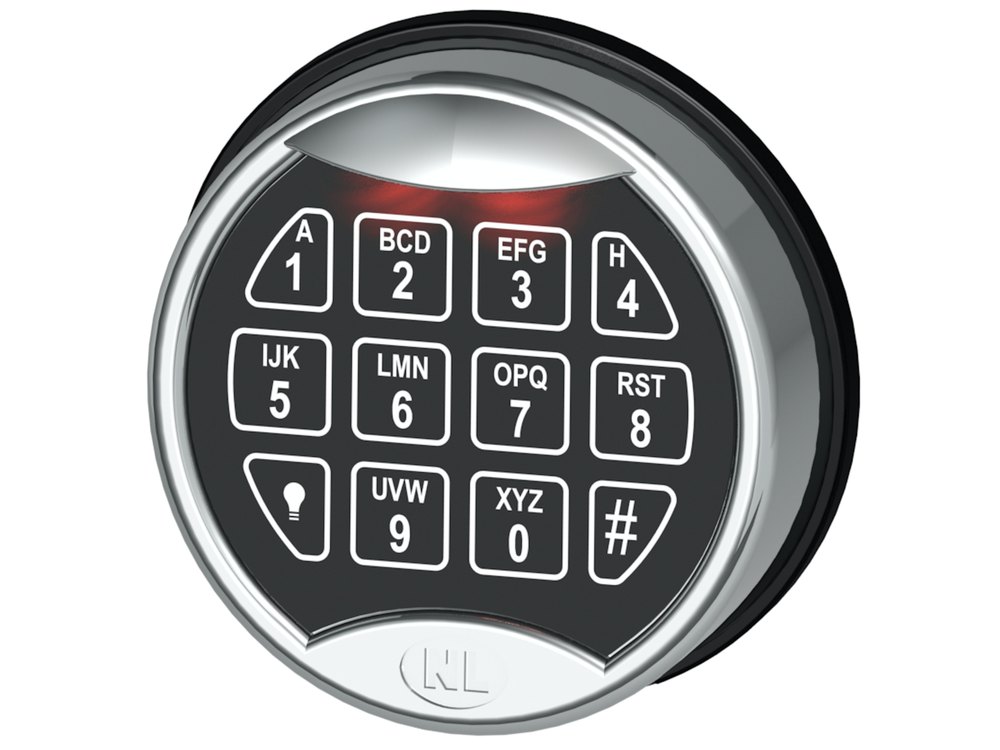 NL PremierLight button at the lower left. Battery drawer slides open at the bottom.Battery · Code · Signals →
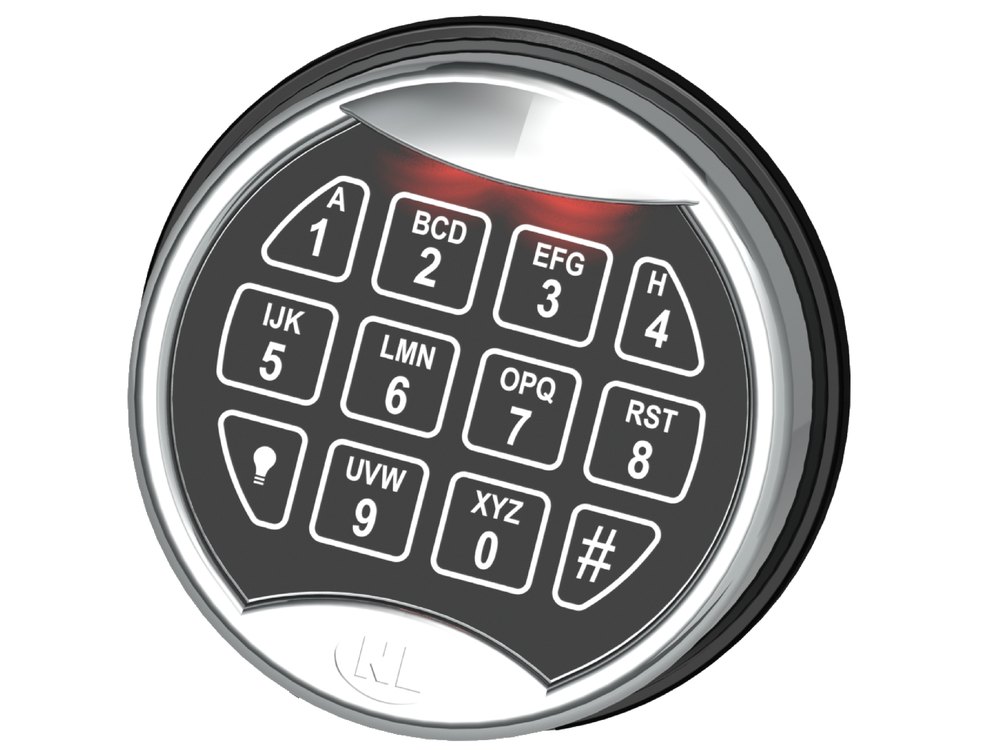 NL Rotating PremierSame face, but you turn the keypad to the right to open. One 9-volt battery.Battery · Code · Signals →
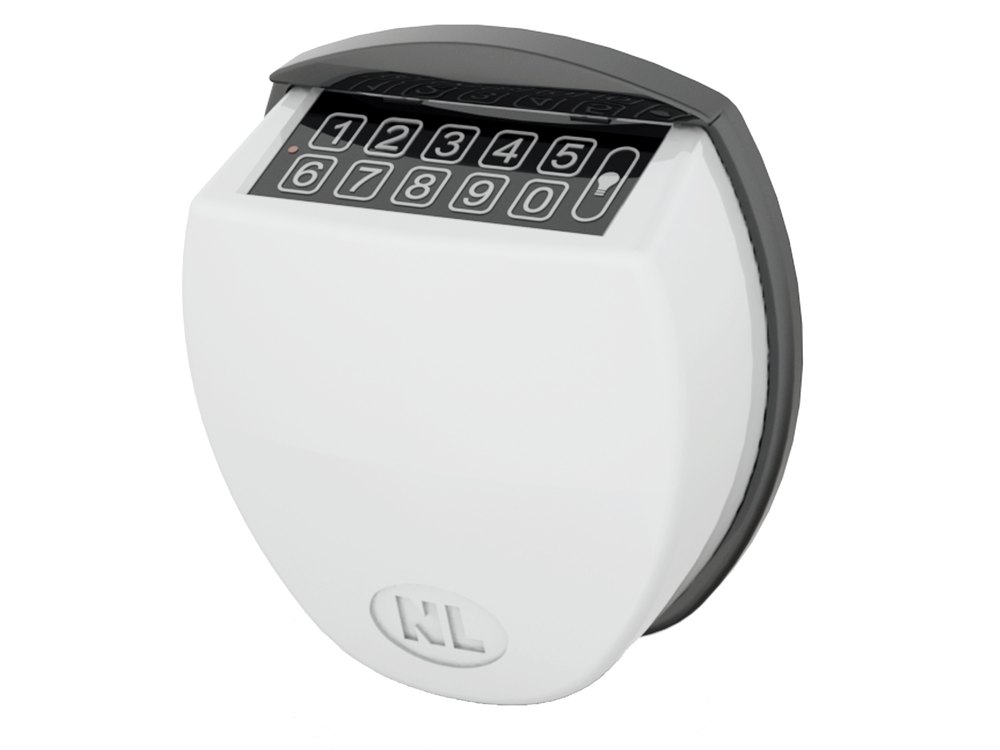 NL QuickTouchSmooth touch keypad in a domed housing. Battery compartment pulls down.Battery · Code · Signals →
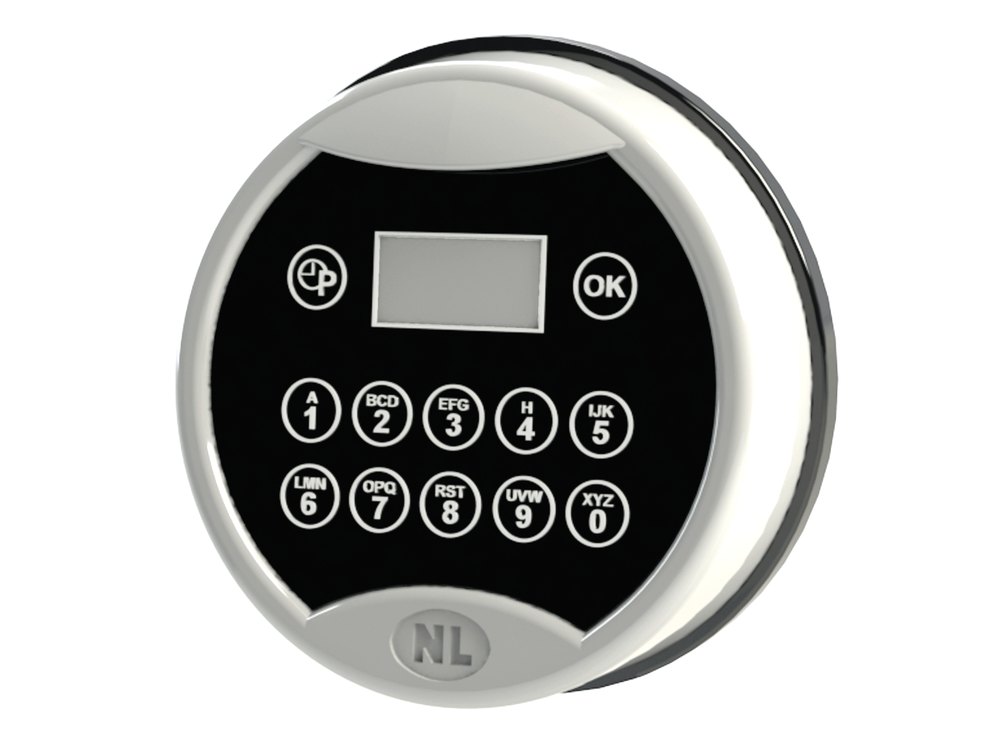 NL LockONERound keypad with a small display and an OK key. One-time codes. 9-volt battery.Open · Battery · Messages →
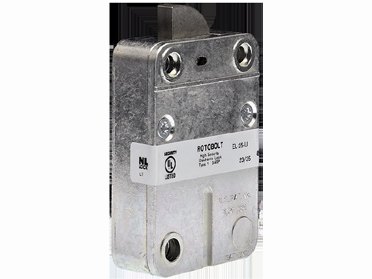 NL Basic RotoBolt (EM20-20)The Large RotoBolt lock body with its cable, from NL Lock’s instruction sheet. It sits inside the safe door.Open · Change code · Time delay →
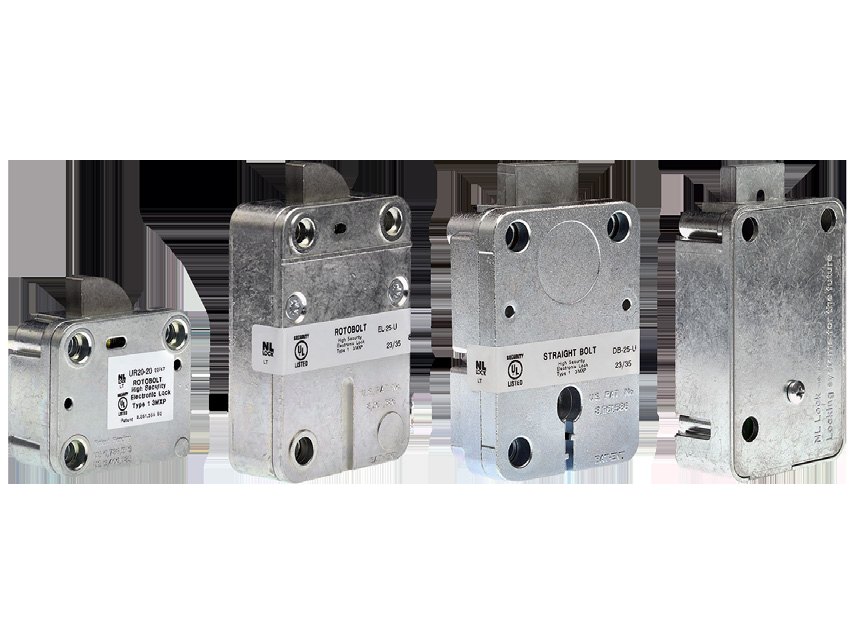 NL DIA / DIA Pro locksNL’s DIA instruction sheet picture: the RotoBolt, Straight Bolt and MotorDrive lock bodies that carry the DIA board.Open · Change code · Time delay →
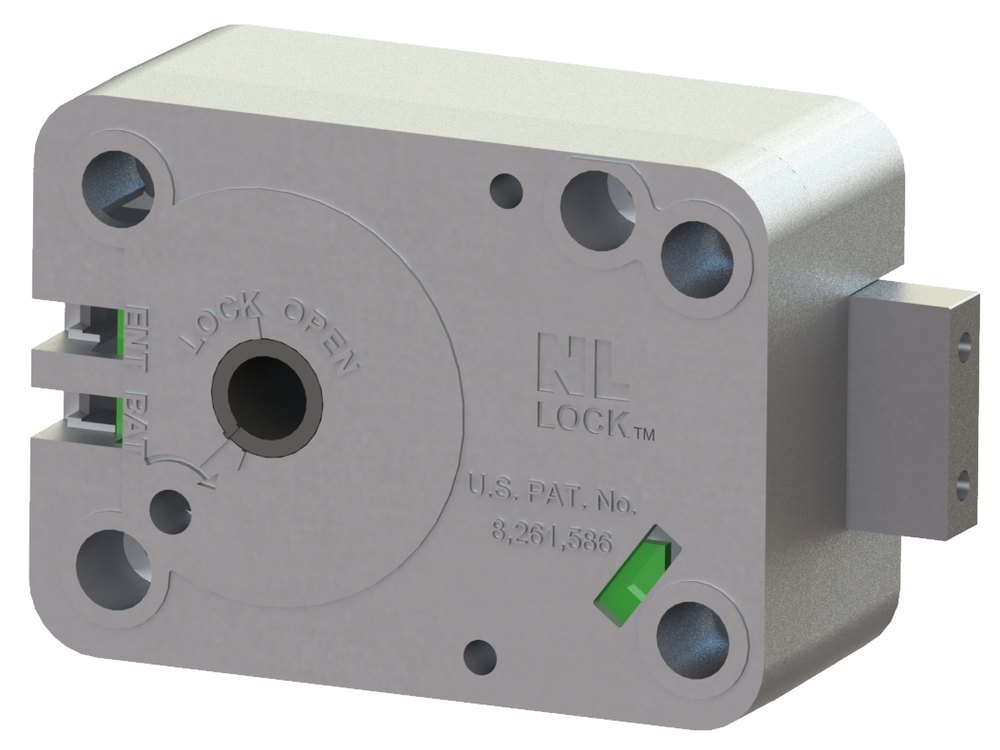 NL Lock Duet lock bodyA grey lock case with a round spindle hole, the NL LOCK name, a green light and a rectangular bolt.Open · Change code · Battery →
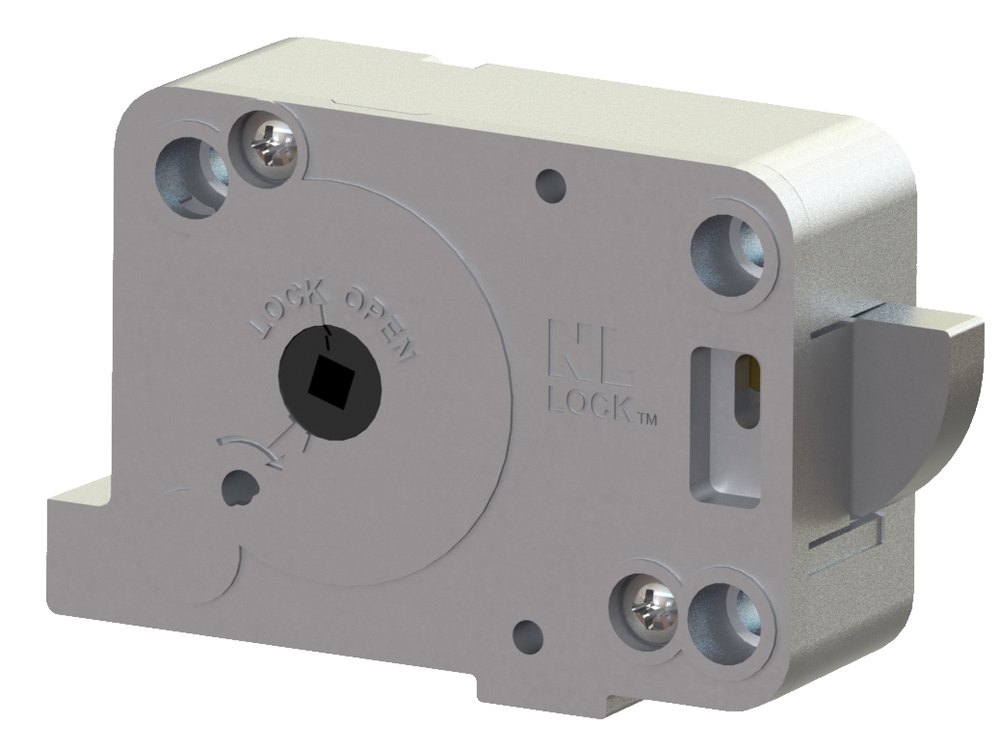 NL Redundant RotoBolt lock bodyA grey lock case with a spindle opening and a curved rotating bolt (RotoBolt).Open · Change code · Battery →
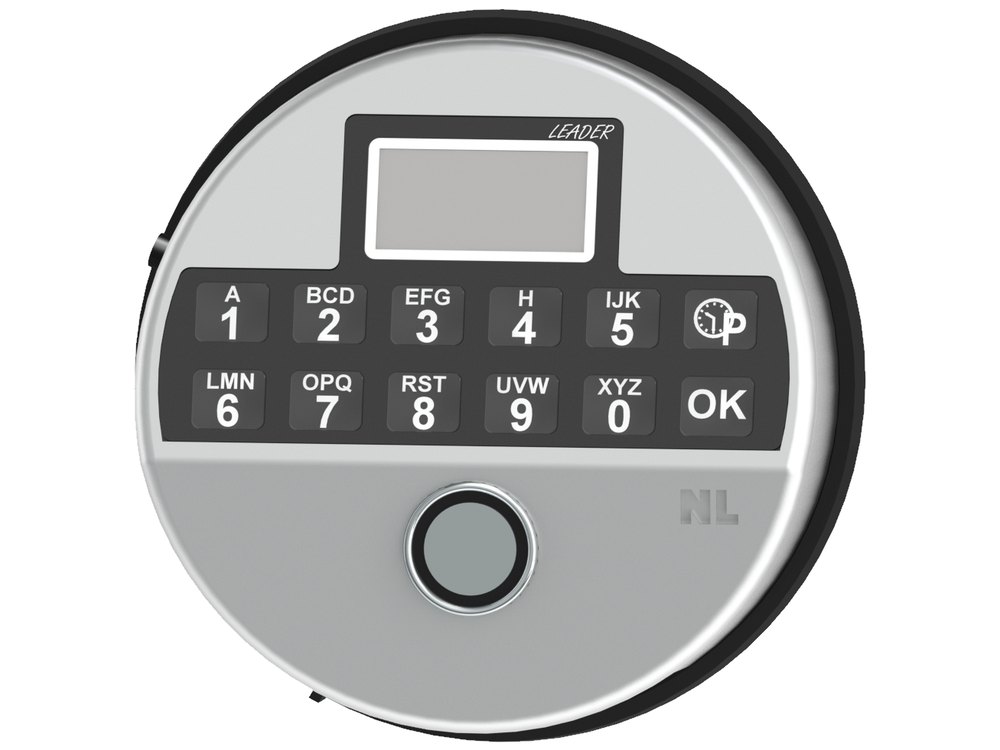 NL Leader inputA round silver keypad with an LCD window, keys 1 to 0 with letters, a P key, an OK key and the word LEADER.Open · Change code · Battery →
Protex Safe
Protex makes home, hotel, wall, drop and depository safes, including an ESL10-style lock with the oval 202A keypad. Find the one that looks like yours: the DigiPaz round keypad, the LCD lock that turns blue, the round HD keypad, the hotel and drawer safes with an LED display, and the fingerprint wall safe.
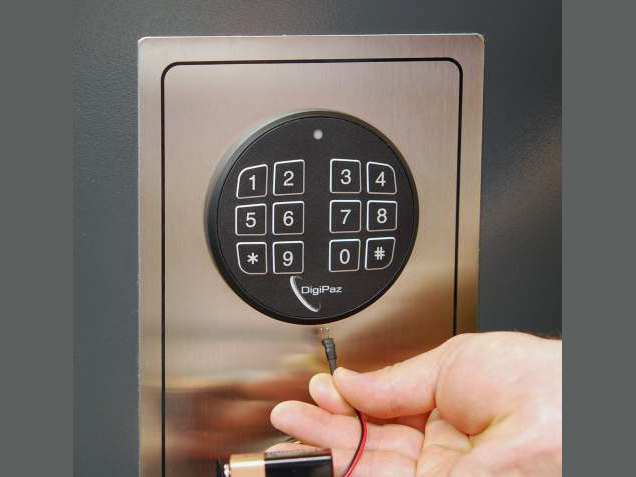 Protex DigiPaz keypadProtex’s drawing of the DigiPaz keypad on a safe door, with a battery override wire shown plugged in below the keypad.Open · Change code · Battery →
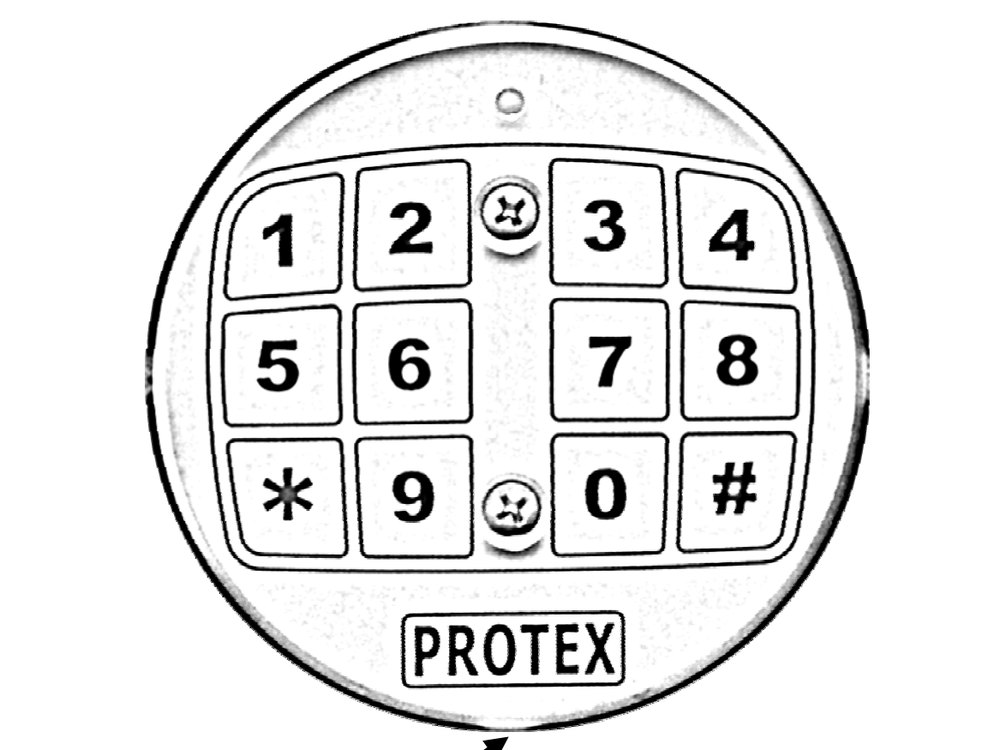 Protex 202A oval keypadAn oval keypad: 1 2 3 4 across the top, 5 6 7 8, then star, 9, 0, pound. The PROTEX name sits under the keys and a small power plug outlet is below that.Open · Change code · Battery →
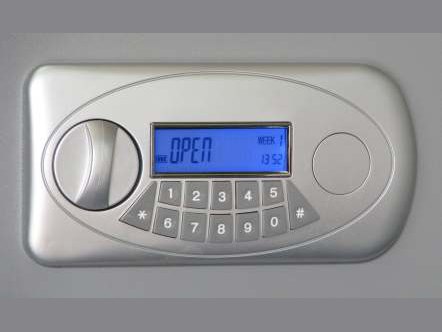 Protex LCD lockA silver oval lock with a blue LCD reading OPEN over a keypad, and a round turn knob on the left.Open · Change code · Battery →
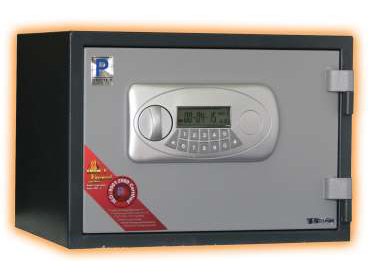 Protex LC fire safeA black fire safe with the silver LCD lock on the door.Open · Change code · Battery →
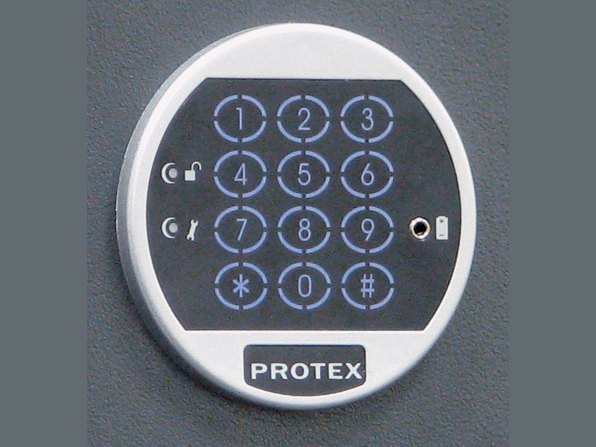 Protex HD-34 keypadA round backlit keypad with 1 to 9, star, 0 and pound, a small light, and a PROTEX label at the bottom.Open · Change code · Battery →
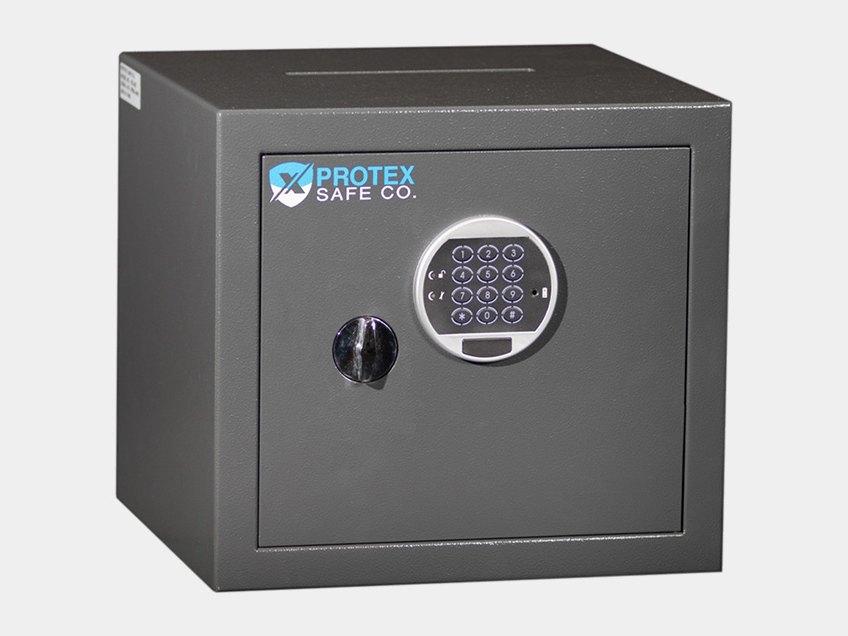 Protex HD-34CA dark grey cube safe with a round keypad and a turn knob on the door.Open · Change code · Battery →
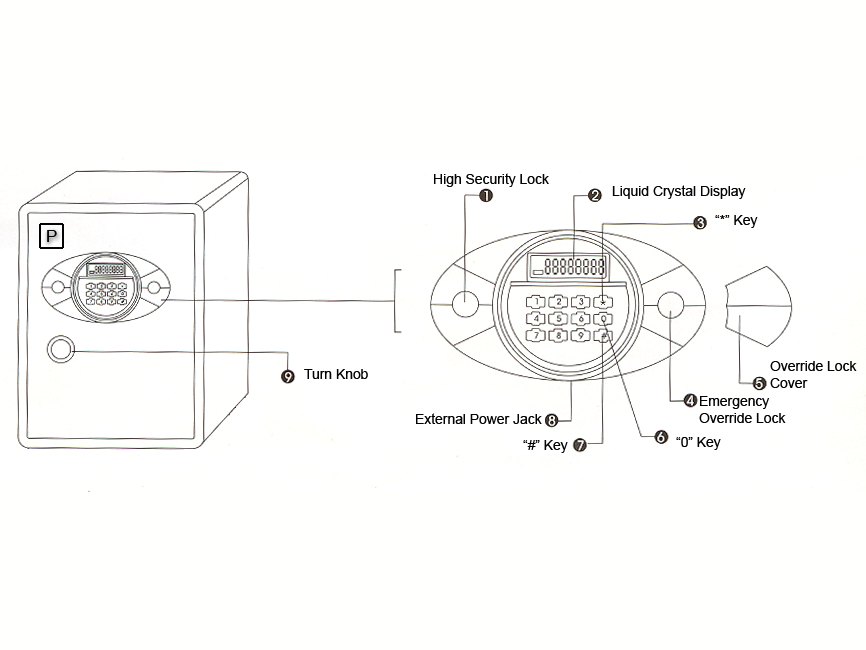 Protex SCE-series lockProtex’s drawing: the safe door, the oval electronic lock with its LCD, keys and override lock, and the turn knob.Open · Set a code · Battery →
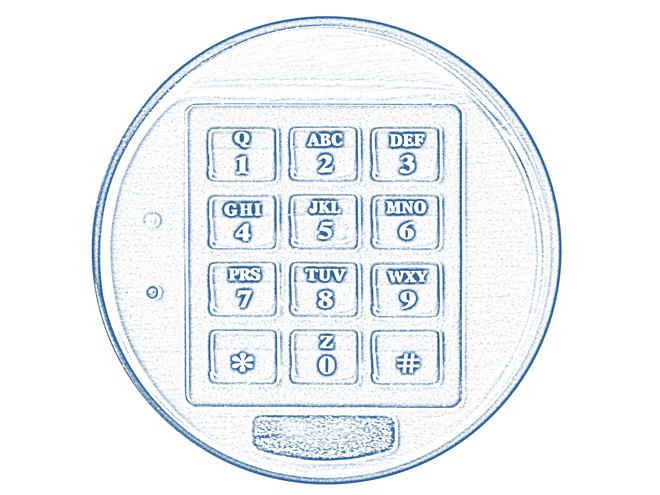 Protex PR100 keypadProtex’s drawing of the round PR100 keypad with number keys with letters, a star key, a zero key and a pound key.Open · Change codes · Battery →
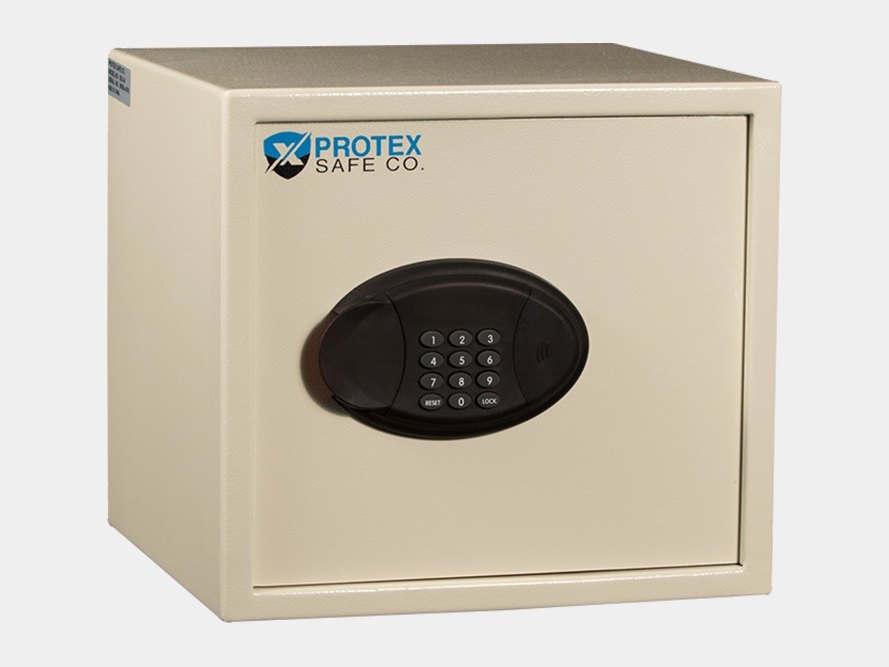 Protex BG-34 hotel safeA cream hotel safe with an oval keypad and LED display on the front.Open and lock · Change code · Battery →
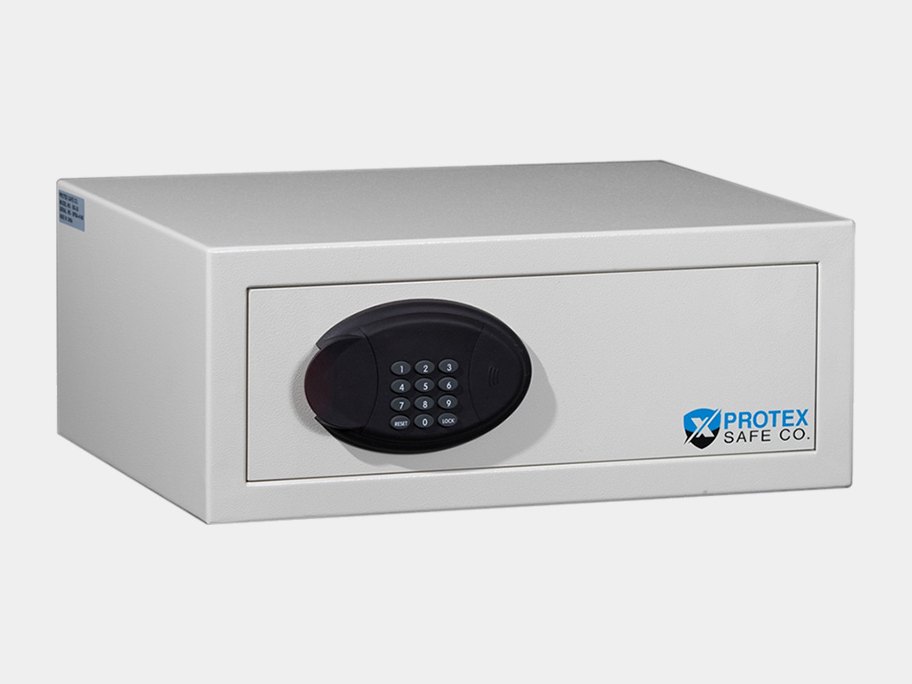 Protex BG-20 drawer-style safeA white low drawer-style safe with an oval keypad on the front.Open and lock · Change code · Battery →
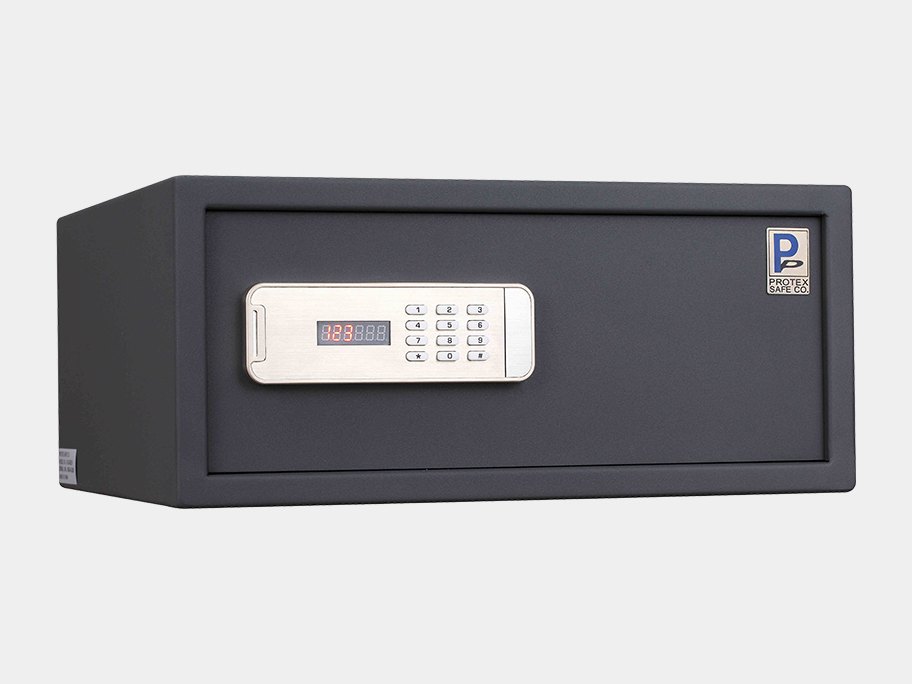 Protex H3-2045ZHA cream hotel safe with a backlit touch keypad and LED display.Open and lock · Change code · Battery →
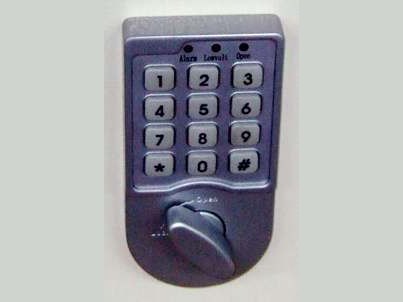 Protex SDL-400E keypadA dark keypad with numbers 1 to 9, star, 0 and pound, three small lights above (Alarm, Low volt, Open) and a turn knob below.Open · Change code · Battery →
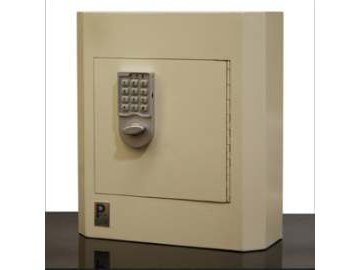 Protex electronic drop boxA cream wall-mounted drop box with the keypad and knob on the door.Open · Change code · Battery →
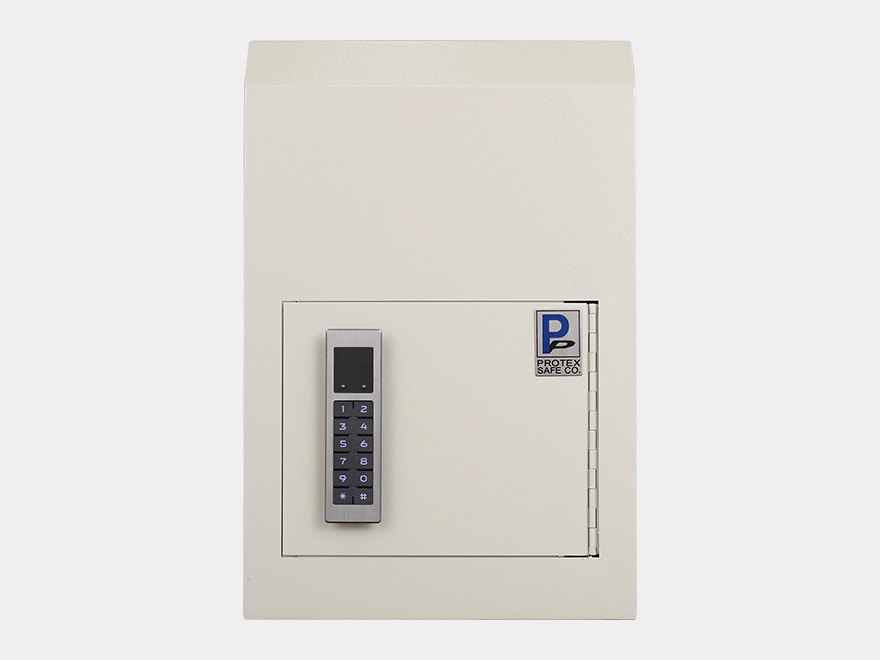 Protex WSS-159EA tall cream box with a narrow keypad on the door and a small Protex badge at the lower right.Open and lock · Change code · Battery →
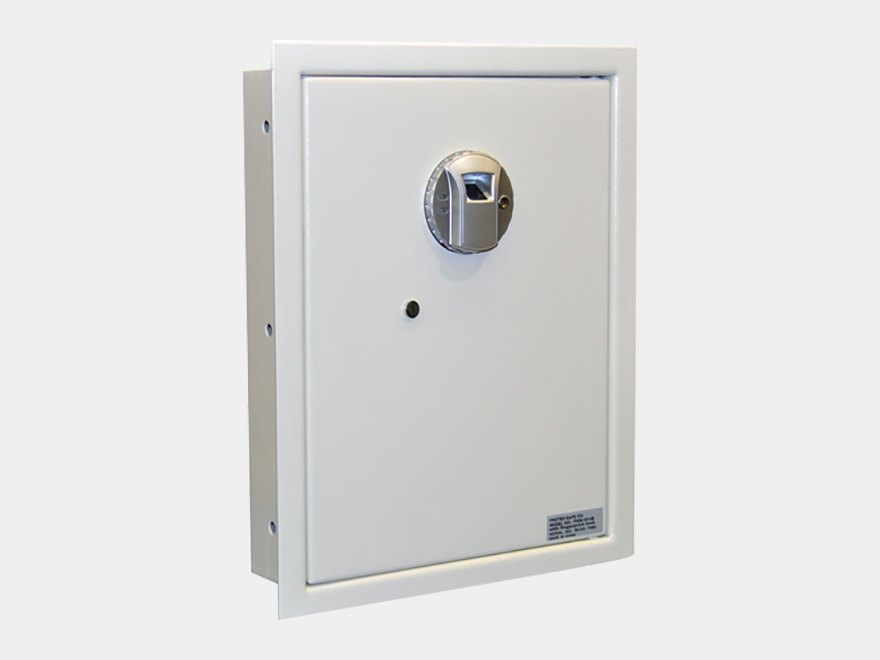 Protex FW-1814Z (closed)A white wall safe door with a small fingerprint scanner near the top right.Open · Enroll · Battery →
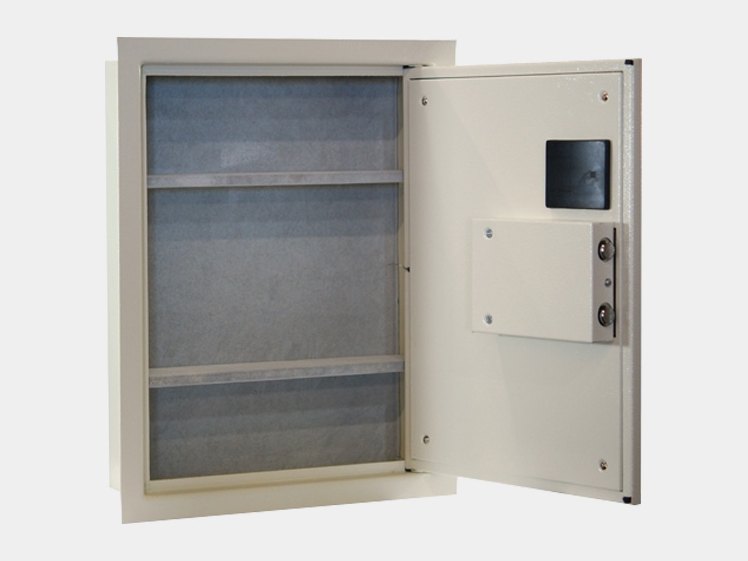 Protex FW-1814Z (open)The safe open, showing the shelves and the door.Open · Enroll · Battery →
Tecnosicurezza (Pulse, PulsePro, TechMaster, MiniTech)
Italian-made keypad locks that are common on bank, ATM and retail safes. The Pulse Next is a round keypad with a sun-shaped backlight key and no screen. The PulsePro has keys 1 to 5, a clock key, 6 to 0 and OK. The TechMaster and MiniTech have an LCD screen. The Touch Manager is a Dallas key reader with no keypad.
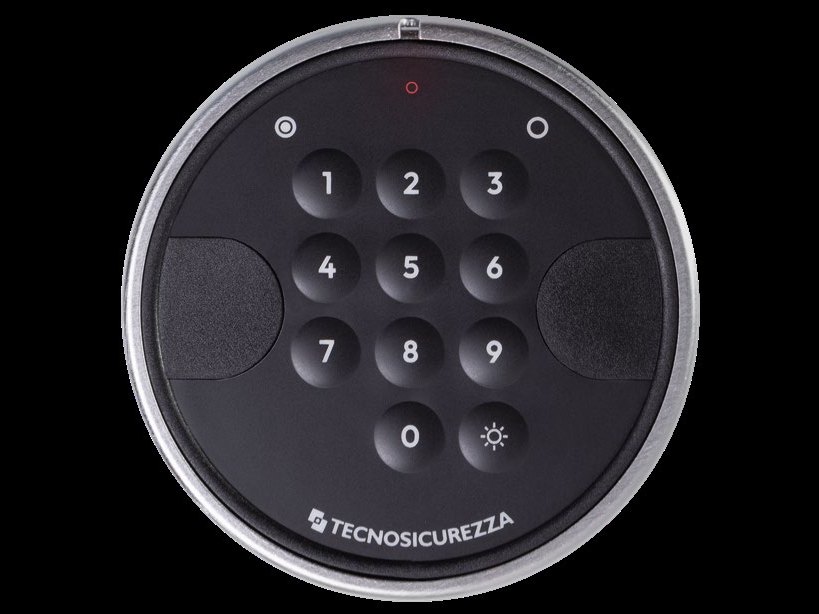 Tecnosicurezza Pulse NextRound keypad with keys 1 to 9 and 0, a sun-shaped backlight key, and the Tecnosicurezza name at the bottom.Open · Code · Battery →
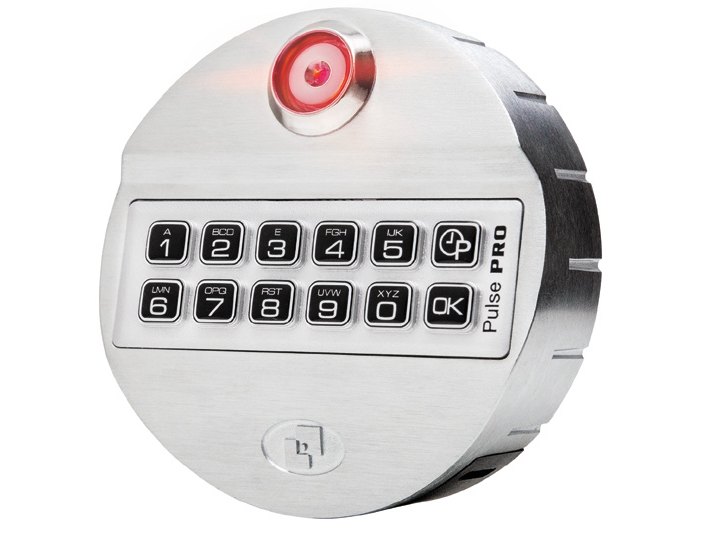 Tecnosicurezza PulseProA round keypad with a red LED at the top, keys 1 to 5 and a clock key above 6 to 0 and OK, and Pulse PRO on the side.Open · Change code · Time delay →
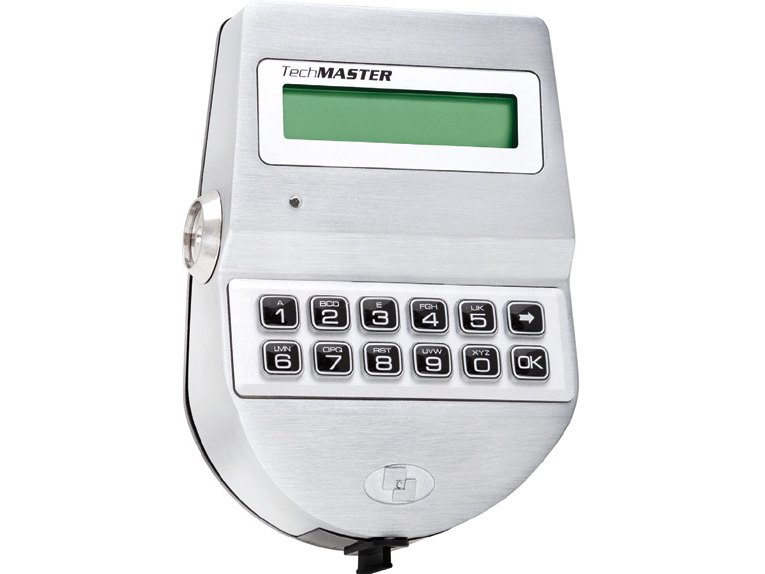 Tecnosicurezza TechMasterA keypad with an LCD screen above the number keys, an arrow key and an OK key.Open · Change code · Messages →
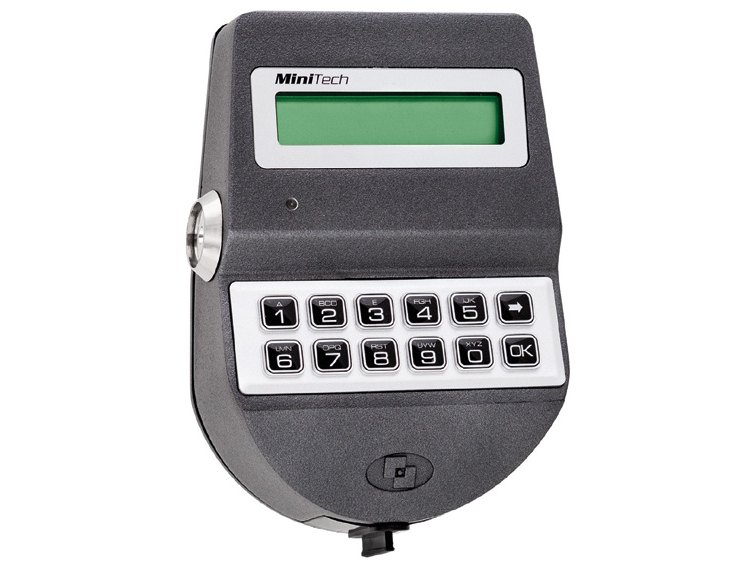 Tecnosicurezza MiniTechA smaller keypad with an LCD screen above the number keys, an arrow key and an OK key.Open · Change code · Messages →
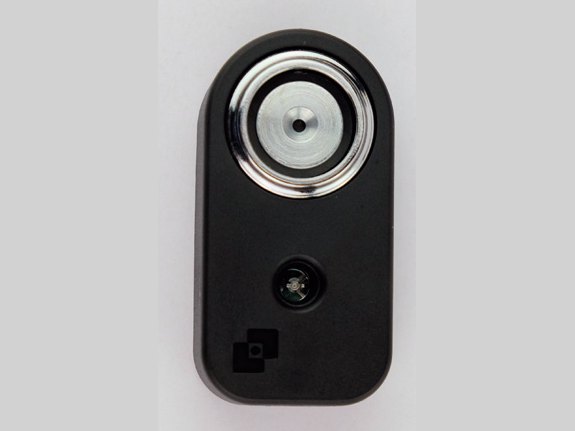 Tecnosicurezza Touch ManagerA small Dallas key reader with a red LED. There is no keypad.Open · User keys · Beeps →
Burg-Wächter (Germany)
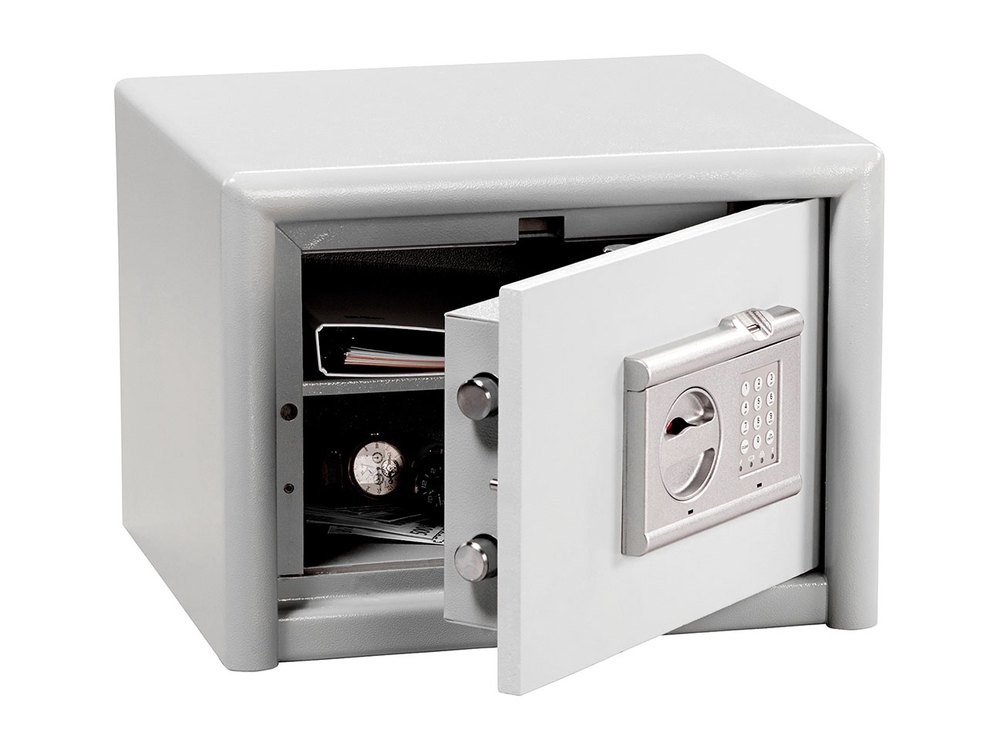 Burg-Wächter Combi-Line Fingerscan (TRSE10)Keypad, rotary handle and a finger sensor at the top. Opens by code or fingerprint. 3 AA batteries.Open · Code · Battery →
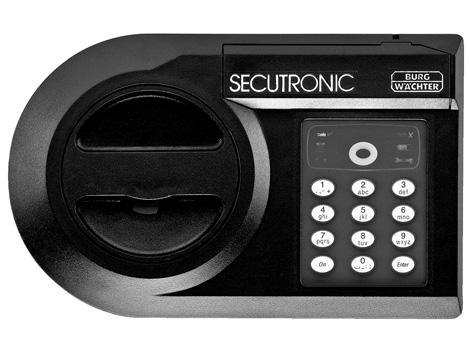 Burg-Wächter SecuTronic (lights)Keypad and a knob. Small icon lights, no display. 3 AAA or 3 AA batteries.Open · Code · Battery →
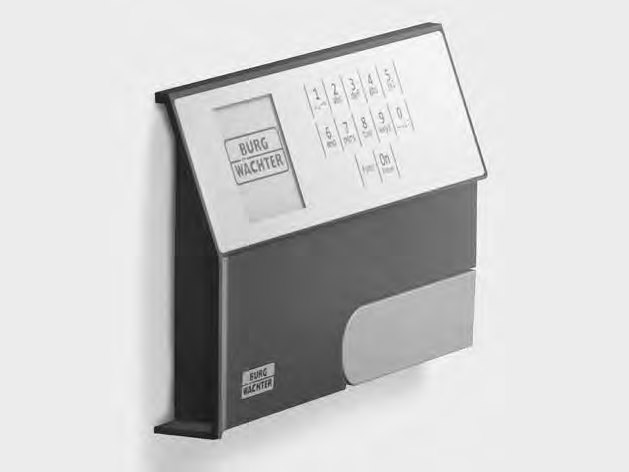 Burg-Wächter SecuTronic with displayA small screen, number keys, Func and On/Enter keys. 4 AA batteries.Open · Code · Battery →
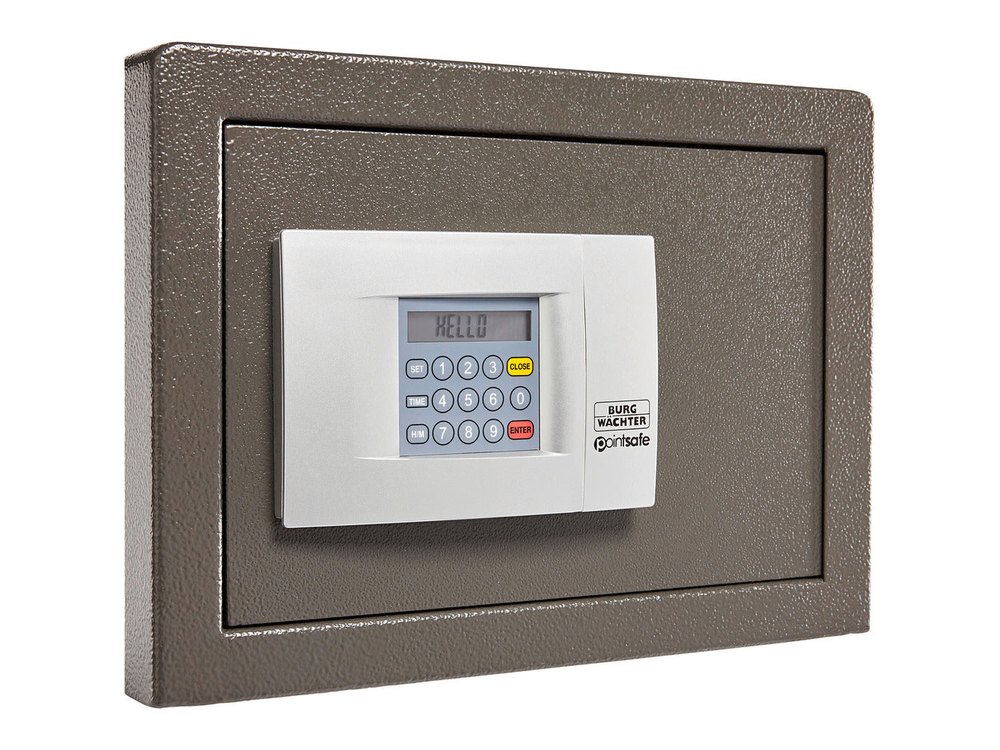 Burg-Wächter PointSafeDisplay with Enter and Close buttons. Four AA batteries.Battery · Code · Display →
Bumil (Korea)
Korean fire-resistant digital safes. Bumil’s keypad has an ENT key, an M or STORE key, a handle and often a key cylinder. Four AA batteries.
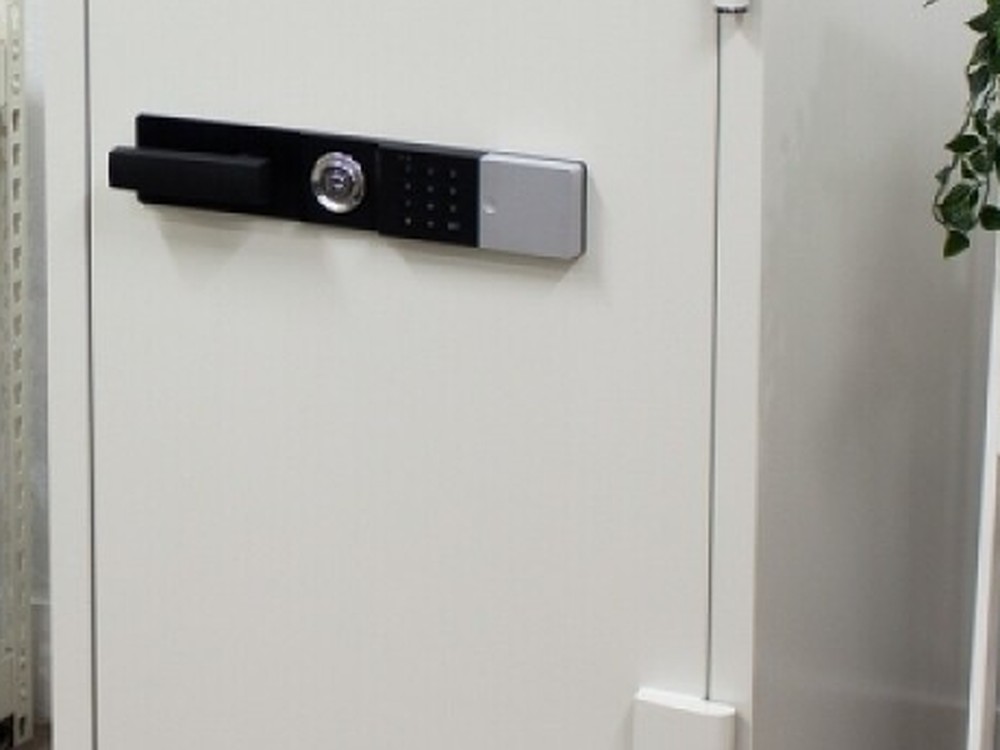
Globaloks (ULIX)
A ring of number keys around a knob, with PROG and END buttons and three small lights. Made by Millennium Locks Corporation.

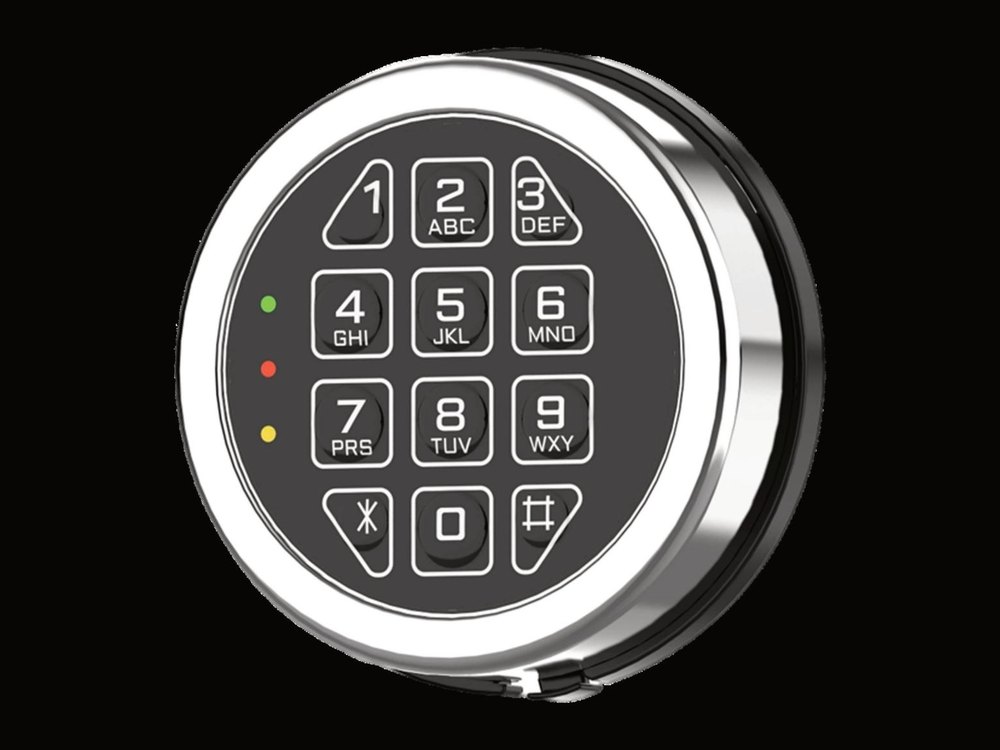
Generic replacement locks (sold online)
Low-cost replacement keypad locks sold online turn up on a lot of safes. If your lock does not match a brand above, check here.
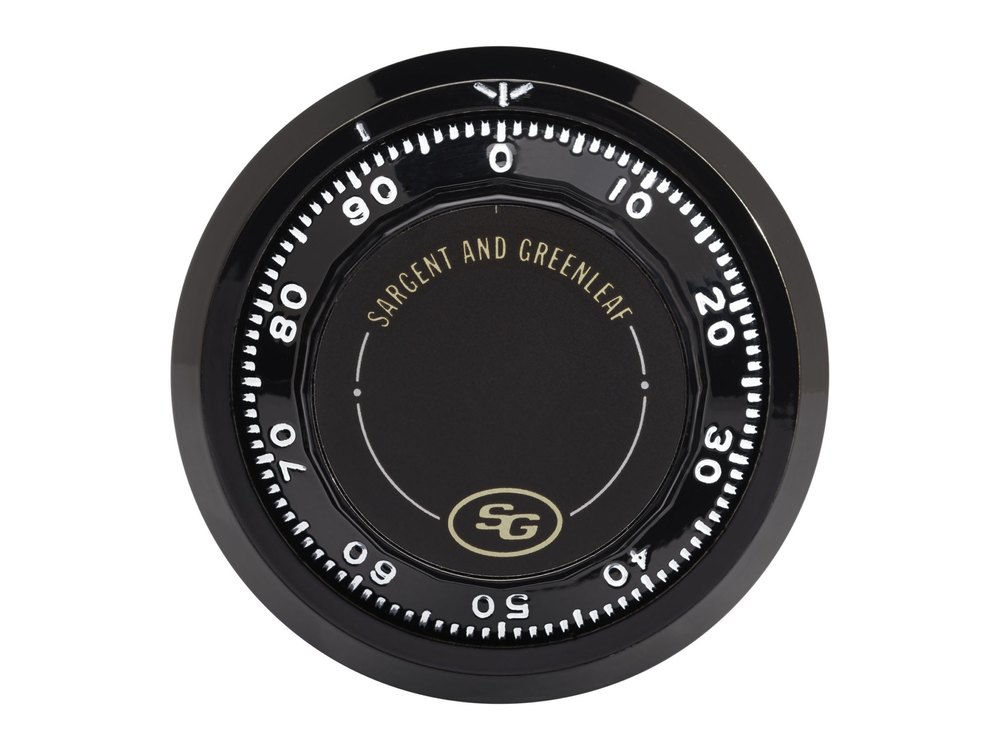
Mechanical dial locks
No batteries and no keypad: just a dial. This guide covers how to dial a combination open.
Quick answers
Why won’t my safe open even though the keypad beeps?
Usually one of two things: batteries that are strong enough to run the keypad but too weak to drive the lock’s motor or solenoid, or pressure from the safe’s bolts on the lock bolt. Replace the batteries, and turn the handle fully to the locked position before you enter the code.
Will I lose my code when I change the battery?
Usually not, but it depends on the lock. Sargent & Greenleaf says its locks keep your codes during a battery change, and AMSEC stores the code in permanent memory. Burg-Wächter Basic, Smart and Universal safes are the exception: you must set the code again after the batteries go in. Each guide says what applies to that lock.
Where is the battery?
It depends on the lock. Some keypads twist off the door, some have a sliding cover, and some are inside the door. Each guide shows where yours is.
How often should I change the battery?
Most manufacturers recommend once a year, with fresh alkaline batteries, to avoid corrosion from leaking batteries.
I forgot my code. Can you help?
Please do not keep trying: repeated wrong codes trigger a lockout. Call us and we will go over your options.
Don’t see your keypad?
Your lock may not be listed yet. Send us a photo or call and we will tell you what it is and how to work it. If you can read a name or model number on the keypad, that helps too.
Need a hand?
Still stuck? We can help.
Having a hard time getting into your safe? Our technicians are trained to open malfunctioning safes professionally, so your valuables can still be safely secured. Call us or stop by.
Steve’s Lock, Safe and Alarm · 3401 N. Sepulveda Blvd, Manhattan Beach, CA 90266
About this guide. This is an independent guide from Steve’s Lock, Safe and Alarm, a safe and lock dealer. Brand and model names belong to their owners and are used only to help you identify your lock. We are not affiliated with the manufacturers. These steps summarize the manufacturers’ own instructions; your lock may be a different version, so if anything here does not match what your lock does, follow your manual or call us. Always change codes with the safe door open, and test the new code several times before you close the door.