
Safe lock help · NL / LP
Safe lock troubleshooting › NL / LP › Premier, Rotating Premier & QuickTouch keypads
The NL electronic safe lock (sold under the LP, NL and other names) uses a 6-digit code and a 9-volt battery. It comes with different keypads: the Premier, the Rotating Premier that you turn, and the QuickTouch. This guide covers how to open the safe, change the code, change the battery, run the self-test, and what the signals mean.
Want the whole manual? Jump to the manufacturer download links.
Is this your lock?
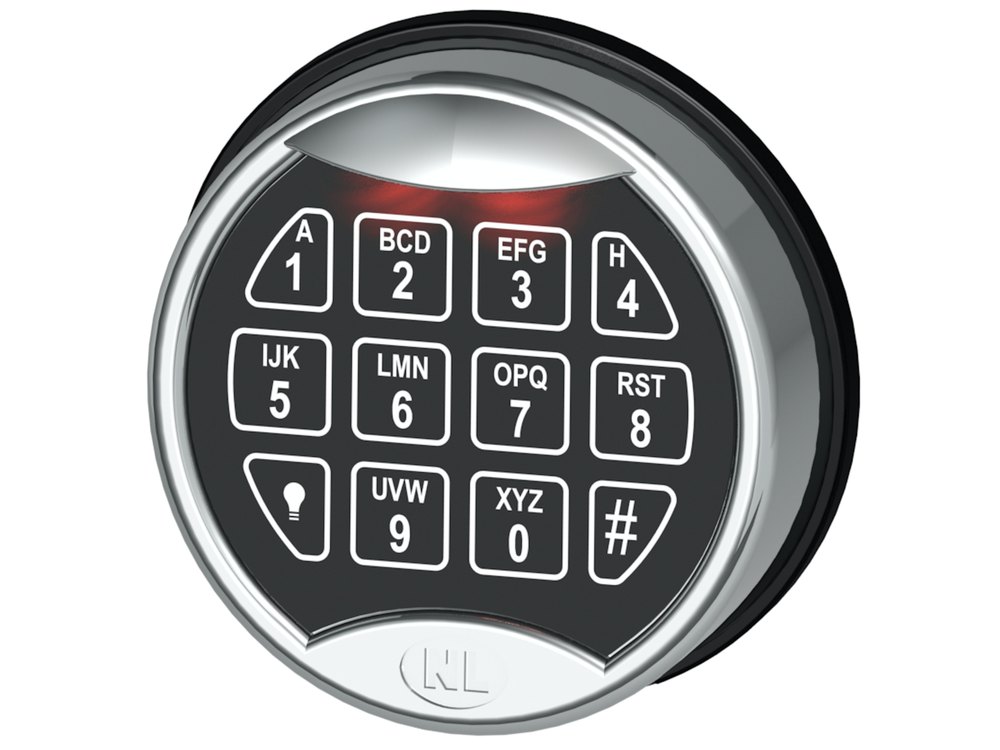
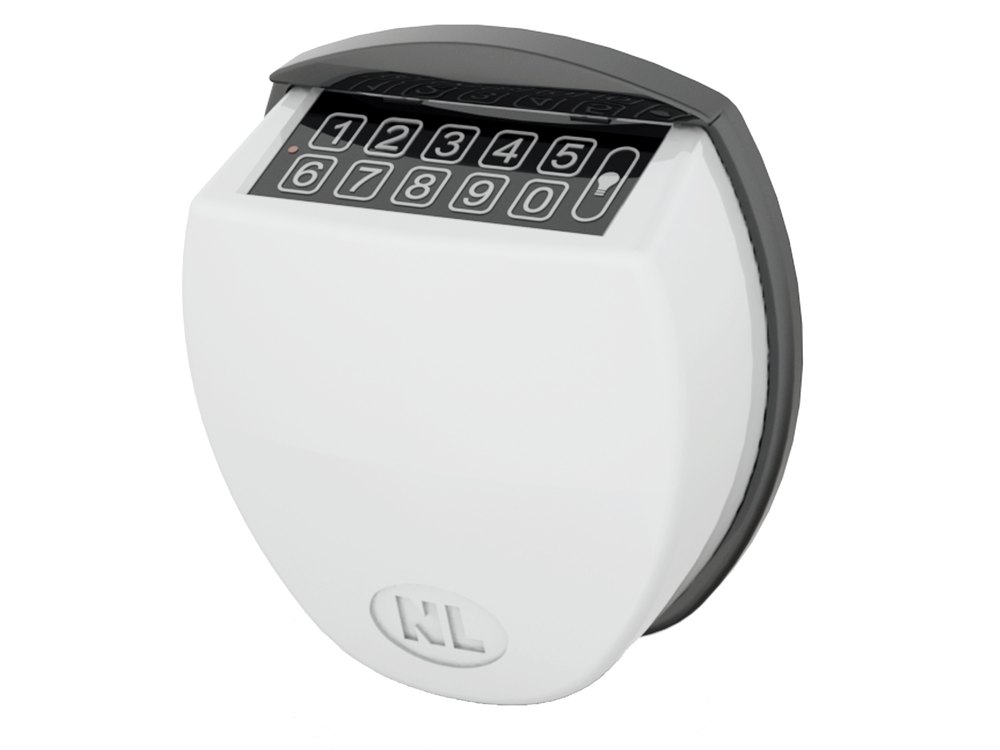
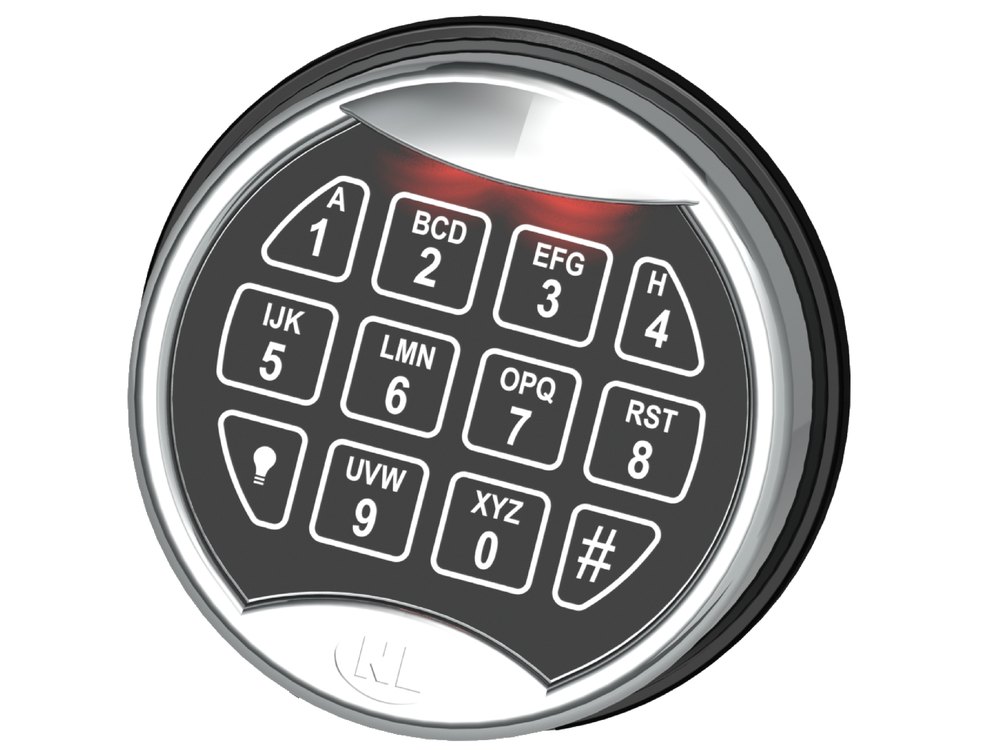
- Premier: a keypad on the safe door with an LED and a light button in the lower left corner that lights the keypad. The battery compartment is in the bottom of the keypad and opens with a slider.
- Rotating Premier: the same keypad face, but the whole keypad turns (it is used with NL StraightBolt locks). After a valid code you turn the keypad to the right to open, and back to the left to lock.
- QuickTouch: a smooth, flat touch keypad in a domed housing. The battery compartment is in the bottom and you pull it down to get to the battery.
- All of them use a 6-digit code and one 9-volt alkaline battery. A valid code gives a double signal (two beeps); an invalid code gives one long signal.
- Compare it with the photos above. This lock is sold under both the LP and NL names, and the instructions are the same. If your keypad has a screen, see the LockONE guide.
How to open it
- Enter your 6-digit code.
- A double signal means the code is valid. Within 3 seconds, turn the handle and open the door. (On a Rotating Premier, turn the keypad to the right instead.)
- A long signal means the code was not accepted.
- The lock only frees the bolt for about 3 seconds after a valid code. If you wait too long, the lock secures again and you need to enter the code again.
- If you pause for 10 seconds, the code you are entering is cancelled.
- On the Premier, press the light button at the lower left of the keypad to light up the keypad in the dark.
- The lock is set up by the safe maker with a factory code. Check your paperwork for the code, and change it.
How to change the battery
The lock uses one 9-volt battery, and only alkaline (we recommend Procell). A series of signals means the battery is weak and must be replaced. The battery compartment is at the bottom of the keypad.
Premier
- Open the battery compartment at the bottom of the keypad by moving the slider.
- Pull the battery out and unsnap it from its connector.
- Snap a fresh 9-volt alkaline battery onto the connector, lining up the + and − marks.
- Push the battery back into the compartment and close it.
QuickTouch
- Pull the battery compartment down at the bottom of the keypad.
- Pull the battery out and unsnap it from its connector.
- Snap a fresh 9-volt alkaline battery onto the connector, lining up the + and − marks.
- Push the battery back and push the compartment closed.
Rotating Premier
- Open the compartment door at the bottom of the keypad.
- Pull the battery out and unsnap it from its connector.
- Snap a fresh 9-volt alkaline battery onto the connector.
- Put the battery in and close the compartment door.
- With the safe door open, enter your code to confirm that it works.
How to change the code
Change the code ONLY with the safe door OPEN.
If you make an error during the change, the old code stays valid, so you are never left without a working code.
- Press and hold 0 until you hear a double signal. The LED stays on during the next steps.
- Enter your current code. Double signal.
- Enter your new 6-digit code. Double signal.
- Enter the new code again to confirm. Double signal.
- Try the new code before closing the door.
- A long signal at any step means an entry error. The old code stays valid.
- Do not use personal information such as birthdays or phone numbers as the code. Write the new code down and keep it somewhere secure, outside the safe.
What the signals mean
| What you hear / see | What it means |
|---|---|
| Double signal | A valid code was entered, or that step of a code change or self-test was accepted. |
| One long signal | An invalid entry. During a code change, the old code stays valid. |
| A series of signals when you use the lock | The battery is weak. Replace it with a fresh 9-volt alkaline. |
| LED flashes every 10 seconds; any key gives a long signal | The keypad is blocked (lockout). See below. |
| No response at all | Dead battery. Replace it. |
Wrong-code lockout
After four consecutive invalid codes, the keypad is blocked for 5 minutes. During that time the LED flashes every 10 seconds and any key you press gives a long signal. When the 5 minutes end, two more invalid codes start the 5-minute block again, so be careful with the next attempts.
Run the keypad self-test
This checks that the keypad is working.
- Press and hold 5 until you hear a double signal. The LED stays on.
- Press each key in turn: 1 2 3 4 5 6 7 8 9 0. You hear a double signal after each key.
- After you press 0, the LED goes out. That means the unit is working properly.
If it still won’t open
The keypad does nothing
Replace the 9-volt battery with a fresh alkaline one. The manufacturer recommends fresh alkaline batteries only. We recommend Procell.
I changed the battery and it still will not open
Run the self-test above. If the unit passes but the safe will not open, turn the safe handle fully to the locked position and enter the code again. If it still fails, call us.
Download the full manufacturer instructions
This page is a quick-reference summary. For every feature and diagram, use the official manual for your model:
- NL Electronic Lock Instructions (PDF)NL user instruction sheet for the Premier keypad. Copy hosted on a retailer’s product listing.
- NL Premier PI20-xx Technical Manual (PDF)NL Lock&Electronics. Battery compartment (slider). Hosted by NL.
- NL QuickTouch QT20-xx Technical Manual (PDF)NL Lock&Electronics. Battery compartment (pulls down). Hosted by NL.
- NL Rotating Premier PI20-x1 Technical Manual (PDF)NL Lock&Electronics. Turning keypad. Hosted by NL.
- NL EM20-20 RotoBolt Basic Technical Manual (PDF)NL Lock&Electronics. Lists the QuickTouch and Premier as entry units, the 3-second opening window and the self-test. Hosted by NL.
- Universal Lock User Instructions (PDF)LP Locks, 2015. Copy hosted by a dealer.
- NL Lock & Electronics: products (Universal Lock, Premier keypad)NL Lock&Electronics srl, Castelgomberto, Italy. Pictures of the Universal Lock and the Premier keypad.
Need a hand?
Still stuck? We can help.
Having a hard time getting into your safe? Our technicians are trained to open malfunctioning safes professionally, so your valuables can still be safely secured. Call us or stop by.
Steve’s Lock, Safe and Alarm · 3401 N. Sepulveda Blvd, Manhattan Beach, CA 90266
More lock guides
About this guide. This is an independent guide from Steve’s Lock, Safe and Alarm, a safe and lock dealer. Brand and model names belong to their owners and are used only to help you identify your lock. We are not affiliated with the manufacturers. These steps summarize the manufacturers’ own instructions; your lock may be a different version, so if anything here does not match what your lock does, follow your manual or call us. Always change codes with the safe door open, and test the new code several times before you close the door.
Steps last checked against the manufacturer documents on October 14, 2026.