
Safe lock help · Sargent & Greenleaf
Safe lock troubleshooting › Sargent & Greenleaf › 6120
The Sargent & Greenleaf 6120 is a motorized electronic combination lock with a round keypad. This guide covers how to open the safe, change the two 9-volt batteries, change the master code, and what the chirps and lockout mean.
Want the whole manual? Jump to the manufacturer download links.
Is this your lock?
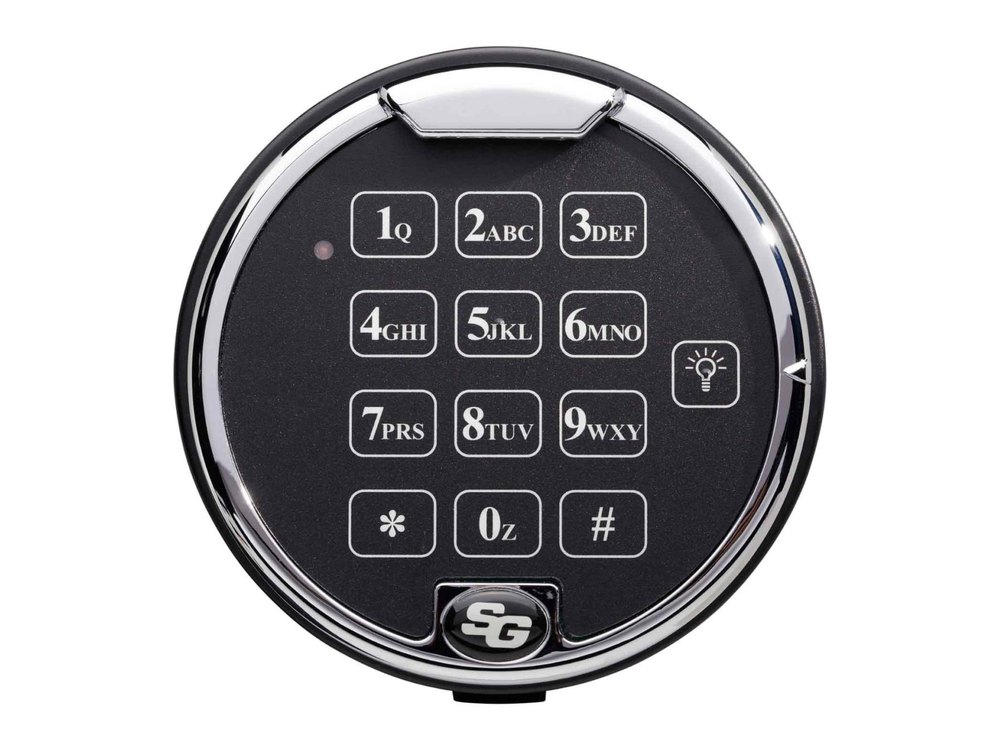
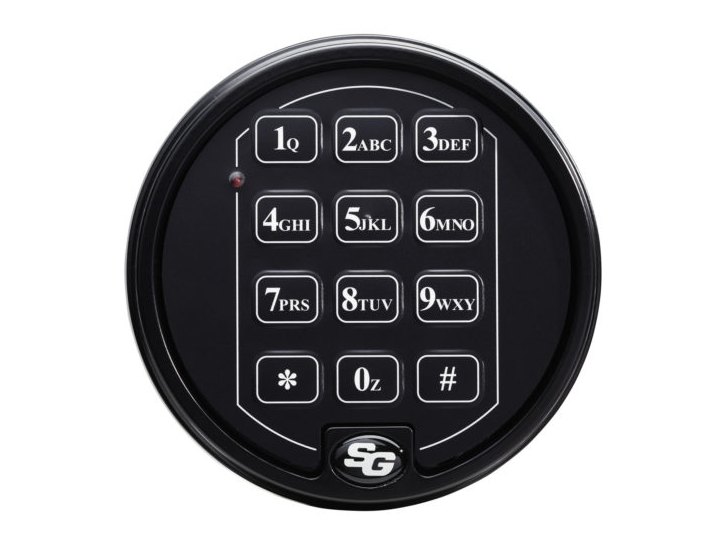
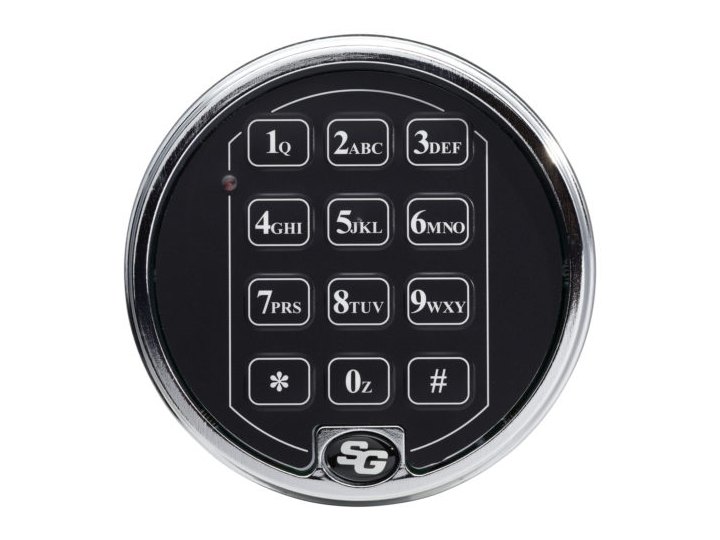
- A round keypad on the safe door with keys 1 to 9, *, 0 and #, letters printed under the number keys (2 is ABC, 7 is PRS and so on), and the S&G logo at the bottom.
- Codes are six digits or letters, always followed by #.
- The lock gives a chirp and a light flash with each key. It has no audit trail (that is a different S&G lock).
- Other S&G keypads with a similar look, such as the 6126 and 6127, work differently. If your lock asks for a two-digit user position before the code, use the 6126 / 6127 guide instead (linked at the bottom of this page).
How to open it
- Press your code digits or letters in order, then press #.
- The lock bolt retracts for six seconds. Operate the safe handle and open the door during that time.
- Do not put any pressure on the safe handle until after you have entered the code.
- Pressed a wrong key? Press *, or just wait 10 seconds without pressing anything, and start over. If you pause more than 10 seconds between keys, the lock resets itself.
- The lock relocks by itself when you close the door and turn the handle to the locked position.
How to change the battery
The 6120 uses two 9-volt alkaline batteries (we recommend Procell). The lock does not forget your codes during a battery change. It can run on one battery in an emergency, but replace both as soon as you can.
- Pull the bottom of the keypad housing away from the mounting base. Grip it and support it so the wires attached to its circuit board are not pulled. Do not let the keypad hang from its wires.
- Turn the keypad over. Grasp the bottom of each battery and pull it gently away from the circuit board. Do not pry a battery out with a tool.
- Push the new batteries straight onto the battery connectors on the circuit board. Support the connectors so they do not bend, and match the polarity: do not force a battery on backwards.
- Hold the keypad close to the base and coil the extra wire inside the housing, keeping the wire away from the spring clips.
- Line up the spring clips with the slots in the base and push the keypad firmly back until it snaps on, without catching any wire.
- With the safe door open, check the master code and every user code at least three times. Close the door only after the lock has worked every time.
Low-battery sound
When the batteries need replacing, the lock gives 20 beeps in a row after you press your code and #. The lock will not open until the batteries are replaced.
To hear what a low battery sounds like without waiting, hold * for about three seconds until the lock chirps three times, then enter your code. The chirps sound different, and the lock goes back to normal about two seconds after it opens.
How to change the code
Keep the safe door OPEN while you change codes.
Every code-change sequence starts with 74* (the letters S G, then star), then your current master code and #. The lock chirps five times. If you hear a near-continuous tone instead, you made a mistake: start again.
Change the master code (code #1)
- Press 74*, enter your existing 6-digit master code, then press #. Wait for 5 chirps.
- Press 1*, enter your new master code, then press #. Wait for 3 chirps.
- Enter the new master code again and press #. Wait for 3 chirps.
- Test the new code at least three times with the door open.
Add or change a user code (user numbers 2 through 9)
- Press 74*, enter your existing master code, then press #. Wait for 5 chirps.
- Press the user number (2 to 9), then *, then the new user code and #. Wait for 3 chirps.
- Enter the new user code again and press #. Wait for 3 chirps.
Delete a user code
- Press 74*, enter your existing master code, then press #. Wait for 5 chirps.
- Press the user number (2 to 9), then *, then #. Wait for 3 chirps, then press # again and wait for 3 chirps.
- Whenever you press #, wait for the chirps before you go on. A long series of closely spaced chirps (almost a continuous tone) means the new code was not accepted and the old code is kept.
- You cannot delete the master code by accident: the lock will not allow it.
- Change the factory master code right away. Your safe maker or dealer may have already changed it, so check your paperwork.
What the beeps and lights mean
| What you hear / see | What it means |
|---|---|
| A chirp and a light flash with each key | Normal: the key was accepted. |
| 5 chirps after the master code and # | Programming mode is ready for the next step. |
| 3 chirps after a new code and # | That entry was accepted. |
| A long run of closely spaced chirps (almost one tone) | Mistake. The code or change was not accepted and the old code stays. Start again. |
| 20 beeps after your code and # | Batteries are too weak to open the lock. Replace them. |
| No sound at all when you press keys | Dead batteries, or a loose keypad connector. See below. |
| Chirps, but the lock will not open | Batteries too weak to drive the lock motor, or side pressure on the bolt. See below. |
Wrong-code lockout
If four incorrect codes are entered in a row, the 6120 shuts down for up to fifteen minutes. Pressing any button during the lockout resets the timer to the maximum. Do not touch the keypad for fifteen minutes, then enter a valid code.
If it still won’t open
The code is right but the lock will not open
Work through these checks (they are S&G’s own):
- Side pressure on the bolt. Something inside the safe pressing on the door, or something caught between the door and the frame, can load the lock bolt. Move the handle to the fully locked position, then enter a working code again.
- Chirps but no opening. The batteries may be drained to the point that they cannot run the lock motor. Replace them.
- No sound at all. Dead batteries are the likely cause. Replace them.
- No sound, but the batteries are good. A loose keypad connector may be the cause. Pull the keypad off the base as described above and make sure the wire connector is firmly seated in its socket on the keypad circuit board. It only fits when aligned correctly.
Still not working?
If none of that helps, call us. S&G says to contact a qualified safe technician rather than force it.
Download the full manufacturer instructions
This page is a quick-reference summary. For every feature and diagram, use the official manual for your model:
- S&G Model 6120 Operating Combination Lock Instructions (PDF)Sargent & Greenleaf document 630-302, revised 8/15/00. Copy hosted by a dealer.
- Sargent & Greenleaf supportManufacturer website, with product and support pages.
Need a hand?
Still stuck? We can help.
Having a hard time getting into your safe? Our technicians are trained to open malfunctioning safes professionally, so your valuables can still be safely secured. Call us or stop by.
Steve’s Lock, Safe and Alarm · 3401 N. Sepulveda Blvd, Manhattan Beach, CA 90266
More lock guides
About this guide. This is an independent guide from Steve’s Lock, Safe and Alarm, a safe and lock dealer. Brand and model names belong to their owners and are used only to help you identify your lock. We are not affiliated with the manufacturers. These steps summarize the manufacturers’ own instructions; your lock may be a different version, so if anything here does not match what your lock does, follow your manual or call us. Always change codes with the safe door open, and test the new code several times before you close the door.
Steps last checked against the manufacturer documents on October 14, 2026.