
Safe lock help · AMSEC
Safe lock troubleshooting › AMSEC › PB3 5-button electronic lock
The AMSEC PB3 is a 5-button electronic lock on a small steel lock box. A silver plate on the lid has five push buttons numbered 1 to 5 and a round knob. It has a primary code (5 keystrokes) for everyday use and a backup code (8 keystrokes) in case you forget the primary. This guide covers how to open it, set both codes, turn the beeper off, and what the lights and lockout mean.
Want the whole manual? Jump to the manufacturer download links.
Is this your lock?
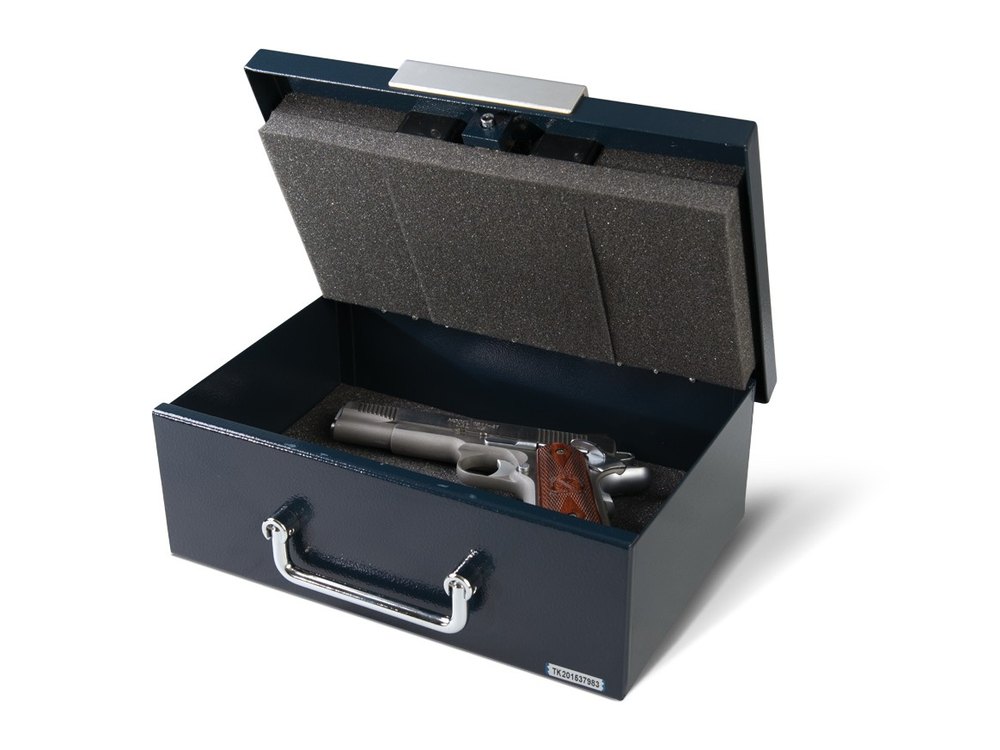
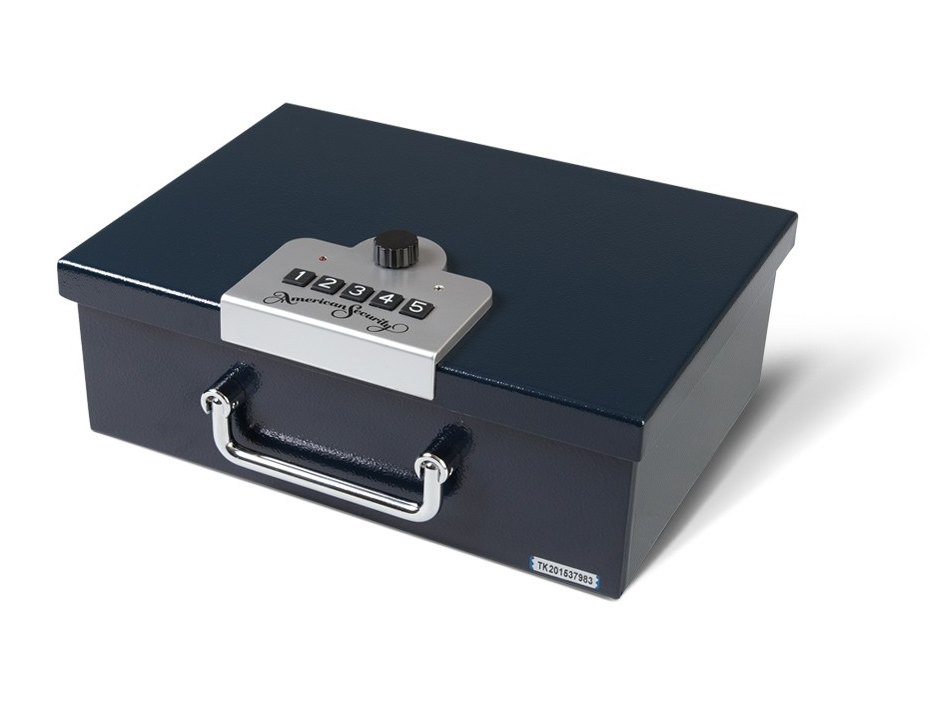
- A small steel box with a carry handle and a silver plate on the lid: five push buttons numbered 1 to 5 from the left, and a round knob.
- The lock has a primary code (5 keystrokes) and a backup code (8 keystrokes). A keystroke can be one button, or two buttons pressed at the same time.
- A small white change button on the side of the lock body is used to program codes and features.
- It uses four AA alkaline batteries. AMSEC’s sheet (part 4305310, revised 09/12) says it should open about 5,000 times on fresh batteries, depending on options and use.
How to open it
- Enter your primary code: 5 keystrokes on the buttons.
- When the code is right, the red light comes on for 3 seconds.
- Turn the knob clockwise about 90 degrees to open the lock, then lift the lid.
- The backup code also opens the lock and lights the red light for 3 seconds.
- If the lock is left unlocked, a power-saver puts it to sleep after 30 seconds.
- The lock is not waterproof and is not meant for outdoor use. Moisture and extreme conditions can cause a malfunction.
How to change the battery
The PB3 uses four standard AA alkaline batteries (we recommend Procell). Loss of power does not erase your codes, because the lock uses non-volatile memory. If the batteries go dead, the lock has a backup power port so you do not get locked out.
- AMSEC’s PB3 sheet does not describe how to change the batteries or where the backup power port is. We are not guessing at it.
- If the lock stops responding, call us. Do not force the lid.
How to set the codes
Lock the safe OPEN first, and set a unique backup code.
Every PB3 comes with the same backup code. AMSEC says you must set your own unique backup code and keep it in a safe place (not inside the safe). The starting codes are in AMSEC’s sheet and we are not printing them here.
Set the primary code
- Lock the safe open.
- Press the change button (the small white button on the side of the lock) once.
- Enter 5 keystrokes for the new primary code.
- Test the new code.
Set the backup code
- Lock the safe open.
- Press the change button twice.
- Enter 8 keystrokes for the new backup code.
- Test the new code.
Turn the beeper off or back on
- Lock the safe open.
- Press the change button three times, then press button 1.
- To turn the beeper back on, repeat the same steps.
Lights and beeps
| What you see and hear | What it means |
|---|---|
| Red light on for 3 seconds | A correct code (primary or backup). You can open the lock. |
| 8 rapid red flashes (with beeps) after a key press | The lock is in penalty lockout and you pressed a key. |
| Red light flashes once every 5 seconds (with a beep) | Penalty lockout is in progress. |
Wrong-code lockout
After 4 incorrect opening attempts, the lock stops accepting input for 5 minutes. During the lockout the red light flashes once every 5 seconds with a beep, and any key press gives 8 rapid red flashes with beeps. Wait it out.
If it still won’t open
It will not open and the light does not come on
The batteries may be weak. The lock keeps your codes without power, but it needs four good AA alkaline batteries to open. Call us.
I forgot the primary code
The backup code opens the lock. If you set your own, use it, then set a new primary code. Please do not keep guessing: four wrong tries lock the keypad for 5 minutes.
I never changed the backup code
Every PB3 has the same factory backup code, so set your own now (lock the safe open, press the change button twice and enter 8 keystrokes) and keep it somewhere safe.
The beeper is annoying
Lock the safe open, press the change button three times, then press button 1. Repeat to turn it back on.
Download the full manufacturer instructions
This page is a quick-reference summary. For every feature and diagram, use the official manual for your model:
- AMSEC 5-Button Electronic Lock Instructions for the PB3 (PDF)Part 4305310, revised 09/12. Hosted by AMSEC.
Need a hand?
Still stuck? We can help.
Having a hard time getting into your safe? Our technicians are trained to open malfunctioning safes professionally, so your valuables can still be safely secured. Call us or stop by.
Steve’s Lock, Safe and Alarm · 3401 N. Sepulveda Blvd, Manhattan Beach, CA 90266
More lock guides
About this guide. This is an independent guide from Steve’s Lock, Safe and Alarm, a safe and lock dealer. Brand and model names belong to their owners and are used only to help you identify your lock. We are not affiliated with the manufacturers. These steps summarize the manufacturers’ own instructions; your lock may be a different version, so if anything here does not match what your lock does, follow your manual or call us. Always change codes with the safe door open, and test the new code several times before you close the door.
Steps last checked against the manufacturer documents on October 19, 2026.