
Safe lock help · NL Lock
Safe lock troubleshooting › NL Lock › Duet (DL20-20 straight bolt) and the Redundant RotoBolt with a 4-wheel mechanical override
The NL Lock Duet and the Redundant RotoBolt are two locks in one case: an electronic lock (a 6-digit code on a keypad with a red LED and a beeper) and a mechanical combination lock. If one fails, the safe can still be opened with the other. The Duet DL20-20 is a straight bolt lock with a 3-wheel mechanical lock and a keypad built into the dial. The Duet RotoBolt (RR40-20) and the LP Locks Redundant RotoBolt use a 4-wheel mechanical combination. This guide covers how to open them electronically and mechanically, change the code, the 9-volt battery, and the 5-minute lockout.
- How to open
- Battery
- Change code
- Signals
- Lockout
- Self test of the keypad
- Time delay (Redundant RotoBolt)
- The NL “Leader” input
- Troubleshooting
- Manuals
Want the whole manual? Jump to the manufacturer download links.
Is this your lock?
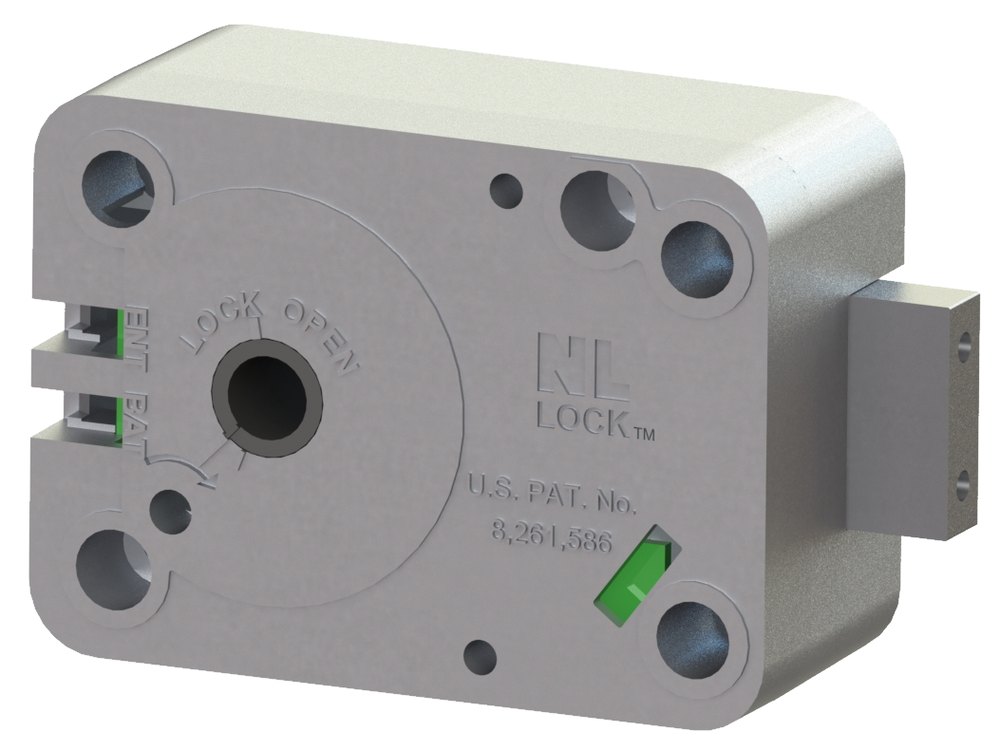
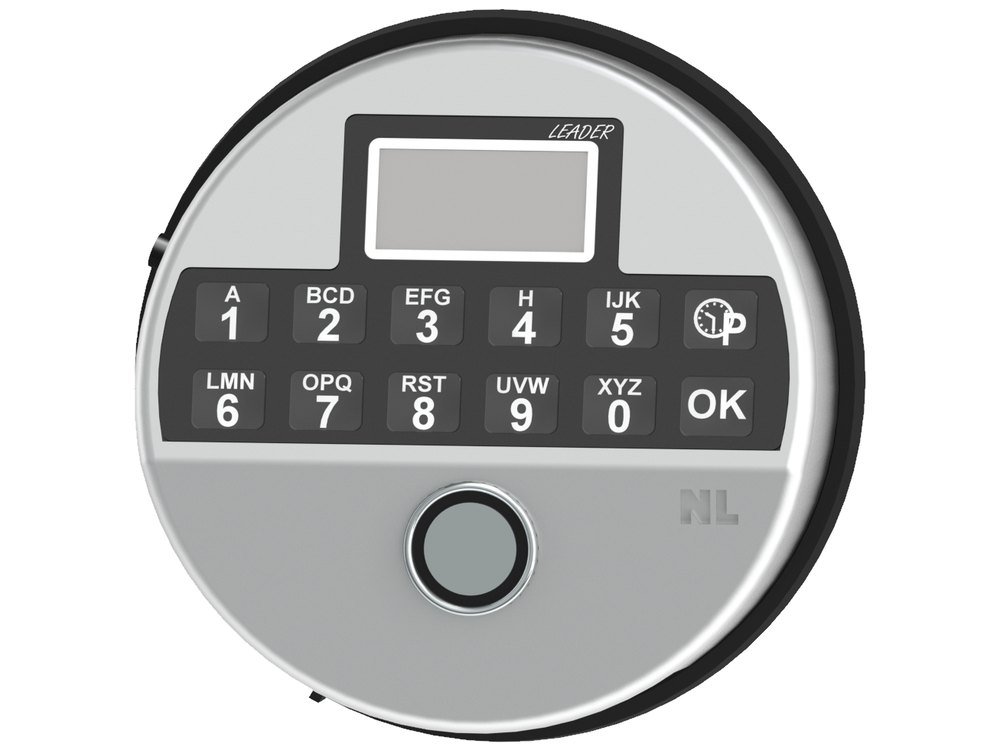
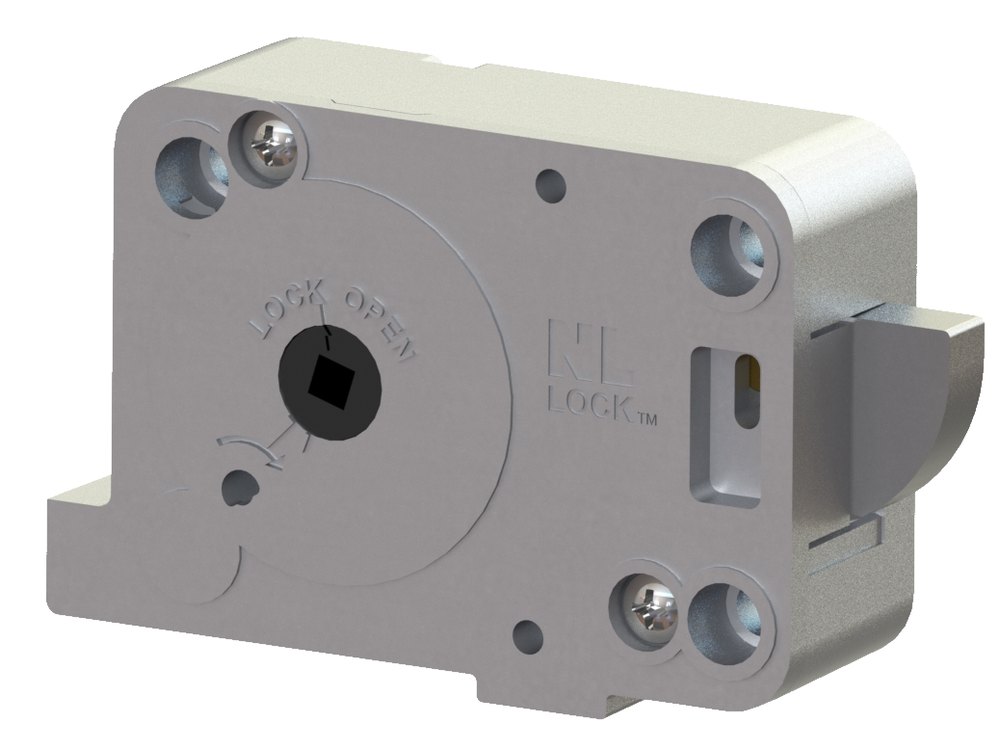
- A safe lock case with both a keypad and a mechanical combination: on the Duet DL20-20 the keypad is part of the dial, with two rows of numbers and a red LED between 1 and 2 and between 6 and 7. The RotoBolt versions have an electronic entry unit and a separate dial.
- The Duet has two user codes and a 6-digit electronic code, and 3 mechanical wheels. The Duet RotoBolt / Redundant RotoBolt uses a 6-digit code and 4 mechanical wheels.
- It uses one 9-volt alkaline battery, in a battery compartment at the bottom of the keypad (or lock).
- NL’s own technical manual for the Duet RotoBolt (RR40-20) calls it an “Electronic RotoBolt lock with a manipulation-resistant 4-wheel mechanical combination override.” The DL20-20 description comes from a 2012 Locksmith Ledger article, not from an NL manual.
How to open it
Electronically (code)
- Enter your 6-digit code. The LED lights twice and the beeper gives a double beep.
- Duet DL20-20: within four seconds, rotate the dial clockwise until the bolt retracts and the dial stops.
- RotoBolt versions: the lock releases. Turn the handle on the door to open. (NL’s RR40-20 manual says the electronics remove the blocking for 3 seconds.)
- A wrong code gives one long signal (about 2 seconds on the Duet).
Mechanically: Duet DL20-20 (3 wheels)
- Turn the dial counterclockwise (left) to the first number and then three more rotations, stopping with the number under the opening index.
- Turn clockwise (right) past the second number and two more rotations, stopping on it at the opening index.
- Turn counterclockwise (left) to the third number and one more rotation, stopping on it at the opening index.
- Turn the dial clockwise until the lever slides into the fence and the bolt retracts. The dial stops under the opening index between 90 and 95.
Mechanically: Redundant RotoBolt (4 wheels, LP Locks sheet)
- Use the combination card that came with the safe. Always turn the dial slowly and carefully and stop exactly on the opening index. If you turn too far you cannot turn back: start over with the first number.
- Turn RIGHT past the first number four times and stop on it the fifth time.
- Turn LEFT past the second number three times and stop on it the fourth time.
- Turn RIGHT past the third number two times and stop on it the third time.
- Turn LEFT past the fourth number once and stop on it the second time.
- Turn the dial RIGHT to “92” and stop on the opening index, then turn the handle. (A production change in 9/2017 moved the dial opening number from 0 to 92. If the handle does not turn, turn the dial back to 0 and try the handle.)
- To lock, close the door, turn the handle to the locked position, and turn the dial left or right 3 to 4 turns to clear and lock the combination lock.
- After 10 seconds with no key press, the code being entered is cancelled.
- The factory code is in your paperwork. The lock is set up by the safe maker. We are not printing it here.
How to change the battery
The lock uses one 9-volt alkaline battery (we recommend Procell). No rechargeable or “hi-power” batteries. The Duet’s battery is rated for about 3,000 openings, and the lock gives a low battery warning: on the Redundant RotoBolt, a series of beeps after you enter the code means the battery should be replaced. The battery compartment is at the bottom of the keypad, with a sliding door.
- Slide the battery door at the bottom of the lock or keypad. On the Duet, slide it counterclockwise.
- Take out the old battery. Use the tip of a pen to lift the battery cap off the old battery. Do not pull on the wires of the cap: they will break and the keypad would have to be removed and repaired by a technician, which the warranty does not cover.
- Snap the cap on a new 9-volt alkaline battery, put it in and close the door.
- Test the code with the door open.
How to change the code
Only change the code with the door OPEN (locked open).
Test the new code several times before you close the door. If the new code does not release the lock, the old code stays valid. Use a random 6-digit number that is not an obvious sequence, a birthday or a phone number.
Electronic code
- Open the safe with the electronic code and leave the door open with the bolts out.
- Press and hold 0 until you hear a double beep. The red LED stays on during the next steps.
- Enter the existing code (double beep).
- Enter the new 6-digit code (double beep).
- Enter the new code again (double beep). The LED goes out.
- Test the new code. The lock should give a double beep and release. If you get a long beep and it does not release, try the old code, and if that works, change the code again.
Duet DL20-20: second user code
- Press and hold 1 until a double beep and the LED stays lit.
- Enter the master code (double beep), the new second code (double beep) and the second code again (double beep). The LED goes out.
- Test it.
Mechanical combination change
- This is a job for a safe technician. The Duet needs a change key (part T005) and the combination must be dialed exactly to the changing index with the door open. Never force the change key.
- Call us for a combination change.
Signals
| What you hear and see | What it means |
|---|---|
| LED and beep with each key | A key was accepted. |
| LED twice and a double beep | A correct code, or a step in a code change was accepted. |
| One long beep (or LED and piezo for about 2 seconds on the Duet) | A wrong code, or the code change did not work. |
| A series of beeps after the code (RotoBolt) | The battery is low. |
| Red LED flashes every 10 seconds | The lock is in its 5-minute penalty lockout. |
Wrong codes
Entering four consecutive invalid codes blocks the keypad for 5 minutes. During that time the LED flashes every 10 seconds and any key you press gives a long signal. After the 5 minutes, two more invalid codes start another 5-minute lockout.
Self test of the keypad
The LP Locks sheet has a self-diagnostics test.
- Press and hold 5 until a double beep and the red LED stays on.
- Press the keys 1 2 3 4 5 6 7 8 9 0 one after another. Each should give a double beep.
- The LED goes out after 0. That shows the keypad is working. A long signal means the electronics may be damaged.
Time delay (Redundant RotoBolt)
A time delay must be set up at the factory (or with the factory’s help if the safe is in the field).
- Enter your 6-digit code to begin the time delay. The red light flashes every second.
- When the delay is over, the red light and beep alternate to show the open window.
- Enter your code again and the lock releases. Turn the handle.
- The delay can be set from 1 to 99 minutes and the open window from 1 to 19 minutes. Changing or removing it needs the factory: call us.
The NL “Leader” input
NL’s product page lists a Leader input: a round silver keypad with an LCD window and P and OK keys, for multiple users, multiple features, an audit trail and remote control. NL lists it as available with its Duet lock. We have not found an NL operating manual for the Leader input, so we are not describing its menus. If you have one on a safe, send us a photo of the label and we will find the right instructions.
If it still won’t open
The code does not work and there are beeps
A series of beeps after a correct code means the battery is low. Replace the 9-volt battery. If you hear a long signal, the code was wrong. After four wrong codes in a row there is a 5-minute lockout.
The keypad is dead
Replace the 9-volt alkaline battery. If it is still dead, use the mechanical combination to open the safe: that is why these locks have two.
The handle will not turn after the right code
Do not force it. The Duet gives you only a few seconds. Enter the code again and turn the handle right away. If the boltwork is binding, call us.
I do not have the mechanical combination
The combination card should be with the safe paperwork. Call us if it is missing.
Download the full manufacturer instructions
This page is a quick-reference summary. For every feature and diagram, use the official manual for your model:
- NL Lock Duet RotoBolt RR40-20 Technical Manual (PDF, rev. 170528)NL Lock / Lock Technology’s own technical manual. Its text layer is garbled; we read the pages.
- LP Locks Redundant RotoBolt Lock User Instructions (PDF, 9/27/17)LP Locks’ sheet for the electronic code plus 4-combo mechanical lock. Copy hosted by Safe and Vault Store.
- Locksmith Ledger: “Protection Simplified: Gartner Duet Safe Lock” (May 2, 2012)A trade magazine article by Jerry Levine on the Duet DL20-20. It is not a manufacturer manual.
- NL Lock products (nlelectronics.eu)NL’s product page, with the Duet lock and Leader input.
Need a hand?
Still stuck? We can help.
Having a hard time getting into your safe? Our technicians are trained to open malfunctioning safes professionally, so your valuables can still be safely secured. Call us or stop by.
Steve’s Lock, Safe and Alarm · 3401 N. Sepulveda Blvd, Manhattan Beach, CA 90266
More lock guides
About this guide. This is an independent guide from Steve’s Lock, Safe and Alarm, a safe and lock dealer. Brand and model names belong to their owners and are used only to help you identify your lock. We are not affiliated with the manufacturers. These steps summarize the manufacturers’ own instructions; your lock may be a different version, so if anything here does not match what your lock does, follow your manual or call us. Always change codes with the safe door open, and test the new code several times before you close the door.
Steps last checked against the manufacturer documents on October 19, 2026.