
Safe lock help · LA GARD (dormakaba)
Safe lock troubleshooting › LA GARD (dormakaba) › LA GARD 700 Series (700 Basic, 702, 703, 704, 705)
The LA GARD 700 Series is a round dormakaba keypad with a green Enter key. It comes in a display version (OLED screen, arrow keys) and a non-display version. This guide covers the 700 Basic and the 700 Series models 702, 703, 704 and 705: how to open, change a combination, replace the 9-volt batteries, and what the beeps and lights mean.
Want the whole manual? Jump to the manufacturer download links.
Is this your lock?
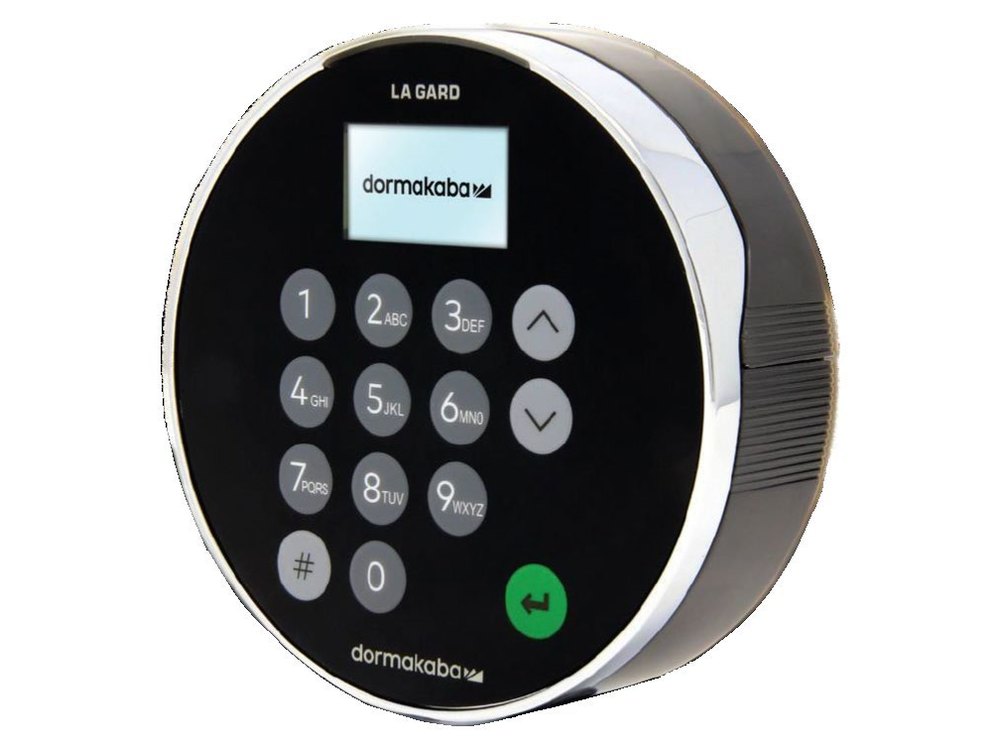
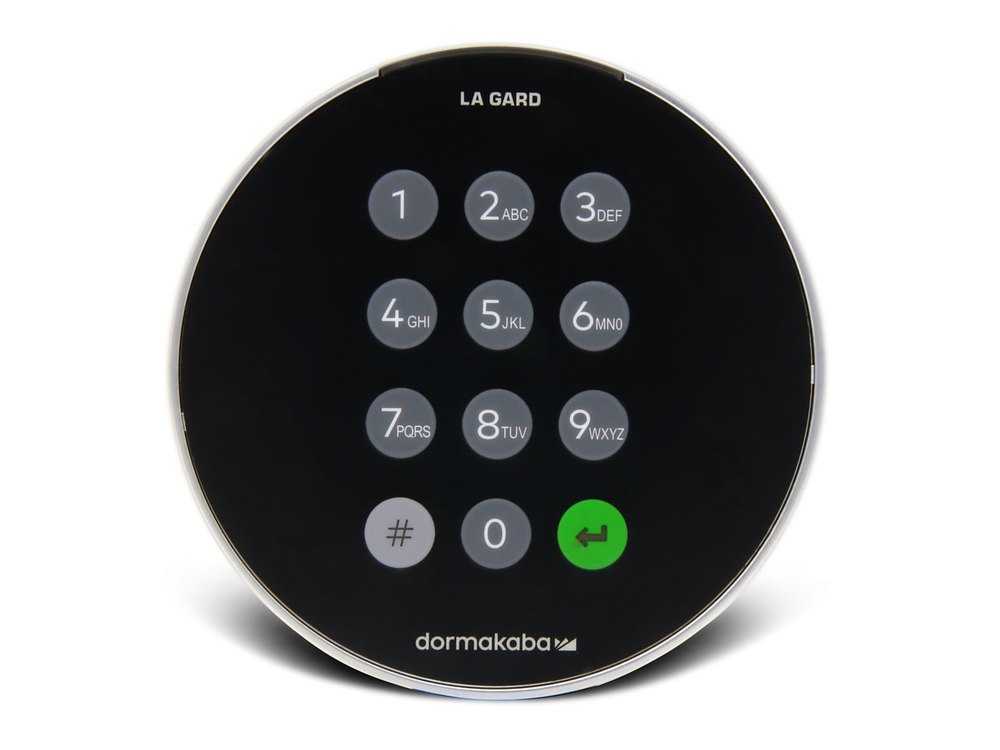
- A round keypad with the LA GARD name at the top, the dormakaba logo at the bottom, number keys (with letters), a # key and a green Enter key. A colored light bar around the top edge is the indicator light.
- Display keypad (702D, 703, 704, 705): a small OLED screen and two arrow keys. Non-display keypad (700 Basic, 702): no screen, only the LED and beeps.
- 700 Basic: a 6-digit combination, with no user ID. 702 to 705: you enter a two-digit user ID and then your combination.
- Standard profile keypads hold two 9-volt batteries. Low profile keypads have no main battery: they need a battery box or an AC adapter, and have a backup battery connection for emergencies.
- A 700 Basic keypad and lock are not compatible with 700 Series or older LA GARD locks.
How to open it
- 700 Basic: enter your 6-digit combination, then open the lock within 4 seconds: turn the handle (swing bolt) or the keypad (dead bolt).
Display keypad (702D, 703, 704, 705)
- Wake the keypad, then enter your user ID.
- Enter your combination.
- If your system needs it, present your fob, or enter a second user ID and combination.
- The screen shows Lock Open and the latch opens. After 3 seconds the latch closes again, so turn the handle right away.
Non-display keypad (702)
- Enter your user ID and combination.
- The latch opens. After 3 seconds the latch closes again, so turn the handle right away.
- If a time delay is set, the lock will not open right away. See dormakaba’s guide for the delay steps.
- If you make a mistake while typing, wait 30 seconds and start again.
How to change the battery
Replace the batteries once a year with high-quality 9-volt alkaline batteries (we recommend Procell). The standard keypad uses two. The signals below tell you when they are getting low.
Standard profile, tamper evident keypad (removable tray)
- Press downward on the spring-loaded button at the bottom of the battery pack. The tray partly ejects.
- Grab the tip of the battery pack and pull it out of the keypad.
- Put in the two 9-volt batteries, matching the + and – markers in the tray.
- Slide the tray back into the keypad until you hear a small click.
Standard profile, serviceable keypad (batteries behind the keypad body)
- Press the button on the underside of the keypad body. While holding it, rotate the keypad counterclockwise until it comes free from the baseplate.
- Flip the keypad over. To release the concealed button, use a small screwdriver, pen or pencil.
- Twist the battery cover counterclockwise and take it off.
- Install the batteries, using the labels in the tray for the + and – direction.
- Put the battery cover back by lining up the posts and twisting it on.
- Line up the divot on the keypad body with the triangle on the keypad and rotate it clockwise until it stops.
Low profile keypad (emergency power)
- Flip up the battery panel on the lower housing. This releases a battery strap.
- Connect a 9-volt battery to the strap and use that power to open the safe.
- After the door is open, disconnect the battery and fold the strap back into the keypad. Replace the power source that normally runs the lock (the battery box or AC adapter).
- Critical low battery: if the keypad has stopped responding because the battery is critically low, press the # key when you apply the new battery to force a restart. Open the safe and replace the batteries inside.
- If the time and date were not set after a long power outage, a time lock schedule may stop the lock from opening until the time and date are set.
How to change the combination
It is best to do this with the safe door OPEN.
Test the new combination before you close the door. Do not use a birthday or other predictable number.
700 Basic
- Enter 000000.
- Enter your existing combination. The LED stays lit.
- Enter your new 6-digit combination, then enter it again.
- The LED turns off. Test the new combination before closing the container.
Display keypad: change your own combination
- Enter your user ID and combination to get to the Main Menu.
- Select Change combo.
- When the screen says New Combo, enter the new combination. It must be different from the old one.
- When the screen says Confirm, enter it again. The screen says Success, the keypad gives three beeps and a green LED, and it returns to the Enter ID screen.
702 (no display): change your own combination
- On the keypad, enter #52, then your user ID and combination, then your user ID and new combination, then your user ID and new combination again, then the Enter key.
- The keypad gives three beeps and a green LED when it is done.
- A Master or Manager can change another user’s combination. The steps are in dormakaba’s 700 Series System User Guide.
Beeps and lights
| What you hear / see | What it means |
|---|---|
| 3 short high beeps, 3 short green flashes (700 Series) | The command worked. |
| 3 short low beeps, 3 short red flashes (700 Series) | The command was invalid. |
| Low beep and red flash on a key press (700 Series) | That key was not valid. |
| 2 high beeps + 2 green flashes, then 2 low beeps + 2 red flashes | Low battery. Replace the batteries soon. (Display keypads also show "Low Battery".) |
| 3 high beeps + 3 green flashes, then 3 low beeps + 3 red flashes | Critical low battery. The keypad will not respond until you replace the batteries. |
| 2 short low beeps and 2 red flashes every 10 seconds | The wrong-try penalty is running. |
| 700 Basic: signal repeats 5 times while opening | Low battery. |
| 700 Basic: signal repeats 10 times on any key press | Critical low battery: the lock cannot be safely operated until the batteries are replaced. |
| Double signal (700 Basic) | The combination or command was valid. A triple signal means it was invalid. |
Wrong-code lockout
After 4 wrong combinations in a row, the keypad starts a 5-minute penalty. No lock connected to the keypad will open, and the keypad’s menus and commands are locked. After the 5 minutes, 2 more wrong combinations start another 5-minute penalty. The penalty cycle does not clear until the lock is opened successfully. On a display keypad, the time left counts down on the screen.
If it still won’t open
The keypad is dead or says Critical Low Battery
Replace the 9-volt batteries (see the battery section). If the safe is shut and the batteries are inside it, use the keypad’s emergency battery connection (low profile keypads) or call us.
The screen says Lock Open but the door will not open
The latch only stays open for 3 seconds. Turn the handle as soon as you see Lock Open.
I get 3 low beeps and 3 red flashes
The command or combination was not valid. Check the user ID and combination, wait 30 seconds, and try again. Do not keep guessing: four wrong tries start a 5-minute penalty.
Download the full manufacturer instructions
This page is a quick-reference summary. For every feature and diagram, use the official manual for your model:
- LA GARD 700 Series System User Guide, 7040.1121 Rev F (PDF)dormakaba. Models 700 Basic to 705. On dormakaba’s LA GARD 700 Series manuals page.
- LA GARD 700 Basic Operating Instructions, 701.0722 (PDF)dormakaba. Same page.
- LA GARD 700 Series Quick Start Guides, 7042.2 and 7042.3 (PDFs)dormakaba. Serviceable and tamper evident keypads. Same page.
- LA GARD 700 Series Keypad Installation Guide, 7033.0322 (PDF)dormakaba. Battery access for each keypad type. Same page.
Need a hand?
Still stuck? We can help.
Having a hard time getting into your safe? Our technicians are trained to open malfunctioning safes professionally, so your valuables can still be safely secured. Call us or stop by.
Steve’s Lock, Safe and Alarm · 3401 N. Sepulveda Blvd, Manhattan Beach, CA 90266
More lock guides
About this guide. This is an independent guide from Steve’s Lock, Safe and Alarm, a safe and lock dealer. Brand and model names belong to their owners and are used only to help you identify your lock. We are not affiliated with the manufacturers. These steps summarize the manufacturers’ own instructions; your lock may be a different version, so if anything here does not match what your lock does, follow your manual or call us. Always change codes with the safe door open, and test the new code several times before you close the door.
Steps last checked against the manufacturer documents on October 14, 2026.