
Safe lock help · Protex
Safe lock troubleshooting › Protex › WSS-159E and WDC-160E electronic mailbox drop safes
The Protex WSS-159E and WDC-160E are electronic mailbox (drop) safes with a narrow keypad on the door. You set the code every time you lock the safe: the code you use to close it is the code that opens it next time. Codes are 1 to 8 digits. This guide covers how to open and lock it and what to do when the batteries die.
Want the whole manual? Jump to the manufacturer download links.
Is this your lock?
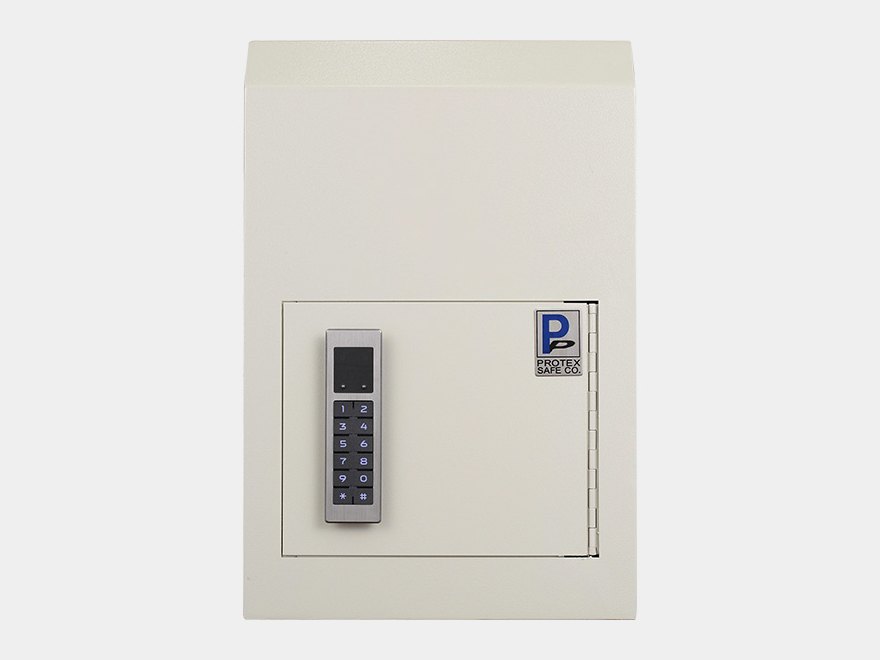
- A cream steel box with a narrow electronic keypad (keys 1 to 9, *, 0, #) on the door.
- Protex’s manual is titled Protex Mailbox, Model: WSS-159E / WSS-159E/WDC-160E.
- You use a 1 to 8 digit code.
How to open and lock it
- Make sure the safe is upright (not lying down).
- To open: enter your 1 to 8 digit code and press #.
- To close: press *, enter your 1 to 8 digit code, and press #.
- Remember your closing code. It becomes the opening code for your next opening.
How to change the battery
If the internal batteries die, you can give power to the lock from the outside with 9-volt batteries. Protex’s one-page sheet does not give any more detail about the batteries (the number, the type or where they are), so we are not guessing.
- Use a 9-volt battery on the outside of the safe to give the lock power, as in Protex’s manual, and enter your code.
- If you cannot find the contacts or the batteries, call us.
The code
- There is no separate change step. The code you enter when you close the safe (press *, your code, #) is the code for your next opening.
- The factory code is in Protex’s sheet. We are not printing it here.
- Choose a code of 1 to 8 digits and write it down somewhere safe before you lock the safe.
If it still won’t open
I forgot the code I closed it with
Please do not keep guessing. Call us.
The keypad does nothing
The batteries may be dead. Protex says you can power the lock from the outside with 9-volt batteries. Call us if you need help.
Download the full manufacturer instructions
This page is a quick-reference summary. For every feature and diagram, use the official manual for your model:
- Protex Mailbox WSS-159E User Manual (PDF)A Protex Safe Co. manual, from Protex’s Manual page. One page.
- Protex Safe: Drop boxesProtex’s product page.
Need a hand?
Still stuck? We can help.
Having a hard time getting into your safe? Our technicians are trained to open malfunctioning safes professionally, so your valuables can still be safely secured. Call us or stop by.
Steve’s Lock, Safe and Alarm · 3401 N. Sepulveda Blvd, Manhattan Beach, CA 90266
More lock guides
About this guide. This is an independent guide from Steve’s Lock, Safe and Alarm, a safe and lock dealer. Brand and model names belong to their owners and are used only to help you identify your lock. We are not affiliated with the manufacturers. These steps summarize the manufacturers’ own instructions; your lock may be a different version, so if anything here does not match what your lock does, follow your manual or call us. Always change codes with the safe door open, and test the new code several times before you close the door.
Steps last checked against the manufacturer documents on October 19, 2026.