
Safe lock help · Protex
Safe lock troubleshooting › Protex › Hotel and drawer safes: BG-20, BG-34, DRW-23, H2-2045ZH and H3-2045ZH
Protex hotel and drawer safes have a keypad with an LED display and a double code system: a personal code (4 to 6 digits) for everyday use and a master code (6 digits) that overrides it if it is lost. This guide covers the BG-20, BG-34 hotel safes, the DRW-23 drawer safe, and the H2-2045ZH and H3-2045ZH touch-keypad safes. It covers how to open, lock, set your code, replace the batteries, and use the battery box or key when you cannot get in.
Want the whole manual? Jump to the manufacturer download links.
Is this your lock?
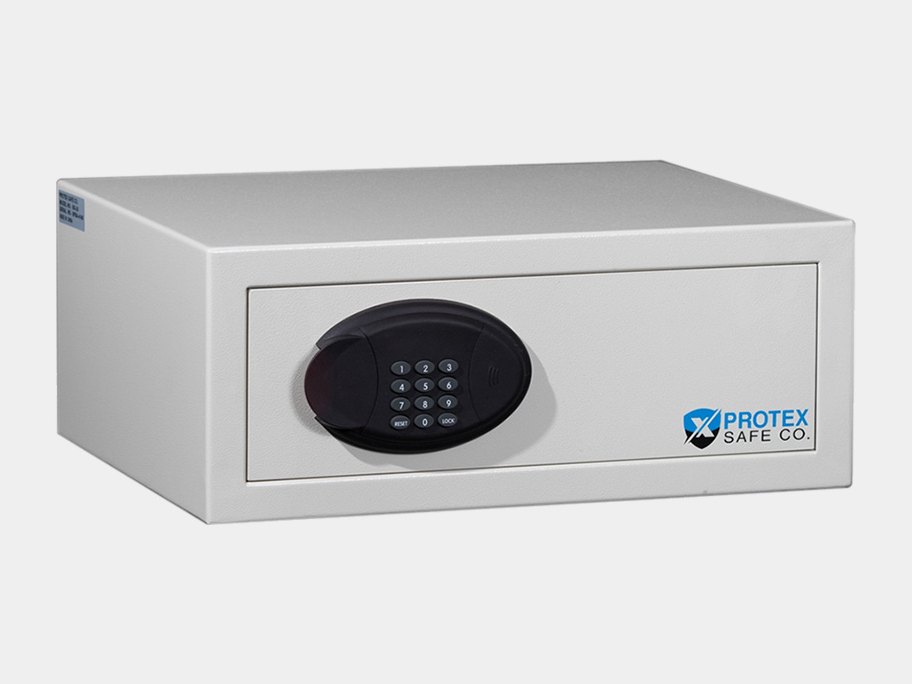
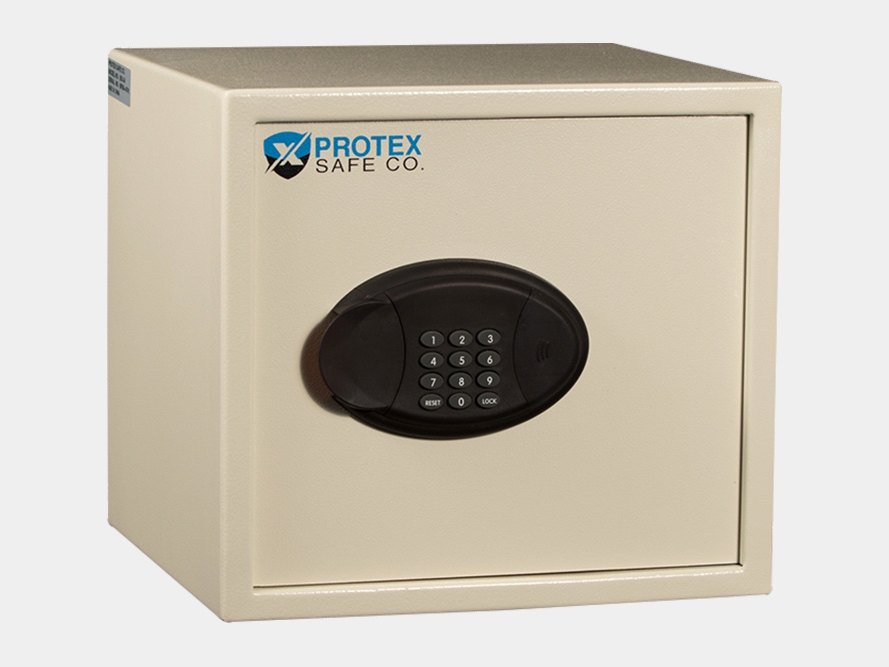
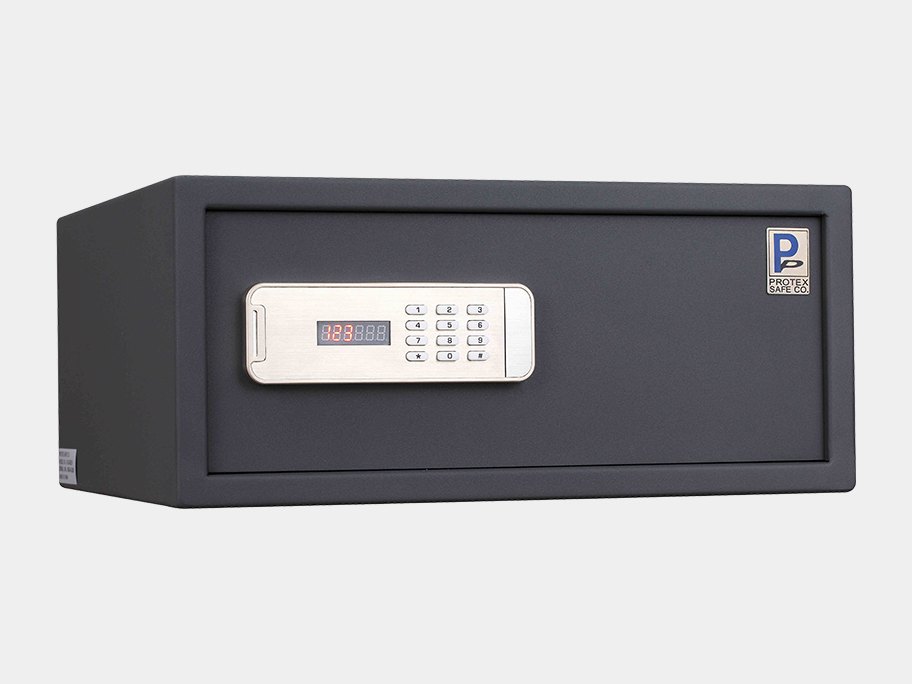
- A small safe (hotel, in-room or drawer type) with a keypad and an LED display, and a LOCK button (BG models) or # (DRW-23, H2 and H3) to lock.
- Two codes: a personal code (4 to 6 digits) and a master code (6 digits) that overrides the personal code if it was lost or forgotten.
- It runs on four AA batteries in a compartment in the back of the door (slide the black cover to expose them). A power override box and an emergency key come with it.
- The H2-2045ZH and H3-2045ZH work in hotel mode or residential mode and have a touch keypad: put your whole hand on the keypad to wake it.
How to open and lock it
- Open: enter your personal code (or the master code). The display shows OPENED, the bolts retract and the door (or drawer) springs open slowly.
- If you enter a wrong code the display shows E-CODE. Enter the right code again.
- Lock (BG models): shut the door and hold it closed all the way with one hand. While holding it shut, press LOCK. The door locks and the display shows CLOSED and then your personal code.
- Lock (DRW-23): shut the drawer and hold it closed, then press #. The display shows CLOSED and your code.
H2-2045ZH and H3-2045ZH
- Put your whole hand on the keypad panel to wake the touch keypad.
- Open: enter your user code. The display shows OPEN and then OPENED, and the door opens automatically.
- Close in hotel mode: enter any 4 to 6 digits and press #. The display shows CLOSE and then CLOSED. The code you close with is the code that opens it.
- Close in residential mode: shut the door and press #.
- On the BG and DRW models you have 10 minutes after opening to press LOCK (or #) to close with the same code. After that you must enter your personal code first and press LOCK or # (the display shows E-CODE if the 10 minutes have passed).
- The DRW-23 drawer safe: hold the safe on top when opening the drawer so it does not tip over.
- Hide your code (DRW-23): press * two times then #. The display then shows squares instead of numbers. Use * to delete the last digit.
How to change the battery
These safes use four AA alkaline batteries (we recommend Procell). When they run low, the display shows LO-BAT. The battery compartment is in the back of the door: slide the black cover to expose the batteries. The safe keeps your codes in memory for up to 6 months without power.
- Open the safe (use the battery box below if the batteries are dead).
- Slide the black cover on the back of the door to expose the batteries.
- Replace them with 4 new alkaline AA batteries and put the cover back.
If the batteries are dead: power override battery box
- Slide the cover on the battery box that came with the safe and put in 4 AA batteries.
- Plug its jack into the power override hole in the keypad.
- Open the safe with your personal or master code.
- Move the batteries to the battery compartment in the door.
- Never lock the power override box or the keys inside the safe.
How to change the codes
Test every new code with the door open.
The factory codes are in Protex’s manuals and with the safe paperwork. We are not printing them here.
Personal code (BG-20, BG-34, DRW-23)
- Open the safe with your personal code (or the factory code if you never changed it).
- Choose your new 4 to 6 digit code.
- Shut the door and hold it closed, then enter the new code and press LOCK (BG models) or # (DRW-23).
- The safe locks and keeps the new code. The display shows CLOSE, CLOSED and the new code.
- Test it by entering the new code: the safe should open.
Master code (optional, BG-20, BG-34, DRW-23)
- Open the safe with your personal code and leave it open.
- Enter the existing 6-digit master code and press RESET (BG models) or * (DRW-23). The display shows NEU.
- Enter a new 6-digit master code and press LOCK (BG) or # (DRW-23). The display shows AGAIN.
- Enter the new master code again and press LOCK or #. The display shows DONED when the new master code is accepted.
- If the display shows E-CODE, repeat the steps.
H2-2045ZH and H3-2045ZH: user code
- Hotel mode: the code you use to close the door is the code that opens it. There is no separate change step.
- Residential mode: with the door open, enter the correct user code and press *. The display shows USEr.
- Enter the new user code and press #. When the display shows AGAIN, enter it again and press #. dONE means it is finished.
- In residential mode the user code and master code cannot be the same.
H2-2045ZH and H3-2045ZH: master code and mode
- With the door open, wake the keypad, enter the master code and press *. The display shows NEU and TyPE.
- Change the master code: press 0 to choose NEU, then #. At BEGIN, enter the new 6-digit master code and press #. At AGAIN, enter it again. dONE means it is finished.
- Change the mode: choose TyPE. H-TyPE is hotel mode and F-TyPE is residential mode. Press 0 to switch and # to finish. Switching mode resets the user code to the factory code.
- The master code overrides the personal code if it was lost or forgotten.
Display messages
| What you see | What it means |
|---|---|
| OPEN, OPENED | The code was right. The bolts are retracting. |
| CLOSE, CLOSED | The safe locked with the code shown next. |
| E-CODE | A wrong code, or the 10 minutes to close with LOCK have passed, or the two entries of a new code did not match. |
| LO-BAT | The batteries are running low. Replace them. |
| HOLD and a countdown | The safe is in lockout. |
| NEU, AGAIN, DONED (dONE) | You are changing the master code (BEGIN, AGAIN, then done). |
| E-rUN (H2, H3) | Something is wrong in the locking mechanism. Call us. |
| B-LOC (H2, H3) | The bolts are stuck against the door frame. Open the door with the code, shut it fully and close it again. |
Wrong codes
BG-20, BG-34 and DRW-23: three or more wrong codes in a row put the safe into lockout for 15 minutes. There is no response from the keypad and the display shows HOLD and a countdown. After 15 minutes without touching the keypad, it goes back to normal. H2 and H3: three wrong codes show HOLD and a time, then the keypad returns to normal.
The emergency key
Use the key only if both codes (personal and master) are not available or the keypad is malfunctioning. Do not use it to open the safe on a regular basis. Keep the keys outside the safe in a hidden place.
- BG models: gently slide the plastic key override cover to the right and remove it from the keypad. Put the key in with the notch pointing upwards and turn it counter-clockwise to open the safe.
- DRW-23: gently unscrew the chrome keyhole cap below and to the left of the keypad, put the key in with the notch pointing upwards and turn it counter-clockwise.
- H2 and H3: Protex’s sheet says to use the emergency key if you forgot your code. Ask us for help.
If it still won’t open
The keypad is dead
The batteries are probably dead. Use the power override battery box (4 AA) in the hole in the keypad, open the safe, and change the batteries in the door.
E-CODE when I press LOCK
More than 10 minutes passed since the safe was opened. Enter your personal code first, then press LOCK (BG) or # (DRW-23).
I lost my personal code
Enter the master code: it overrides the personal code. If you lost both, use the emergency key or call us.
The door will not close
Hold the door all the way shut with one hand while you press LOCK or #. On H2 and H3, B-LOC means the bolts are stuck: open and close the door again.
Download the full manufacturer instructions
This page is a quick-reference summary. For every feature and diagram, use the official manual for your model:
- Protex BG-20 and BG-34 Hotel Safe User Manual (PDF, Rev. 2.18.14)A Protex Safe Co. manual, from Protex’s Manual page.
- Protex DRW-23 Drawer Safe User Manual (PDF, Rev. 11.13.12)A Protex Safe Co. manual, from Protex’s Manual page.
- Protex H2-2045ZH and H3-2045ZH User Manual (version 1.0)A Protex Safe Co. manual, from Protex’s Manual page. Scanned pages.
- Protex Safe: Hotel safesProtex’s product page.
Need a hand?
Still stuck? We can help.
Having a hard time getting into your safe? Our technicians are trained to open malfunctioning safes professionally, so your valuables can still be safely secured. Call us or stop by.
Steve’s Lock, Safe and Alarm · 3401 N. Sepulveda Blvd, Manhattan Beach, CA 90266
More lock guides
About this guide. This is an independent guide from Steve’s Lock, Safe and Alarm, a safe and lock dealer. Brand and model names belong to their owners and are used only to help you identify your lock. We are not affiliated with the manufacturers. These steps summarize the manufacturers’ own instructions; your lock may be a different version, so if anything here does not match what your lock does, follow your manual or call us. Always change codes with the safe door open, and test the new code several times before you close the door.
Steps last checked against the manufacturer documents on October 19, 2026.