
Safe lock help · Burg-Wächter
Safe lock troubleshooting › Burg-Wächter › PointSafe (P 1 E to P 4 E)
The Burg-Wächter PointSafe (P 1 E, P 2 E, P 3 E, P 4 E) is a home safe with a small display and Enter and Close buttons. The door opens and closes by itself. This guide covers how to open and close it, replace the four AA batteries, change the user code and master code, and what LO BATT, BLOCK and ERROR mean.
Want the whole manual? Jump to the manufacturer download links.
Is this your lock?
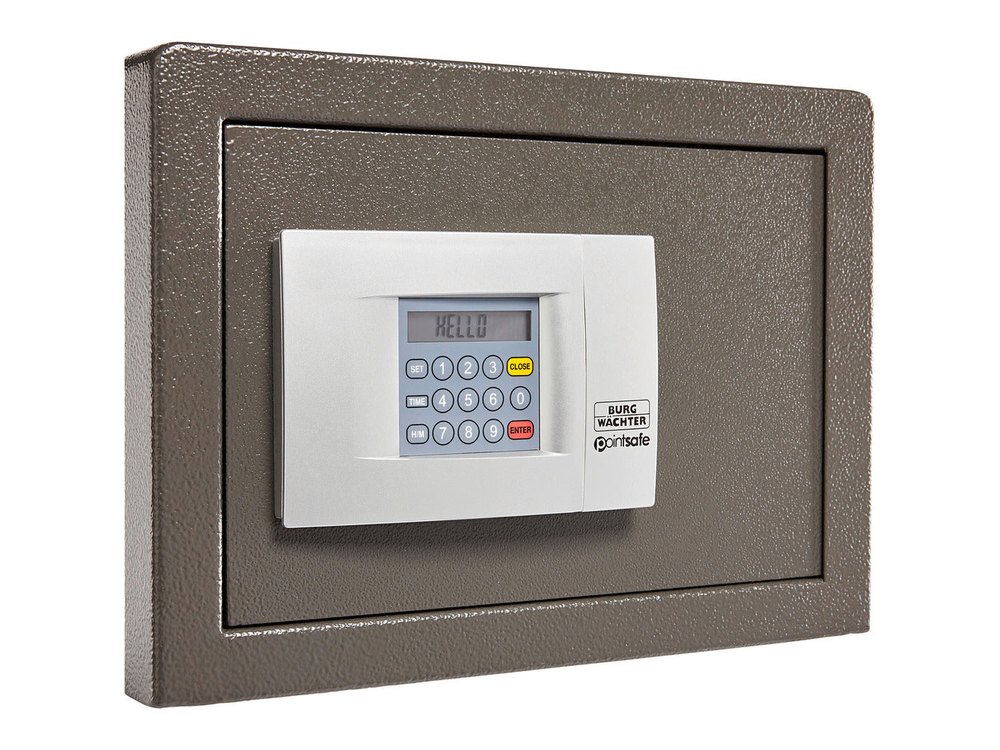
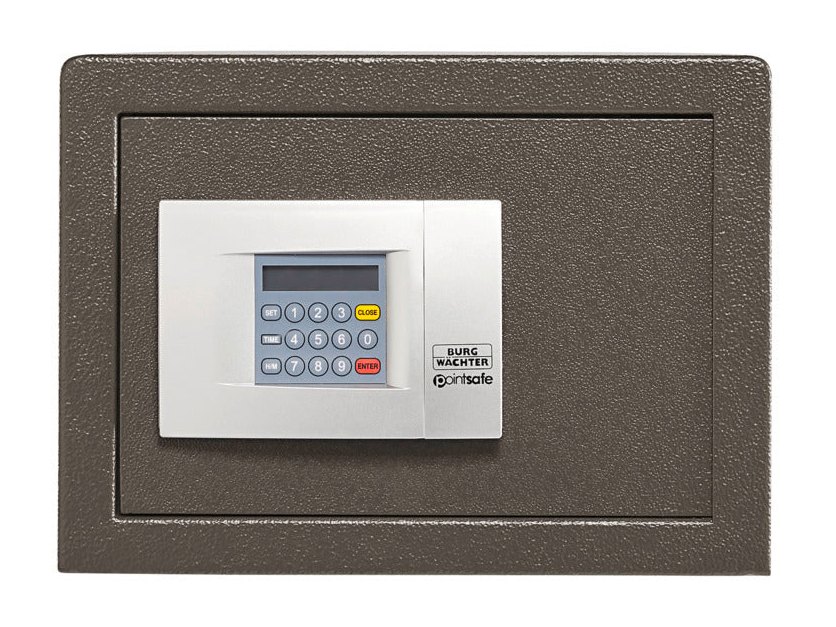
- A light-gray keypad panel on the safe door with a small display, number keys, and two large buttons, Enter and Close. A small cover plate marked “Point Safe” slides away to reach the batteries.
- The bolts are motorized: the door opens by itself after a correct code, and closes by itself when you press Close.
- It is powered by four AA (LR6) alkaline batteries. An emergency lock is behind the batteries.
- Burg-Wächter’s English instructions for this line are dated April 2006. If your newer PointSafe behaves differently from this page, follow the manual that came with it or call us.
- This is not the older Basic / Smart / Universal Safe (see that guide if your safe has no display and uses a knob).
How to open and close it
Open
- Press Enter.
- Enter your user code.
- Press Enter. The door opens automatically.
Close
- Press Close. The door closes automatically.
- If something blocks the door, the display shows BLOCK and the safe cannot close. Remove whatever is in the way and try again.
- Entered a wrong digit by mistake? Press Close to delete it.
- The safe only does its job when it is fixed to a solid part of the building (wall or floor), using the marked fixing points.
- Keep your codes and the emergency keys in a safe place, but not inside the safe.
How to change the battery
The safe uses four AA (LR6) 1.5-volt alkaline batteries. When the display shows LO BATT, replace all four. We recommend Procell. If you will not use the safe for a long time, take the batteries out.
- Slide the cover plate marked “Point Safe” away from the keypad.
- Take out the four old batteries. (The emergency lock is behind them.)
- Put in four new AA alkaline batteries.
- Slide the cover plate back.
- Press Enter to check that the display comes on, and test your user code before you rely on the safe.
Dispose of old batteries properly
Burg-Wächter asks you to dispose of used batteries in an environmentally friendly way.
How to change your codes
Do this with the door OPEN and the bolts extended.
Do not change codes while the safe is shut. Do not use birthdays, phone numbers or other personal dates, and change both the master and user codes from the factory settings. Check your paperwork for the codes you were given.
Change the user code (1 to 6 digits)
- Press Enter. The display shows Code.
- Enter the new user code.
- Press Enter, and then press Close. The door closes automatically.
- Test the new code.
Change the master code (8 digits)
- Press Enter, enter the current master code, and press Enter. The display shows PASS 1 and starts a 10-second count.
- Press Enter again within those 10 seconds.
- Enter the new master code (8 digits), then press Enter.
- Enter the new master code a second time, then press Enter once more.
- If the display shows Good, the new master code is saved.
What the display shows
| What you hear / see | What it means |
|---|---|
| LO BATT | The batteries are low. Replace all four. |
| BLOCK | Something is blocking the door, so it cannot close. Remove the obstacle and try again. |
| ERROR (with short tones) | A wrong code was entered. After three wrong codes the safe blocks for 5 minutes. |
| Code | The safe is ready for you to enter a new user code. |
| PASS 1 | Master code accepted: a 10-second count starts. Press Enter again within 10 seconds. |
| Good | The new master code was saved. |
Wrong-code block
In a closed state the safe will not accept an incorrect code: the display shows ERROR and you hear short tones. If a wrong code is entered three times, the electronics block the safe for 5 minutes. After that the safe can be opened with the master code or the correct user code.
Set the clock
The bolts must be extended.
- Press SET. The hour display blinks.
- Press H/M until the hour you want is shown. (A 1 to 12 is 1 to 12 o’clock in the morning; P 1 to 12 is 13 to 24, the afternoon and evening.)
- Press SET. The minute display blinks.
- Press H/M until the minute you want is shown.
- Press SET to confirm.
If it still won’t open
The display is dead or shows LO BATT
Replace all four AA batteries with fresh alkaline ones (see the battery section). If the safe is shut and the batteries are completely dead, do not force it: call us.
The door will not close
The display shows BLOCK when something is in the way. Remove the obstacle (check the door edge and bolts) and press Close again.
My code is rejected
Wait if the safe has blocked for 5 minutes after three wrong codes, then try again. Press Close to delete a digit you typed by mistake. If you are not sure of the code, do not keep guessing: call us.
Download the full manufacturer instructions
This page is a quick-reference summary. For every feature and diagram, use the official manual for your model:
- BURG-WÄCHTER Point Safe with digital lock: Operating Instructions (PDF)Burg-Wächter English instructions, 04-2006. Hosted by Burg-Wächter.
- Burg-Wächter websiteManufacturer website, with manuals for other Burg-Wächter safes.
Need a hand?
Still stuck? We can help.
Having a hard time getting into your safe? Our technicians are trained to open malfunctioning safes professionally, so your valuables can still be safely secured. Call us or stop by.
Steve’s Lock, Safe and Alarm · 3401 N. Sepulveda Blvd, Manhattan Beach, CA 90266
More lock guides
About this guide. This is an independent guide from Steve’s Lock, Safe and Alarm, a safe and lock dealer. Brand and model names belong to their owners and are used only to help you identify your lock. We are not affiliated with the manufacturers. These steps summarize the manufacturers’ own instructions; your lock may be a different version, so if anything here does not match what your lock does, follow your manual or call us. Always change codes with the safe door open, and test the new code several times before you close the door.
Steps last checked against the manufacturer documents on October 14, 2026.