
Safe lock help · Kaba / dormakaba
Safe lock troubleshooting › Kaba / dormakaba › Auditcon 2 (models 52, T52, 252, 552)
The Kaba (dormakaba) Auditcon 2 (models 52, T52, 252 and 552) is a keypad lock that makes its own power when you turn the dial. There is no battery to change. This guide covers how to power and open it, change a PIN or combination, what the green and red lights mean, and what to check if the bolt will not retract.
Want the whole manual? Jump to the manufacturer download links.
Is this your lock?
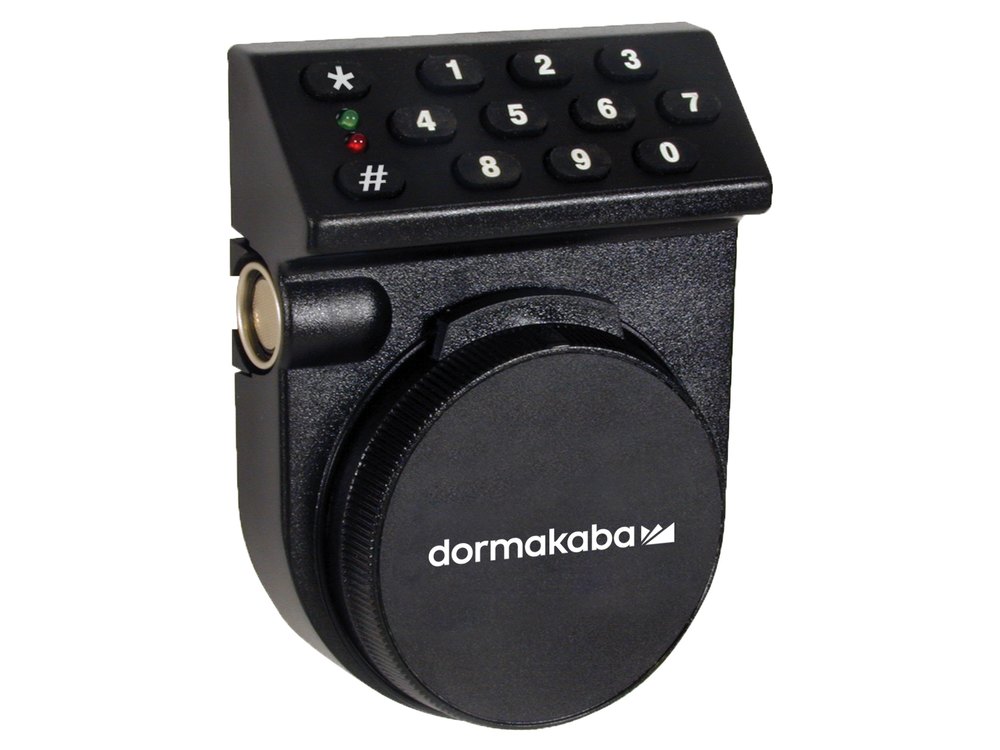
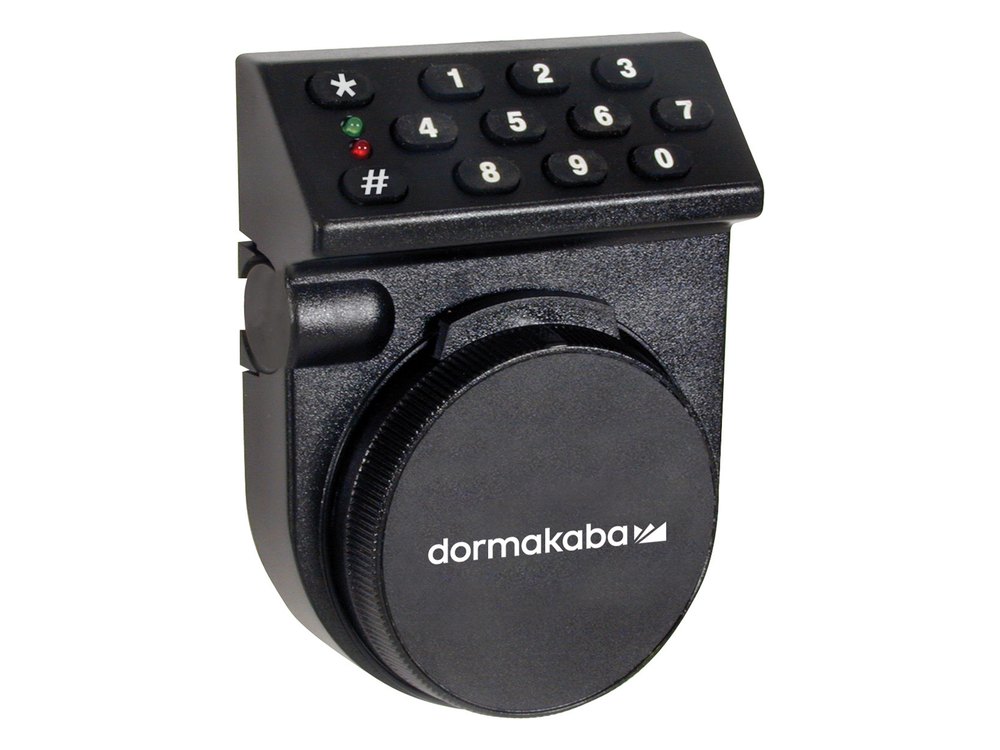
- A small keypad (number keys plus # and * and a red and a green light) mounted above a round dial with a dormakaba or Kaba logo.
- You turn the dial back and forth to power the lock: a small generator behind the dial makes the electricity. There is no battery to replace. Some locks also have an optional 9-volt battery clip inside the door, called battery assist.
- Model 52 / T52: six-digit combinations for User 1 (the manager) and an optional User 2.
- Model 252: a Master plus up to 20 users. Model 552: a Master plus up to 99 users, with time delay and holiday settings. For these two, you enter a two-digit user ID followed by a six-digit PIN.
- The model number is printed on the lock. Auditcon 2 locks are used on commercial safes. They are not the same as the Kaba Mas X-series locks.
How to power it and open it
- Turn the dial briskly back and forth until the lights give simultaneous green and red flashes and you hear two beeps. That means the lock is powered.
- Put the dial in the HOME position: the lip of the dial at the top (12 o’clock).
- Model 252 or 552: key in your two-digit user ID followed by your six-digit PIN. Model 52 or T52: key in your six-digit combination.
- If the combination is accepted, the lock gives a green flash (one flash on a deadbolt model, continuous flashes on a swing bolt model). The lock is ready to open.
- Deadbolt locks: turn the dial right (clockwise) until the bolt is retracted. Swing bolt locks: turn the safe handle to the open position.
- You must retract the bolt within 4 to 6 seconds after a valid combination.
- To relock a deadbolt lock, turn the dial back to the left so the bolt returns to the extended position. On a swing bolt lock, turn the handle back to the locked position.
No battery to change
The Auditcon 2 is self-powered. Turning the dial runs a small generator, so there is no battery to run down. If the lights do not come on, keep turning the dial briskly back and forth. A 9-volt battery is only used if your lock has the optional battery assist, which keeps the lights flashing through a time delay and allows more complicated programming from the keypad. If you are not sure whether yours has it, call us.
How to change a PIN or combination
Open the safe door before you change a PIN.
Dormakaba says to open the container door first, so you can test the new PIN. Do not use a birthday or other predictable number. Write the new PIN down and keep it somewhere secure. Power the lock first by turning the dial.
Model 252 or 552 (user ID + PIN)
A user’s PIN can be changed at any time. The two-digit user ID can never be changed.
- Power the lock by turning the dial (green and red flash, two beeps).
- Press #, then 1. The lights flash green and red.
- Enter the current combination: your user ID + current PIN.
- Enter the new combination: your user ID + new PIN.
- Enter the new combination again to confirm. The lights flash green and red twice.
- Open the lock with the new PIN before you close the door.
Model 52 or T52 (single combination)
- Power the lock by turning the dial.
- Press #, then 1 (for User 1, the manager in single mode). For User 2, press #, #, then 1.
- Enter the current combination.
- Enter the new six-digit combination.
- Enter the new combination again.
- Open the lock with the new combination before closing the door.
- On the 252 and 552, only the Master (or a Supervisor, in supervisor mode) can add or delete other users. Dormakaba’s support site has step-by-step articles for adding and deleting users.
- Auditing (pulling the lock’s event history) needs dormakaba’s software and an interface kit.
What the lights and beeps mean
| What you see or hear | What it means |
|---|---|
| Green and red flash together, two beeps | The lock is powered and ready for a combination. |
| One green flash (deadbolt) or continuous green flashes (swing bolt) | The combination was accepted. Open the lock within 4 to 6 seconds. |
| Green and red flashes during programming | The lock accepted that step. Keep going. |
| Two red flashes about every four seconds | A time delay is counting down (252 and 552 with a time delay set). |
| Two green flashes and a beep about every four seconds | The delayed-opening window is open: enter a valid combination now (252 and 552 with a time delay set). |
Wrong combinations
Five wrong tries in a row lock the Auditcon out for 3 minutes. Wait for the 3 minutes to finish before you try again, and do not keep guessing: call us if you are not sure of the PIN.
If it still won’t open
The lights never come on
Turn the dial briskly back and forth until you see green and red together and hear two beeps.
The green light comes on but the bolt will not retract
Check whether the safe door is open or closed and whether this is a new or an older installation.
Deadbolt locks: in the locked position, the grooves of the spindle must face the bolt of the lock. Make sure the red lip at the 12 o’clock position is covered by the dial. If that does not work, try again with the dial at the 3, 6 and 9 o’clock positions. Look over the dial for damage.
Swing bolt locks: check for pressure from the safe’s boltwork against the lock bolt, and check for a bent or distorted mounting plate that is binding the lock.
If it still will not retract, call us.
I forgot my PIN
Do not keep guessing. Call us and we will go over your options.
Download the full manufacturer instructions
This page is a quick-reference summary. For every feature and diagram, use the official manual for your model:
- Auditcon 2 Model 252 Template and Instructions (dormakaba support)Installation instructions for the 52, T52, 252 and 552. Hosted by dormakaba.
- Auditcon 2 Model 552 Template and Instructions (dormakaba support)Hosted by dormakaba.
- Auditcon 2 Model 52 / T52 Instructions and Template (dormakaba support)Hosted by dormakaba.
- Auditcon support articles (dormakaba)How to change a PIN, set a time delay, add users and more. Hosted by dormakaba.
Need a hand?
Still stuck? We can help.
Having a hard time getting into your safe? Our technicians are trained to open malfunctioning safes professionally, so your valuables can still be safely secured. Call us or stop by.
Steve’s Lock, Safe and Alarm · 3401 N. Sepulveda Blvd, Manhattan Beach, CA 90266
More lock guides
About this guide. This is an independent guide from Steve’s Lock, Safe and Alarm, a safe and lock dealer. Brand and model names belong to their owners and are used only to help you identify your lock. We are not affiliated with the manufacturers. These steps summarize the manufacturers’ own instructions; your lock may be a different version, so if anything here does not match what your lock does, follow your manual or call us. Always change codes with the safe door open, and test the new code several times before you close the door.
Steps last checked against the manufacturer documents on October 14, 2026.