
Safe lock help · Securam
Safe lock troubleshooting › Securam › SafeLogic Basic (EC-0601A)
The Securam SafeLogic Basic is a simple number keypad (EntryPad EC-0601A) with a 6-digit code and no display screen. This guide covers how to change the 9-volt battery, change the code, and what the beeps and the 5-minute lockout mean.
Want the whole manual? Jump to the manufacturer download links.
Is this your lock?
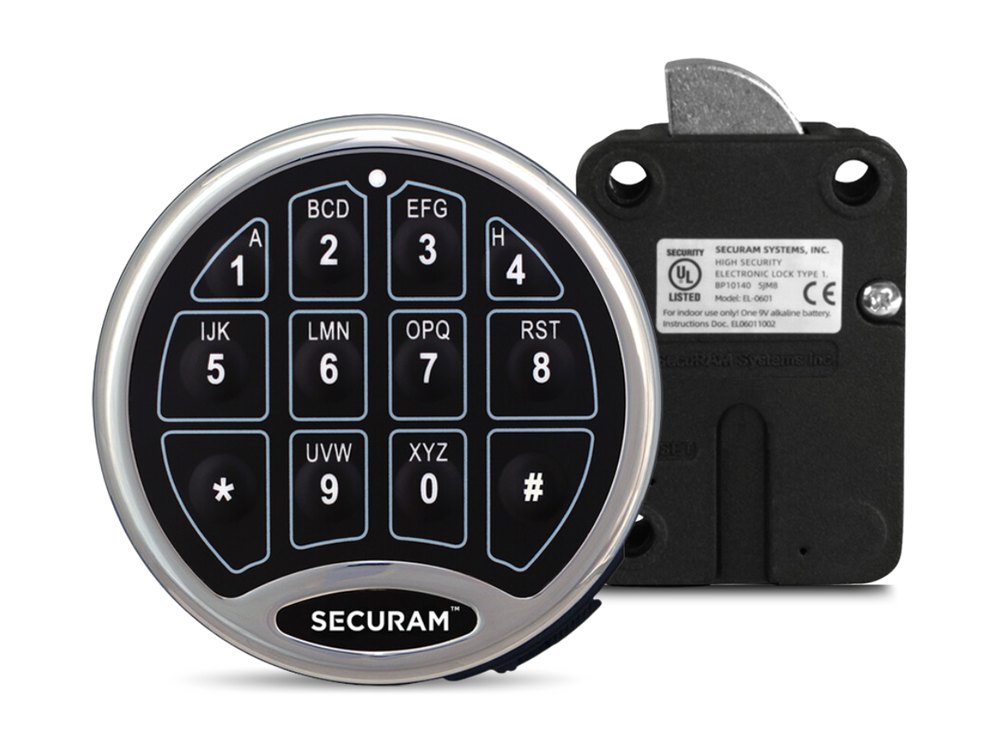
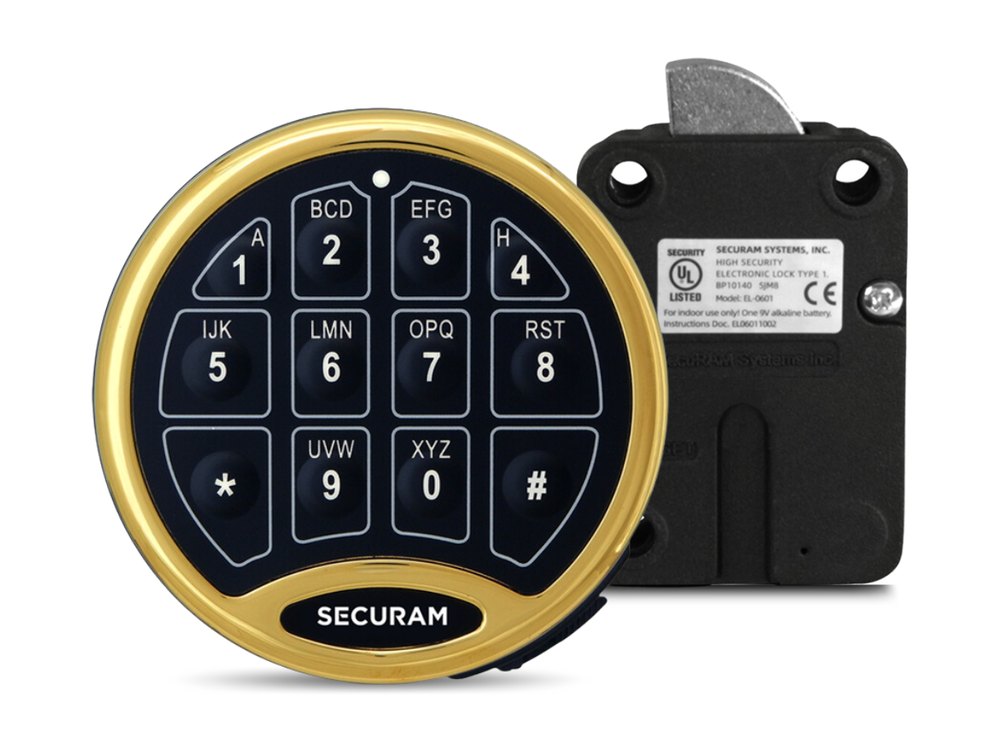
- A keypad on the safe door with number keys and no screen. It talks to a Securam lock body (EL-0601, EL-0701, EL-0801 or EL-0901) inside the door.
- It uses a 6-digit code and one 9-volt alkaline battery in the back of the keypad.
- Other Securam keypads (the ProLogic models with a screen, or TopLit models with lit keys) use different menus. This guide is for the plain Basic keypad.
How to open it
- Enter your 6-digit code.
- The lock opens. It relocks automatically after 6 seconds, so turn the handle right away.
- The keypad goes back to standby (two short beeps) if you do not press a key for 10 seconds.
- For indoor use only.
How to change the battery
The keypad uses one 9-volt alkaline battery (Securam recommends standard alkaline batteries, replaced once a year; we recommend Procell). When the battery is low, the keypad gives 8 beeps during an unlock. That means replace it immediately.
- In the back of the keypad you will see one 9-volt alkaline battery. Take it out of the battery compartment by gently pulling until it drops out.
- Gently remove the connector by unsnapping it from the two terminals on top of the battery. Never pull on the battery leads.
- Snap the connector onto a new 9-volt alkaline battery.
- Put the battery and its leads completely back into the battery compartment.
- With the safe door open, enter your code to confirm that it opens the lock.
- Securam recommends standard 9-volt alkaline batteries.
How to change the code
Do this with the safe lock unlocked and the door OPEN.
Check that the new code is right before you close the door. The lock will not let you use six zeros (000000) as a code.
- Enter 000000. Two beeps mean the keypad is waiting for the change.
- Enter your existing 6-digit code. Two beeps mean it was accepted.
- Enter your new 6-digit code. One beep means it was accepted.
- Enter the new code again. One beep means the two entries match and the code change worked.
- If you hear three beeps, the change failed and your old code is still valid. Repeat the steps.
- Test the new code at least 3 times before you close the door.
- If you stop pressing keys for 10 seconds, the keypad goes back to standby (two short beeps) and the change is not made.
What the beeps and lights mean
| What you hear / see | What it means |
|---|---|
| 2 short beeps | Standby: no key was pressed for 10 seconds. Also confirms the first steps of a code change (six zeros, then your existing code). |
| 8 beeps while unlocking | The battery is low. Replace it immediately. |
| 1 beep after the new code entries | That entry was accepted. The second 1 beep confirms the code change worked. |
| 3 beeps during a code change | The change failed. Your old code still works. Try again. |
| A beep every 5 seconds, keys do nothing | Penalty time (lockout). See below. |
Wrong-code lockout
If four incorrect codes are entered in a row, the keypad enters a 5-minute penalty time. It beeps every 5 seconds and the keys do not respond. Pressing buttons during the penalty does not restart or lengthen it. Taking the battery out pauses the countdown, and it picks up where it left off when you reinstall the battery, so removing the battery does not skip the wait.
If it still won’t open
The keypad is dead
Replace the 9-volt battery with a fresh alkaline one and make sure the connector is snapped on both terminals.
It beeps 8 times and will not open
The battery is low. Replace it right away, then try your code again.
It opens, but I cannot turn the handle in time
The lock relocks 6 seconds after a valid code. Be ready to turn the handle as soon as the code is accepted.
Download the full manufacturer instructions
This page is a quick-reference summary. For every feature and diagram, use the official manual for your model:
- Securam SafeLogic Basic Operating Instructions (PDF)Securam document BU-EC0601A130402, V1.01. Copy hosted by a dealer.
- Securam support centerManufacturer support site. Search for your keypad model for its current guide.
Need a hand?
Still stuck? We can help.
Having a hard time getting into your safe? Our technicians are trained to open malfunctioning safes professionally, so your valuables can still be safely secured. Call us or stop by.
Steve’s Lock, Safe and Alarm · 3401 N. Sepulveda Blvd, Manhattan Beach, CA 90266
More lock guides
About this guide. This is an independent guide from Steve’s Lock, Safe and Alarm, a safe and lock dealer. Brand and model names belong to their owners and are used only to help you identify your lock. We are not affiliated with the manufacturers. These steps summarize the manufacturers’ own instructions; your lock may be a different version, so if anything here does not match what your lock does, follow your manual or call us. Always change codes with the safe door open, and test the new code several times before you close the door.
Steps last checked against the manufacturer documents on October 14, 2026.